A-2 DA80F/DA95F AddressRight™ Printers Service Manual (SV61962 Rev. A)
Appendix A • Printer Control Panel Menus and Utilities
✍
TIP: Certain options of
control panel software
are only available if
the printer is OFFLINE
and if you log on with
the appropriate level of
password.
A.1 Control
Panel Menus
for the Printer
Control Panel Software Option on Host PC
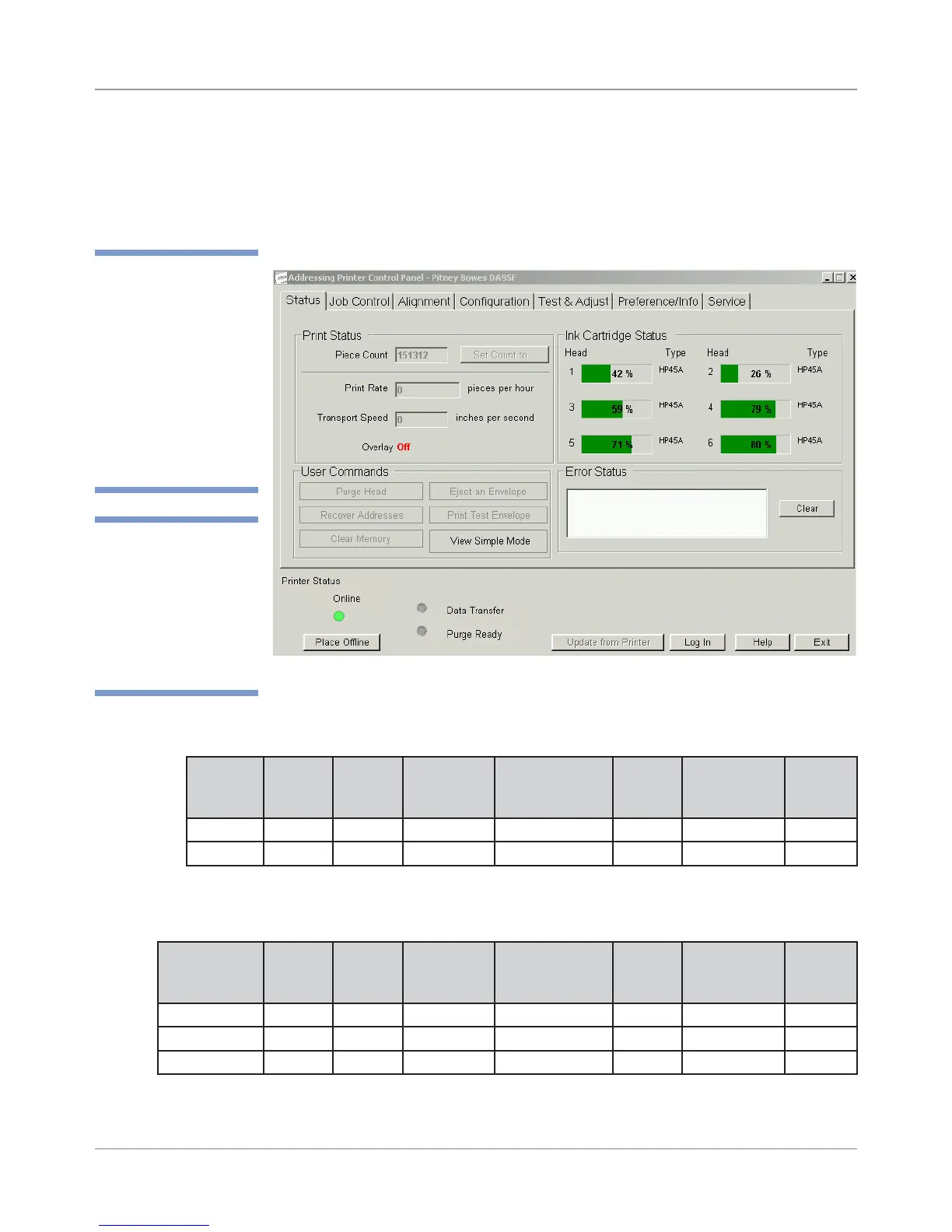
The control panel software option, when loaded on a host PC communicating
with the printer (via USB or network connection), allows you to access to all the
menu and setup functions you would find on the printer’s LCD panel, as well as
run other programs unique to the control panel software (see figure below).
✍
TIP: For most cus-
tomer applications,
you will use the soft-
ware control panel
application (on the
host PC) to configure
the printer. For more
information on this ap-
plication, see its built-
in help.
Main Screen of Control Panel Software Option on Host PC
Feature/Tab Access on Control Panel Software by Online/Offline State of Printer
State Status
Tab
Job
Control
Tab
Alignment
Tab
Configuration
Tab
Test &
Adjust
Tab*
Preference/
Info Tab
Service
Tab*
OFF Line Yes Yes Yes Yes Yes Yes Yes
ON Line Limited No No No No No No
*Assuming you have logged on with the appropriate password
Feature/Tab Access on Control Panel Software by Logon Password (in Off line State)
Logon Status
Tab
Job
Control
Tab
Alignment
Tab
Configuration
Tab
Test &
Adjust
Tab
Preference/
Info Tab
Service
Tab
Standard Yes Yes Yes Limited No Yes No
Supervisor Yes Yes Yes Yes Yes Yes No
Service Yes Yes Yes Yes Yes Yes Yes



 To Next Page