DA80F/DA95F AddressRight™ Printers Service Manual (SV61962 Rev. A)
A-5
Printer Control Panel Menus and Utilities • Appendix A
A.3 LCD
Main Menu
Submenu Option Settings What It Does
A. Distance from
Left
(when Inverted
Printing option
below is set to
“Normal”)
or
“Distance to
Right”
(when Inverted
Printing option
below is set to
“Invert”)
0 to 40.00
inches (in
0.01 inch
increments,
or 0 - 999
mm (in 0.1
mm incre-
ments)
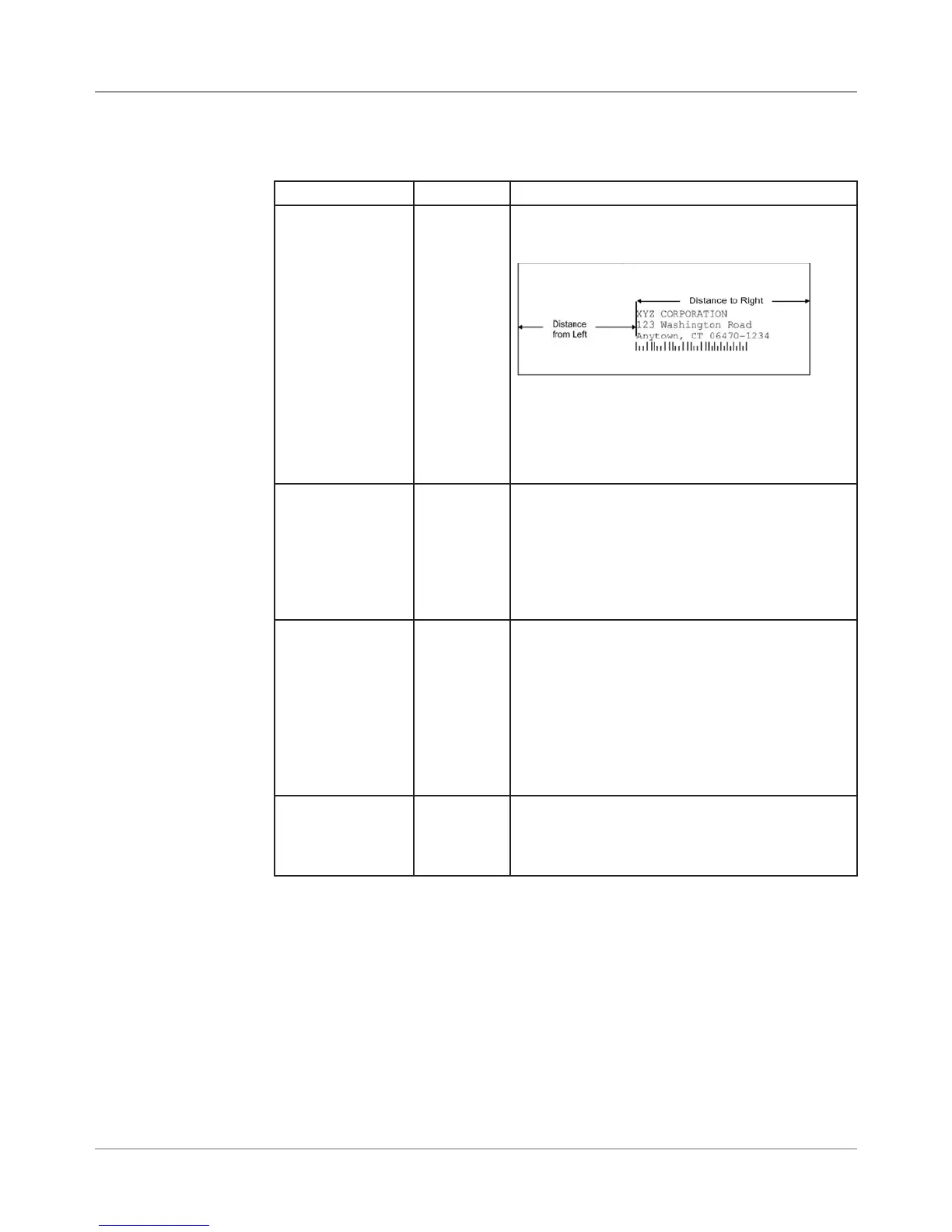
Allows you to adjust the distance from the left
edge of the media to the first printable character.
Example:
NOTE: The values for “Distance from Left” and
“Distance to Right” always represents the same
print starting position on the envelope; it’s the
orientation of the envelope that determines the
actual measurement.
C. Line Spacing Automatic,
3,
4,
5,
6,
8
(lines/inch)
Whenever scalable fonts are used, automatic
line spacing is recommended. Automatic line
pitch selection is based on industry-standard
definitions for line spacing for each print pitch
and style selected. The printer automatically
selects the correct setting for the font and size
of the characters being printed.
D. Inverted
Printing
Normal,
Invert
Normal - the leading edge of the material is
considered to be the bottom with the right edge
running against the side of the printer.
Invert - tells the printer that the top of the mate-
rial enters and exits first, and that the material's
left edge runs along the side of the printer.
NOTE: The setting in this option changes how
the “Distance from Left” option displays (see
above) because of the inverted prospective.
E Orientation
Control
Automatic,
Manual
Changes the orientation between automatic,
(the printer acknowledges the orientation com-
mands sent from the computer) or manual
(printer uses the menu settings for orientation)
1. Address Layout



 To Next Page