User Manual of WDAP-C7200AC/WDAP-W7200AC
-77-
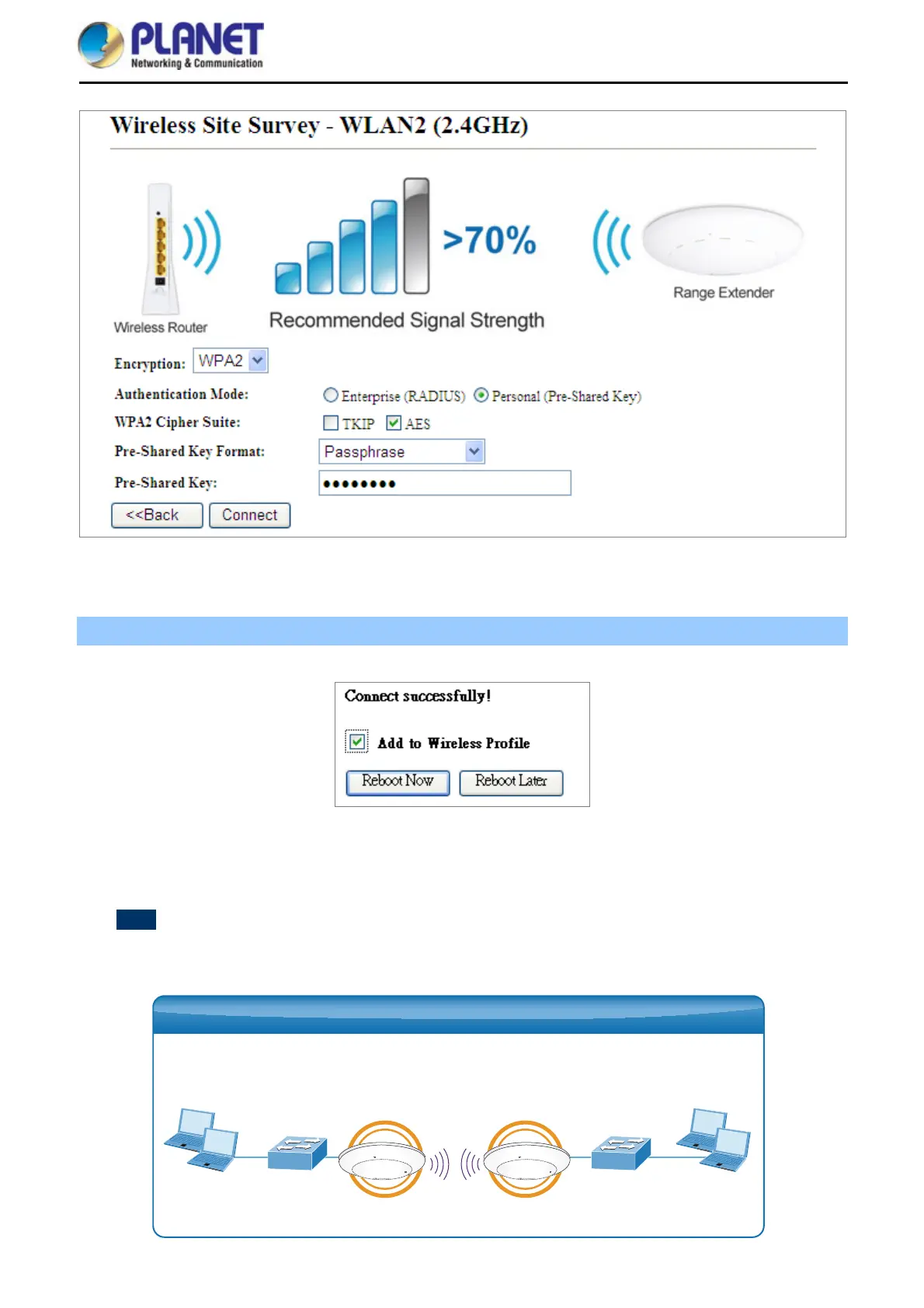
Figure 5-61 Client – Security
Step 4. Wait until the connection is established. Check the “Add to Wireless Profile” option and then reboot it.
Figure 5-62 Client – Status
WDS
Connect this Wireless AP with up to 8 WDS-capable wireless APs to expand the scope of network.
Clients ClientsSwitch Switch
WDAP-C7200AC WDAP-C7200AC
WDS Bridge-PtP Mode















 To Next Page