User Manual of WDAP-C7200AC/WDAP-W7200AC
-25-
Chapter 5. Configuring the AP
This chapter delivers a detailed presentation of AP’s functionalities and features 8 main items below, allowing
you to manage the AP with ease. The screen shots use the WDAP-C7200AC as an example.
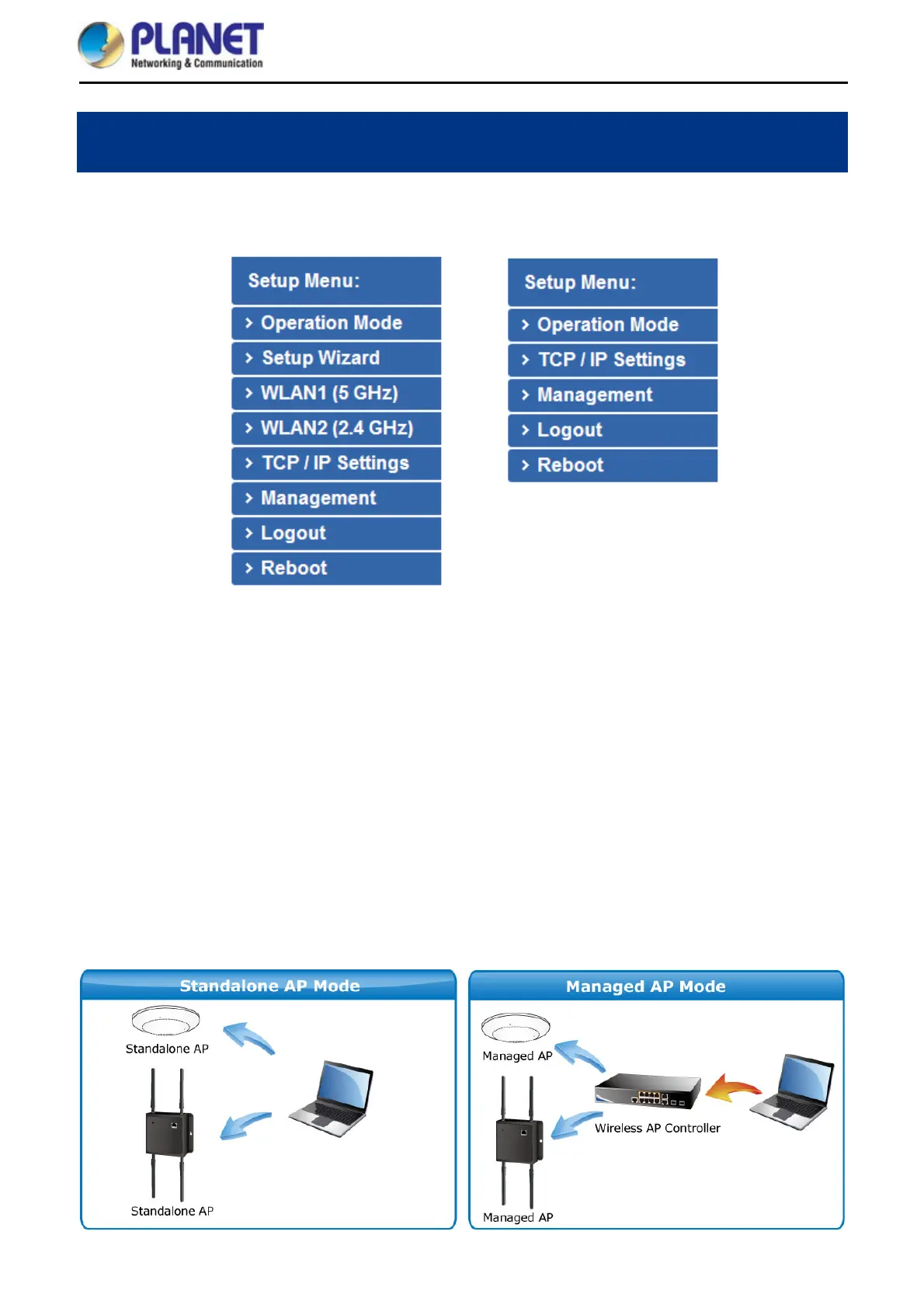
Standalone AP Mode Managed AP Mode
Figure 5-1 Main Menu
During operation, if you are not clear about a certain feature, you can refer to the “Help” section at the right side
of the screen to read all the related helpful information.
5.1 Operation Mode
The Operation Mode section guides you to configuring the WDAP-C7200AC/WDAP-W7200AC to Standalone
AP or Managed AP. When switching the operation mode to Managed AP, the administrator will be able to
manage the AP by PLANET Wireless AP Controller. To configure the managed AP by PLANET Wireless AP
Controller, please refer to the WAPC-1232HP AP Management user’s manual.















 To Next Page