Bookletmaker SR 85 February 2001PAGE
REMOVAL
1. Move the front side guide to the outermost position.
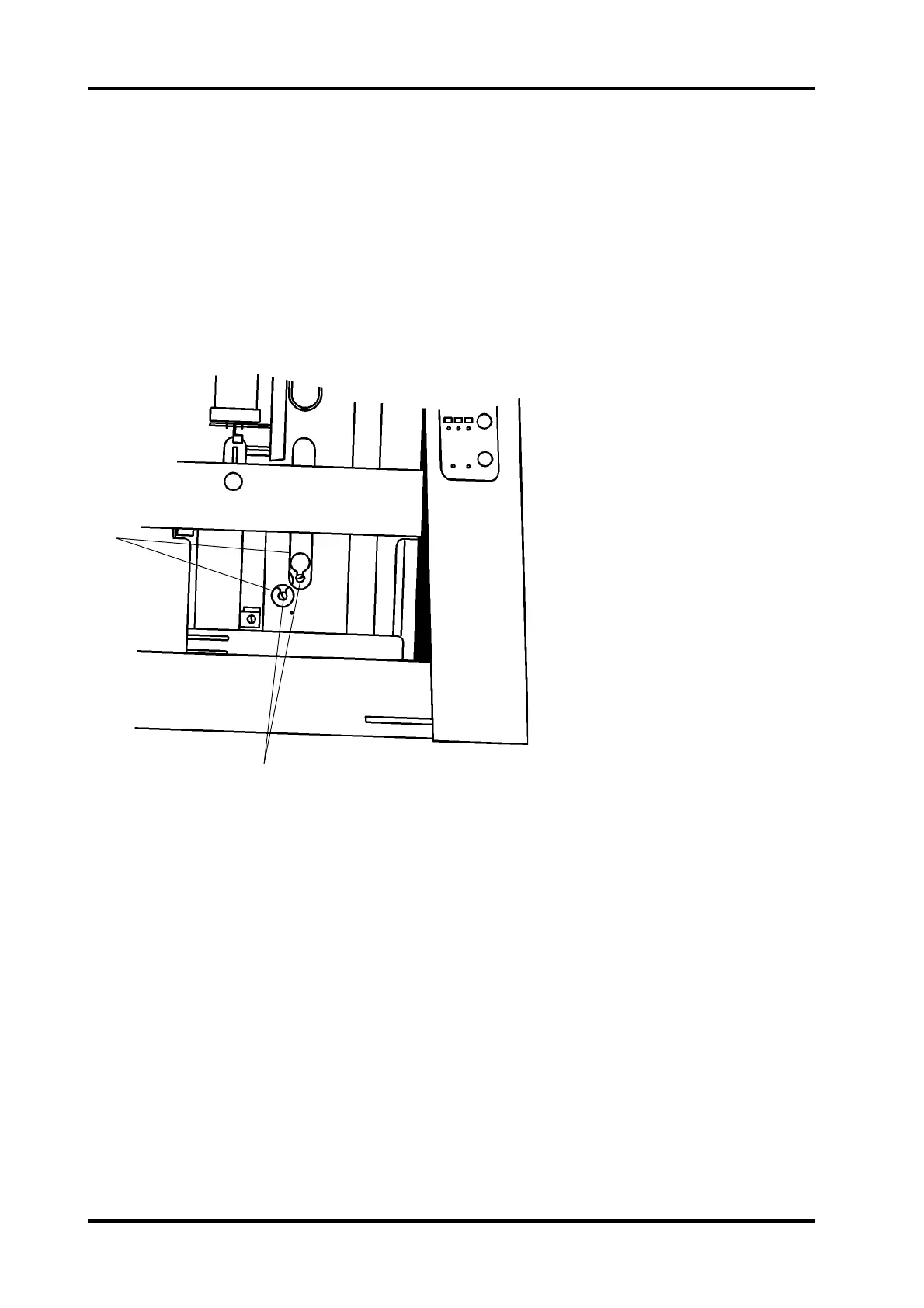
2. Adjust the sheet size on the control panel to align the mounting screws (2) for the
solenoid with the access holes (1) in the paper path.
3. Switch off the main power switch and disconnect the power cord.
4. Remove the infeed cover according to REP 1.3.
5. Cut the ty-wrap securing the cable.
6. Disconnect the solenoid connector.
7. Loosen the two screws (2).
8. Slide the solenoid towards the infeeder to remove.
INSTALLATION
Installation is an exact procedure of removal.
REP 3.2 Stapled set stop gate solenoid SOL 2
2
1
3.2.1



 To Next Page