Bookletmaker SR 85 February 2001PAGE
PURPOSE
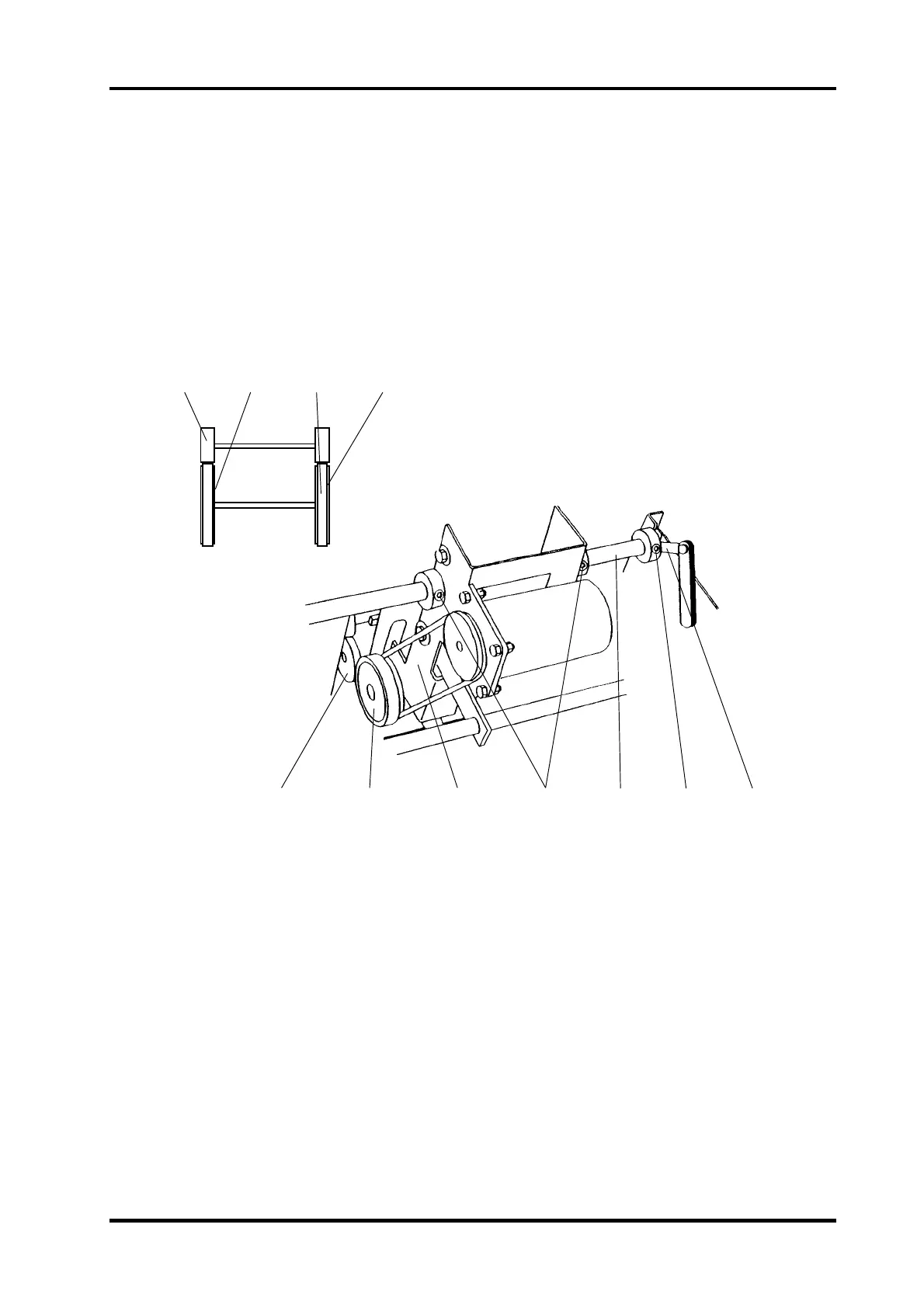
The purpose is to horizontally align the Stapled set drive rollers with the Idler wheels to en-
sure the correct set transportation into the fold area.
1. Adjust to the smallest sheet size on the control panel.
2. Ensure that the tires (3) are centered on the hubs (4) of the drive rollers.
3. Manually move the Drive rollers (2) up against the Pressure rollers (1) by pushing the
Staple stop gate down.
4. Push down the staple stop gate and visually check that the Drive rollers are centered on
the Pressure rollers.
ADJUSTMENT
1. Switch off the main power switch and disconnect the power cord.
2. Remove the Infeed cover according to REP 1.3.
3. Loosen the allen screw (8).
4. Move the shaft (7).
5. Insert a 0.3 mm feeler gauge (9) to ensure 0.3 ± 0.2 mm endplay.
NOTE The endplay 0.3 mm is to prevent the Staple stop gate shaft from binding.
6. Tighten the allen screw (8).
7. Loosen the two allen screws (6).
8. Move the assembly (5) so that the tires (3) are centered on the Pressure rollers (1).
9. Tighten the two allen screws (6).
REP 5.5 Stapled set transport drive alignment, adjustment
1256
78
5.5.1
1
23 4
9



 To Next Page