Bookletmaker SR 85 February 2001PAGE
PRG 6.1 Reset of EEPROM values
6.1.1
PURPOSE
The purpose is to transfer the original values from the Micro processor to the EEPROM.
This procedure should be performed in response to minor logic problems such as failure in
the operating sequence. Also perform this procedure if the controller PCB is replaced or if
the power is lost during SDS.
PROCEDURE
1. Switch of the main power switch.
2. Remove the rear cover according to REP 1.1.
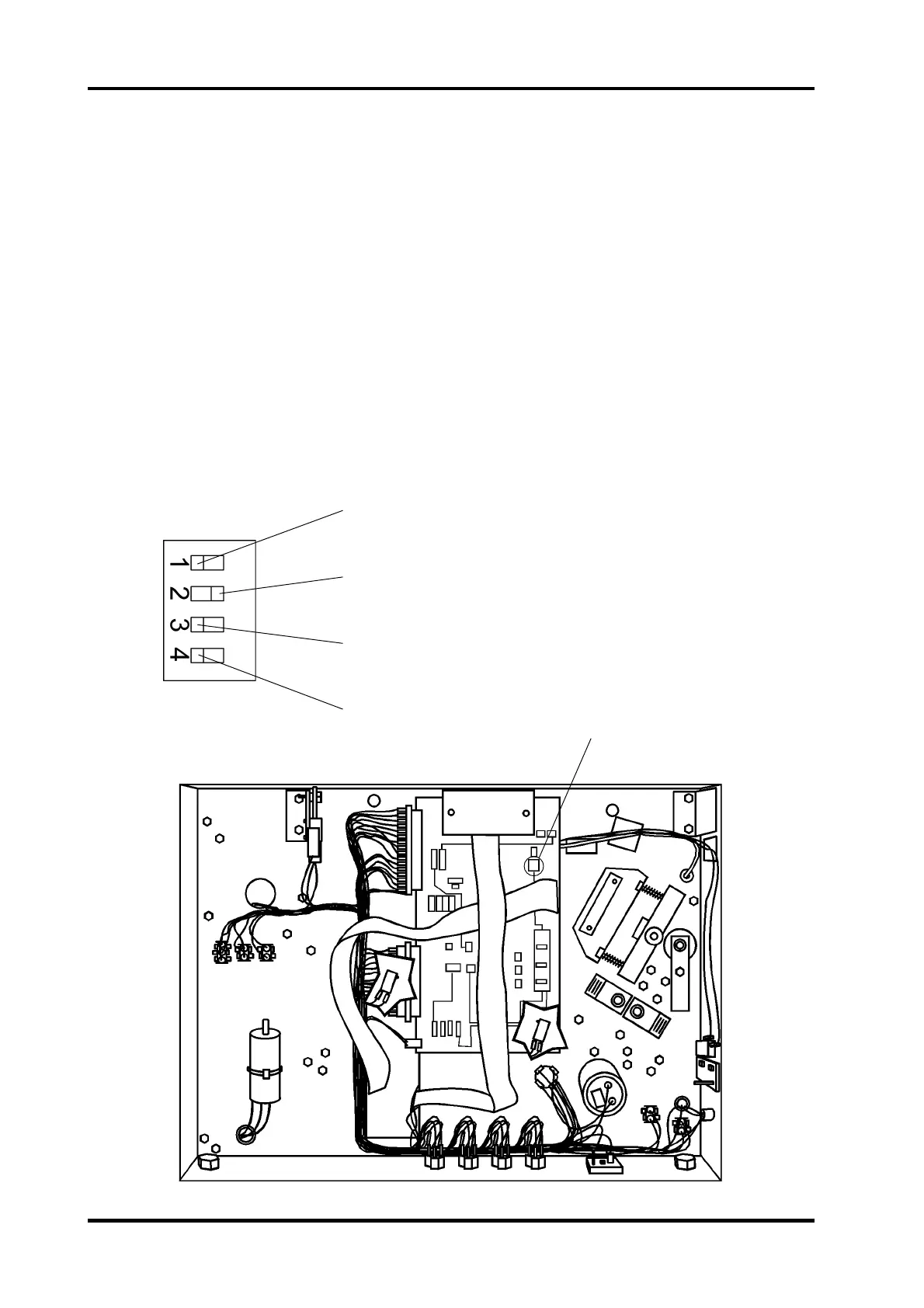
3. Move DIP switch no. 1 on the controller PCB to the right (right when facing the PCB).
4. Switch on the main power switch.
• The adjust LED on the control panel is flashing: The processor is transferring the default
values to the EEPROM.
5. When the adjust LED stops flashing, switch off the main power switch.
6. Move DIP switch no. 1 on the controller PCB to the left (left when facing the PCB).
7. Reinstall the rear cover according to REP 1.1.
Normal mode < > Reset EEPROM
Ricoh mode
Not used
Not used
rear view
location of DIP switch



 To Next Page