Bookletmaker SR 85 February 2001PAGE
ADJUSTMENT
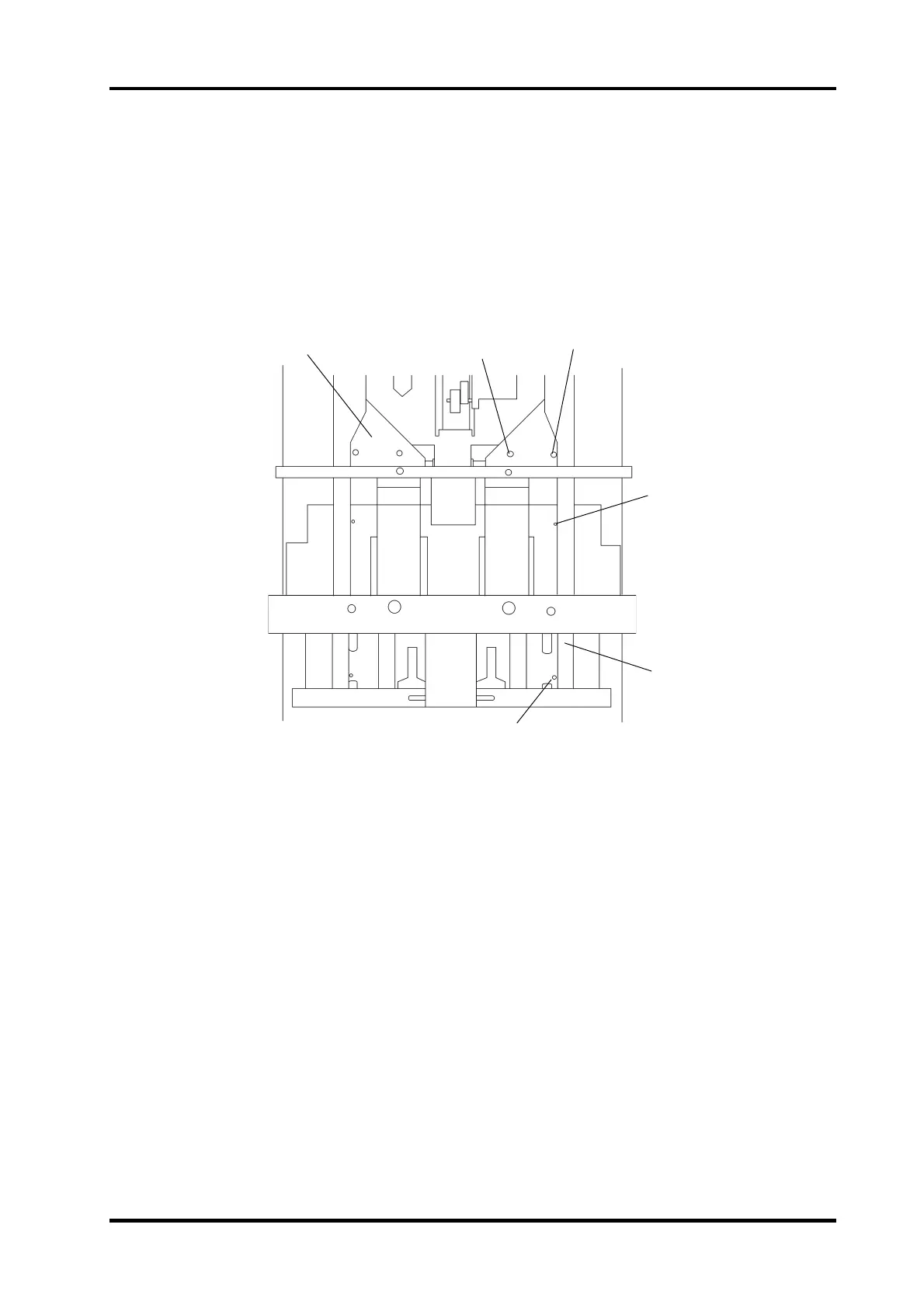
1. Move the front (1) sideguide to the two holes (2) in the paper path according to the
figure.
2. Check the distance between the two holes and the sideguide. The distance should be
equal ± 0.3 mm between the lower hole and the sideguide and the upper hole and the
sideguide. If not go to step 3.
3. Loosen the Ob screw (3) and the IB screw (4) on the side guide. Adjust the sideguide
according to step 2.
4. Perform the same check on the rear (5) sideguide, adjust if needed.
REP 2.3 Side guides
2.3.1
REMOVAL
1. Switch off the main power switch and disconnect the power cord.
2. Remove the infeed cover according to REP 1.4
3. Loosen the Ob screw (3) and the Ib screw (4) on the front side guide.
4. Remove the side guide.
5. Same procedure on the rear side guide.
INSTALLATION
Installation is an exact reversed procedure of removal.
Front side
Rear side
Stapler area seen from
above, with the stapler
heads removed.
3
4
1
2
2
5



 To Next Page