Bookletmaker SR 85 February 2001PAGE
REMOVAL
Lower right folder roll
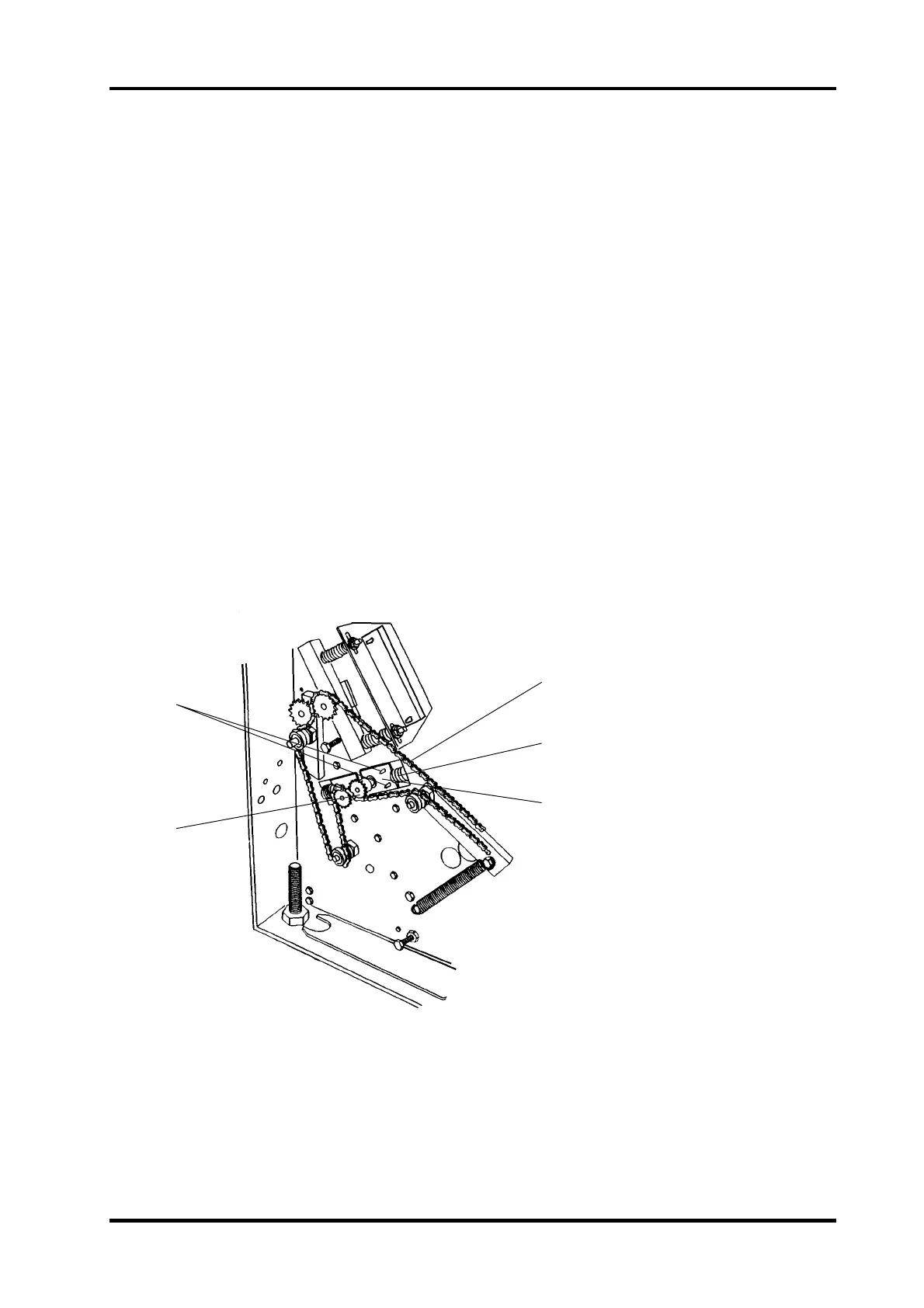
1. Switch off the main power and disconnect the power cord.
2. Remove front and rear cover according to REP 1.1.
3. Remove the drive chain (3).
4. Note the sprockets (2) position on the shaft and remove the sprocket (2).
5. Remove the spring (4) on both front and rear side.
WARNING: When compressing, pry the spring onto a screwdriver in order to avoid injury
when removing it.
7. Loosen the screws (1) from the inside of the the machine.
8. Wiggle the folder roll shaft up and down in order to release it from the brackets (5) se-
curing the shaft.
9. Pull the folder roll through the cut out in the side frame until the shaft releases from the
bearing on the opposite side. Then lift out the folder roll through the inside of the ma-
chine.
CAUTION: In order to compensate for variations between machines, there could be shim
washers placed on the inside of the bushing at the end of the Folder roll shaft.
Note the position of the washers when removing.
Lower left folder roll
Removal of the Lower left folder roll is performed the same way as removal of the Lower
right folder roll, in addition the Outfeed cover has to be removed according to REP 1.3.
INSTALLATION
Installation is an exact reversed procedure of removal.
REP 4.2 Lower folder roller
4.2.1
1
2
3
4
5



 To Next Page