Bookletmaker SR 85 February 2001PAGE
1
REMOVAL
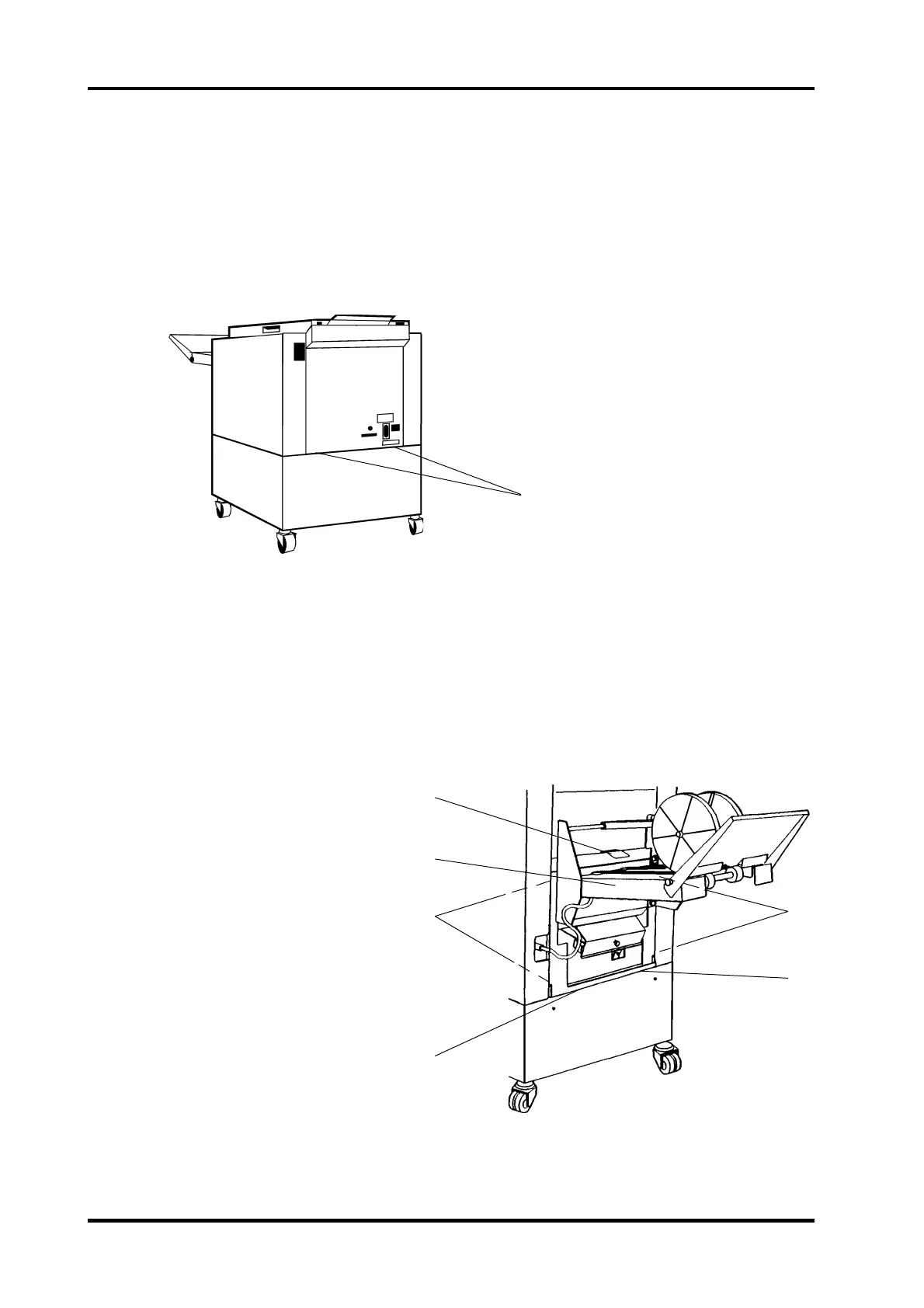
Infeed cover
1. Switch off the main power switch and disconnect the power cord.
2. If the unit is online, disconnect the connection cable.
3. Remove the two panels and the shelf.
4. Loosen the two nuts (1).
INSTALLATION
Installation is an exact reversed procedure of removal.
NOTE: Make sure the plastic guide (2) does not get jammed between the stackers left side
and the outfeed cover when installing the stacker.
REP 1.4 Infeed and Outfeed cover
1.4.1
Outfeed cover
1. Switch off the main power switch and disconnect the power cord.
2. Remove front and rear cover according to REP 1.1.
3. Loosen the two screws below the stacker frame securing the stacker.
4. Disconnect and remove the stacker (3).
5. Tip the SR 85 by placing 50 mm or greater distances between the outfeed end of the
SR 85 and the base.
6. Loosen the two screws (5) securing the outfeed bottom cover.
7. Slide the bottom cover towards the outfeed, until it releases from the infeed bottom
cover. Slide the bottom cover towards
the infeed until it releases from the
screws (5).
8. Remove the four screws (4).
9. Pull the cover carefully out to avoid
damage on the outfeed sensor
harness on the front side.
5. Pull out the lower end of the infeed cover and remove thecover down wards.
NOTE: Cut the ty-wraps and disconnect the outfeed
sensor to fully remove the outfeed cover.
2
3
4
5
5
4



 To Next Page