24
Installation
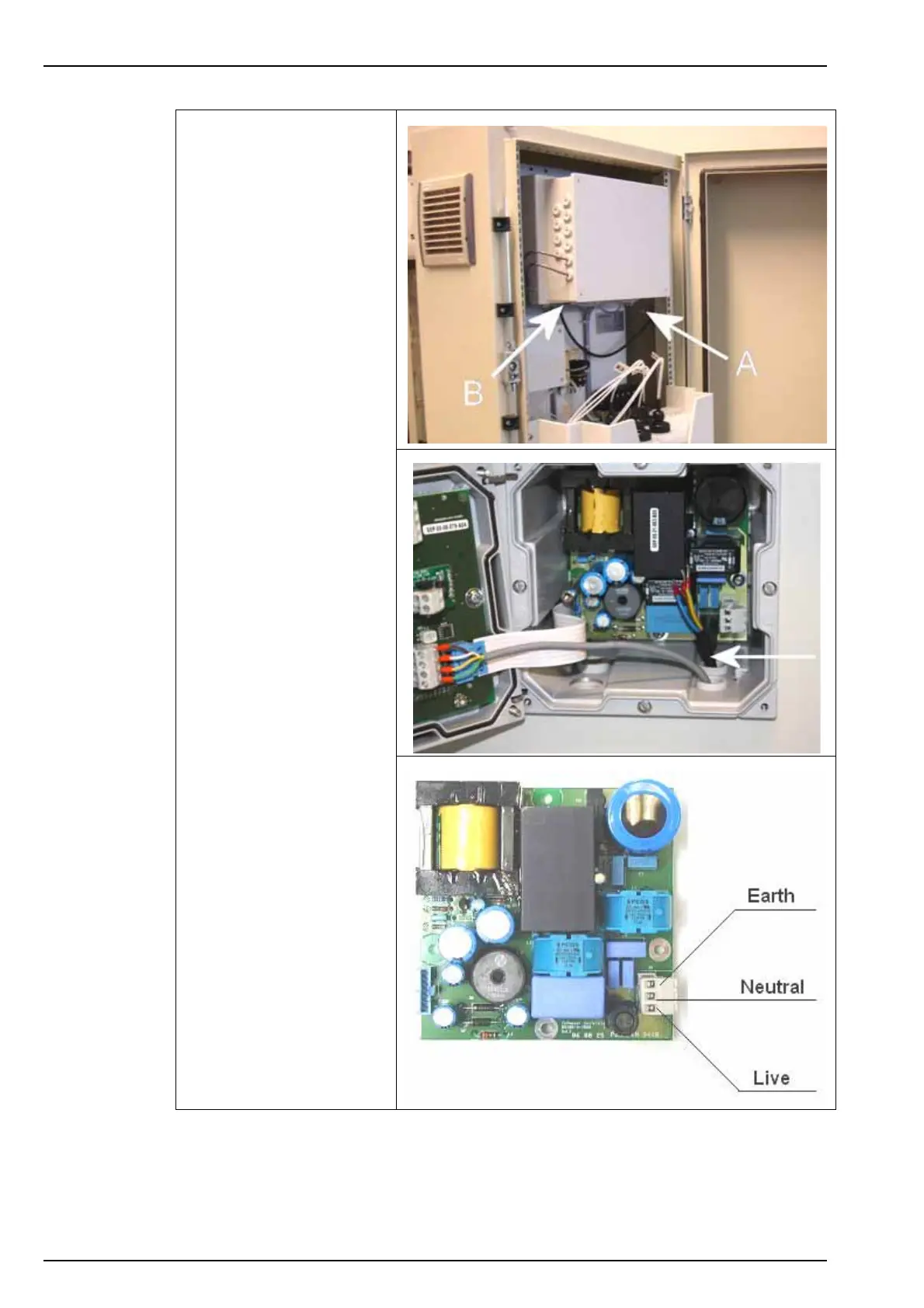
5. Next, run the power
supply cable through one
of the external cable
glands located on the left
outside of the cabinet (A),
and into the analyzer.
6. Put your hand behind the
local controller box and
you will locate two cable
glands to the left and two
to the right on the bottom
of the transmitter (B). The
cable gland for the power
cable is located left and
nearest to you.
7. Unscrew the cable gland
nut, pass the power cable
through it, and then up
through the cable gland
and into the transmitter.
8. Screw back the cable
gland nut to secure the
power cable.
9. Remove the power supply
connector and note where
the earth, live and neutral
must be connected.



 To Next Page