I
I
I
0
I
I
I
I
I
I
.I.
I
I
I
I
I
I
I
I?
To
prepare 7ype
1
battery ca
1.
Remove the right
sib
up (only one end will be
its
left top deadfront.
ry
cabinets” on page
val),
see Tab/e G
cabinets and the
See Table
’
D5
of the
(
63
is supplied,
-dn the battery cabinet
for wiring specifications.
,rep
1 of this procedure.
-,ery
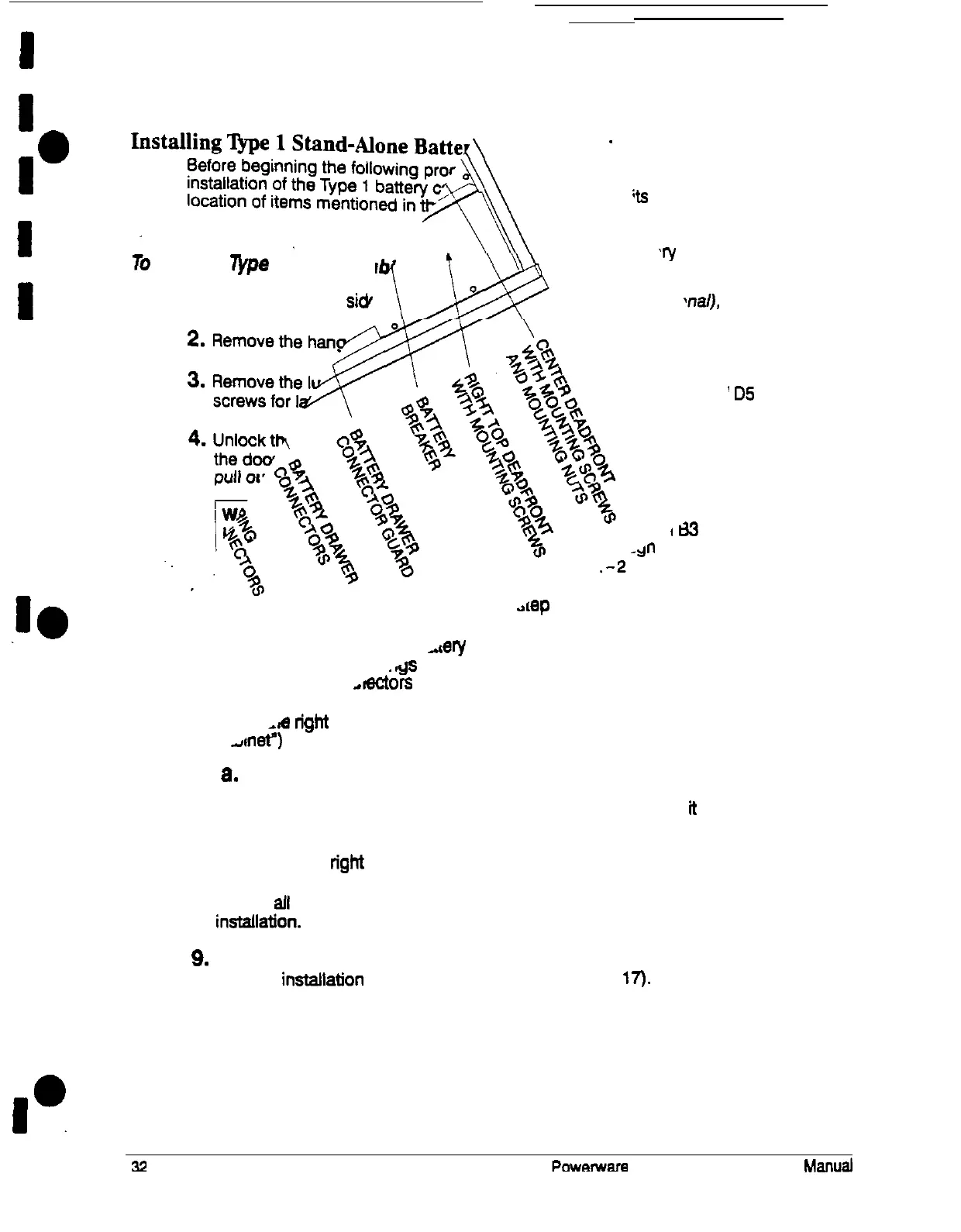
breaker is in the OFF position (see Figure 20).
.ds
in the battery cabinet by mating all disconnected
,ectors
to the closest string connectors.
,m
right side panel (removed in step 1 of “To prepare the battery
A-I&)
to the right side of the end battery cabinet:
8.
Mount the hanger bracket to the top right side of the battery cabinet
b.
Hang the right side panel on the hanger bracket and align lt with the
front and rear of the battery cabinet
C. Secure the right side panel at the bottom.
8.
Secure
aft
battery cabinets by reversing the procedure used to prepare them for
instatlatton.
9.
Secure the UPS by reversing the applicable steps performed in preparing the
UPS for instailation of the battery cabinets (see page
IT).











 To Next Page