EasyManua.ls Logo

Powerware Plus 80 - Page 128

Default Icon
160 pages
Print Icon
To Next Page IconTo Next Page
To Previous Page IconTo Previous Page
Loading...
As
an
Option.
YOU
Catl
inStd
Up
t0
i-W0
RWIlOtS
MOnitOr
PSdS
(RMP~)
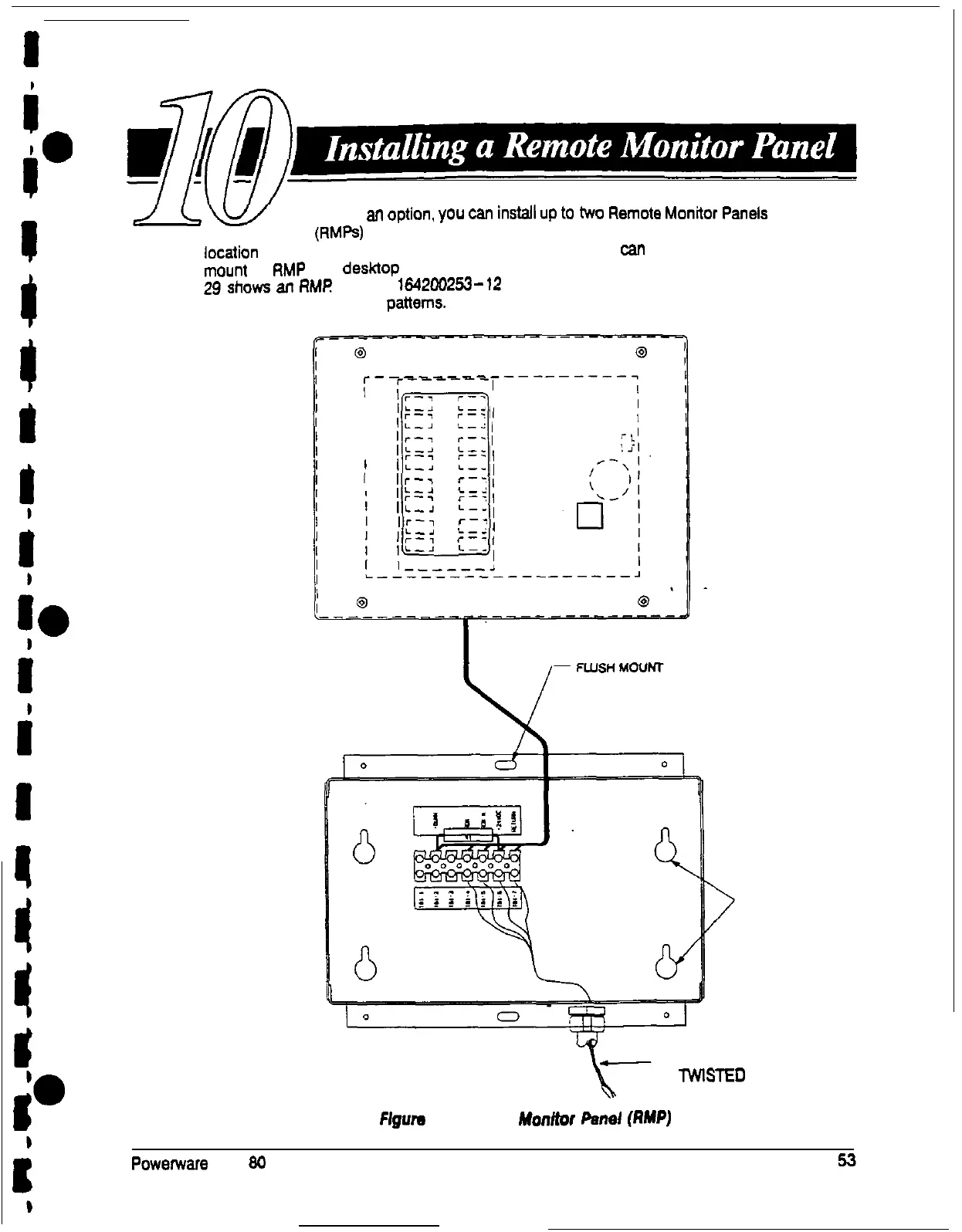
to monitor the operation of the UPS system from virtually any
location
within your facility, up to 500 feet from the UPS. YOU
fan
flush mount or surface
mount
an
RMP
on a
desk3op
or on a well, wherever you have a serial interface line.
Figure
29
shows
an
FM?
Drawing
164200253-12
on page A-22 shows the enclosure
dimensions and knockout
patterns.
r-
I
I
!
I
I
1
I
‘““-7
r-i
r-7
I
/L-i
L-d,
(r-T
r-y
L-J
L-2,
lr-7
r-y,
I:=<
:=:I
IL-2
L-_,
1
lr-7
c-y,
I:=:
:=:,
IL-,
L__,
,r-7
r-i,
I:=:
:=:,
!L-J
&--I
SURFACE MOUNT
(FOR HANGING)
WIRES MUST
SE
lWlSTE0
Flgum
29. Remote
monitor
Per&
(RMPJ
Powenvare
Plus
80
UPS Installation Manual

Table of Contents

Related product manuals