I
I
I
0
I
I
I
I
I
I
Ia
I
I
I
I
I
I
I
I0
Before installing an
RMR
be sure you have prepared the UPS according to the
instructions on page 19. You can install up to two
RMPs
or up to two
RIMS,
or one
of each.
To
install an RMP:
1.
Securely mount the
RMP(s).
2. Install wiring from the RMP through
l/2”
condutt
and through the
l/2”
knockout
in either the top or bottom of the UPS cabinet.
The top entry connection requires installation of
l/2”
flexible conduit within the
UPS. Bottom entry connection requires no additional routing of conduit within
the UPS.
3. In the hardware
kit,
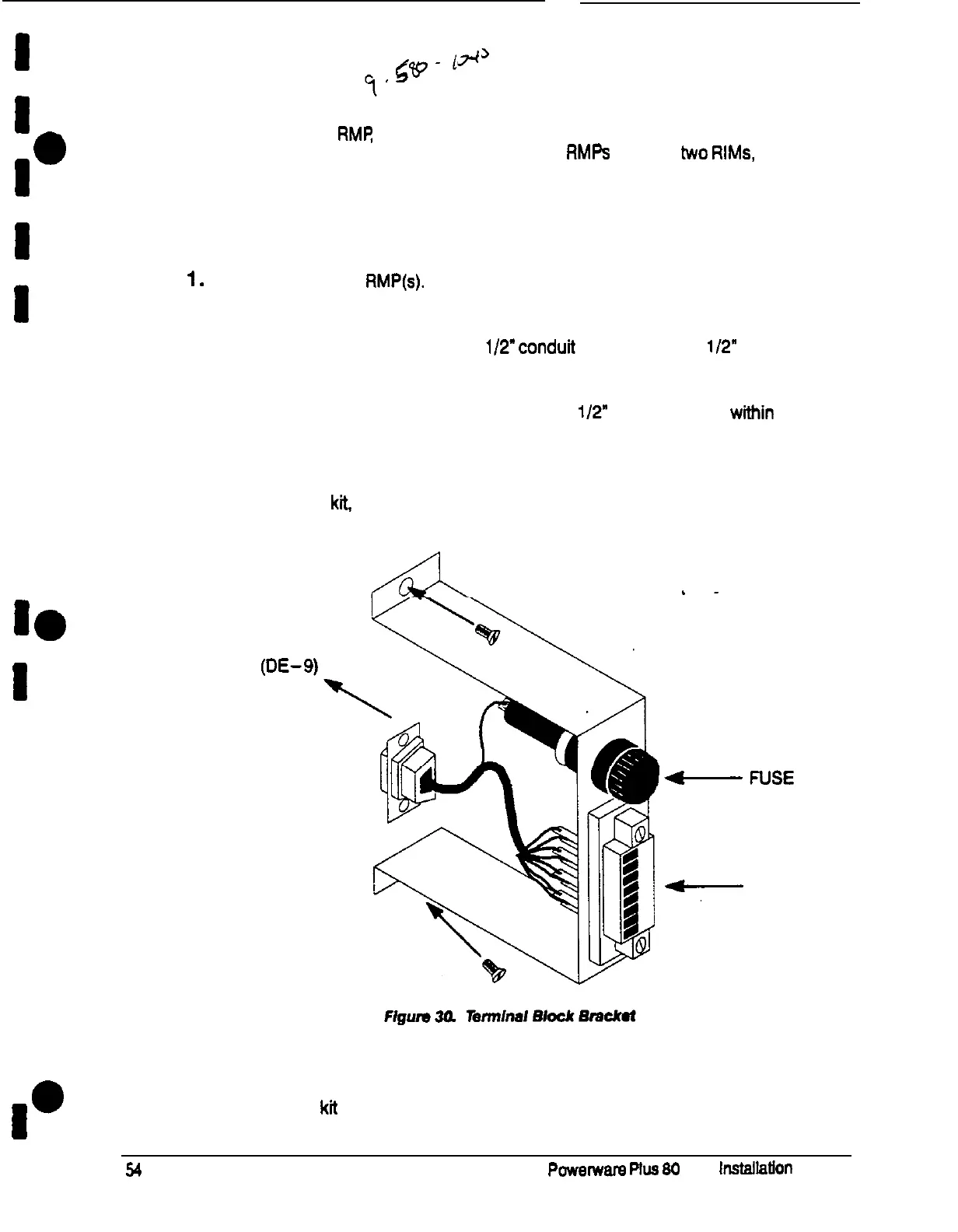
locate the terminal block bracket (see Figure 39).
Connect toConnect to
Port 1
(DE-g)
Port 1
(DE-g)
on Customeron Customer
Interface PanelInterface Panel
‘-FUSE
-
FUSE
TERMINALTERMINAL
-
BLOCK
-
BLOCK
Plug the connector on the back of the terminal block into the DE-9 connector
on the Communications Panel of the UPS (see Figure 31). Use two screws from
the hardware kit to secure the terminal block bracket to the Communications
Panel.











 To Next Page