-
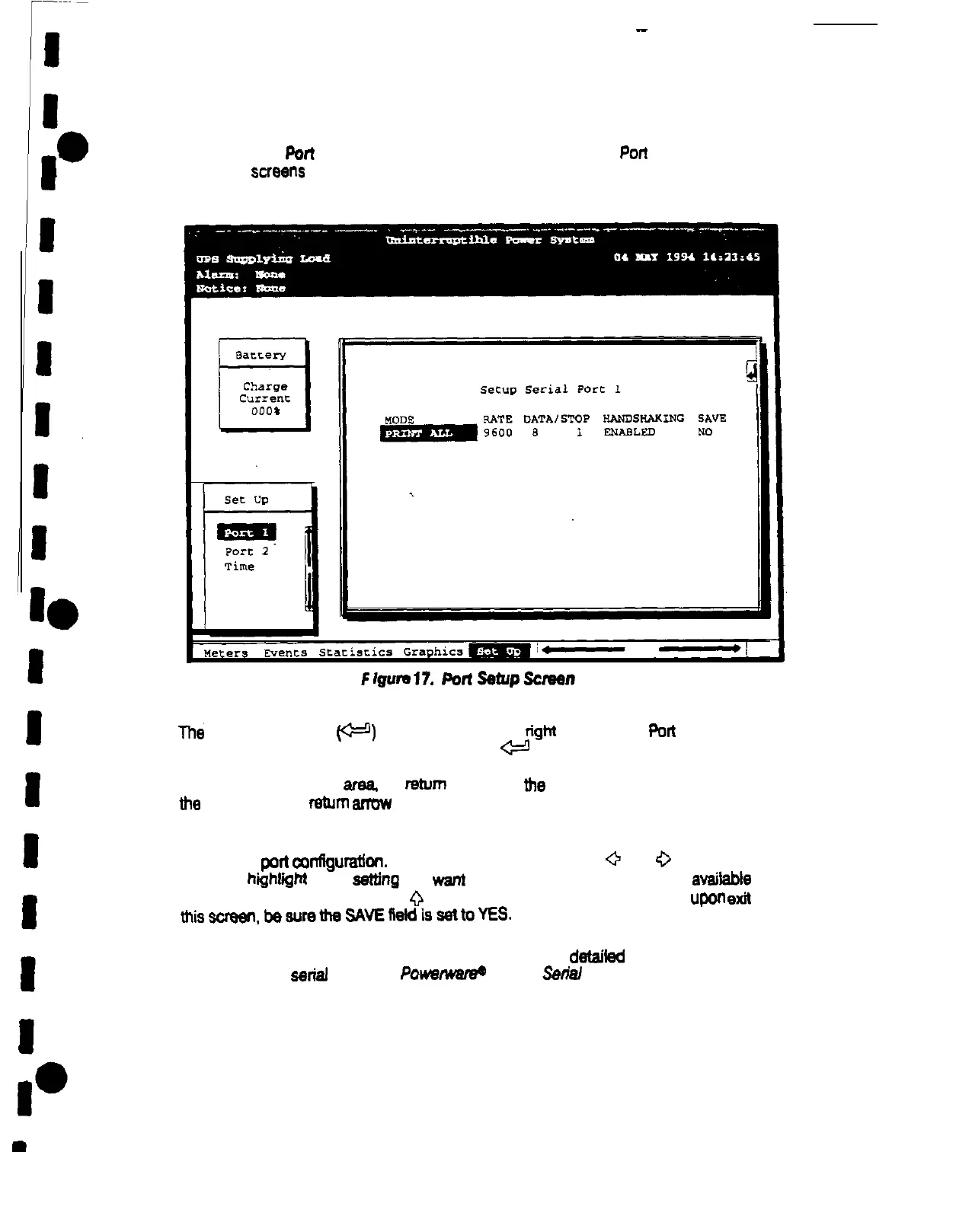
Select Port 1 or Port 2 from the Setup menu to display one of the
Poti
Setup screens. The
Port Setup
scmens
allow you to specify settings for me two serial communication ports on
the UPS. Figure 17 shows me Setup Serial Port 1 screen.
F
Igum
17.
Poll
setup
screen
The
small return arrow
v)
appears in me upper
tighl
comer of me
Port
Setup screen.
This arrow is a reminder mat you can press me
e
pushbutton on me Monitor Panel to
toggle me pushbuttons between me menu box and me information area. When me scroll
bar is in me information
-
the
return
arrow is in
the
menu box. When me scroll bar is in
me
menu box, me
return
armw is in me information area
When me scroll bar appears in me information area. you can “se me pushbuttons to
change me
pori
comIguration.
To change a setting, press me
0
and
0
pushbuttons to
move the hiihllghl to the
setting
you wanl to change. To scroll through me
availabte
options for mat setting, press me
0
or
V
pushbutton. To save me settings
upon
exit
from
misscrwn,bewemeSAvEfietdissettoYES.
The setup screens for Port 1 and Port 2 are identical. For
detailed
information about
configuring the
serial
ports, see PowwmareC Plus 80 Setial Communications Guide.











 To Next Page