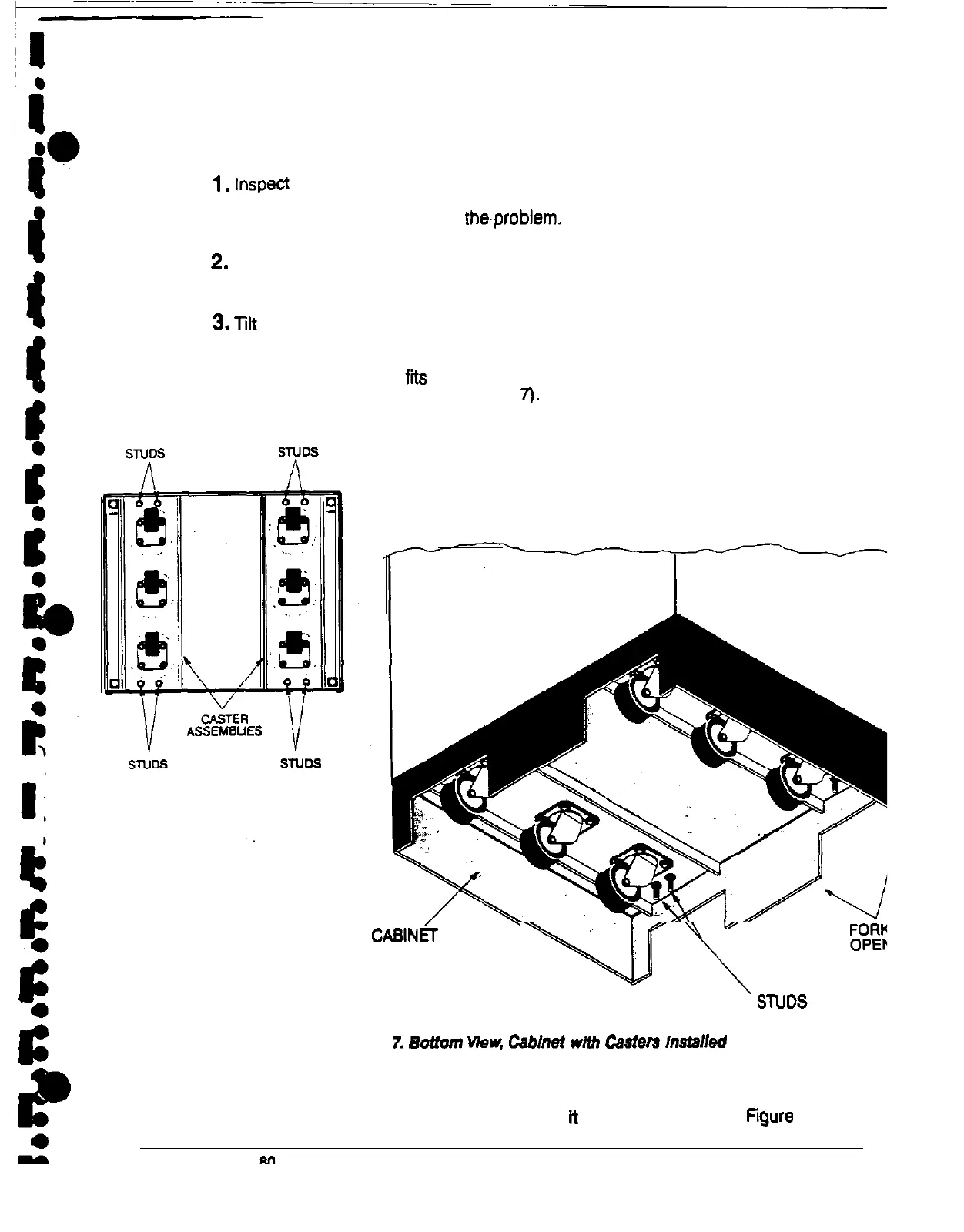
To install a caster assembly:
1.
Inspect the assemblies to be sure each caster rolls freely. If there is a problem
with any part of the caster assembly, do not install the assembly.
Contact
Customer Support and report the.problem.
2.
Inside the UPS cabinet, locate the envelope containing eight nuts and eight
lockwashers. Remove the envelope and set it aside. Close the cabinet door.
3.
Tilt one of the caster assemblies and slide it, at an angle, into one of the forklift
openings on the bottom of the cabinet.
Each caster assembly fits on four studs (two at the front and two at the back) on
the bottom of the cabinet (see Figure
7).
There are holes in the caster assembly
that fit over these studs.
UPS
CABINET
(view from underneath)
F/gum
1.
Battam
Mew,
Cabinet
w/M
Cmiera
Installed
Because of the height of the caster assembly, you cannot hold the assembly
parallel with the base of the cabinet while you slide it into the channel. Tilt the
inner edge of the assembly upward to slide it into the channel (see
figure
8).











 To Next Page