Server
adress
Entering the address of mypool web server.
Press to open the alphanumeric keyboard and enter
the desired value.
Port Entering the TCP connection port to mypool site.
Press to open the alphanumeric keyboard and enter
the desired value.
Remote
code
Entering the remote connection code from mypool to
your controller.
Press to open the numeric keyboard and enter the
desired value.
Connection Selection of the connection mode to mypool (type of
modem).
On this selection button you will find the information
of the selected mode (e. g. Any).
APN for
GSM con‐
nection
If you select a connection with a GSM modem you
will have to enter the APN code of your data card
here.
Press to open the alphanumeric keyboard and enter
the desired value.
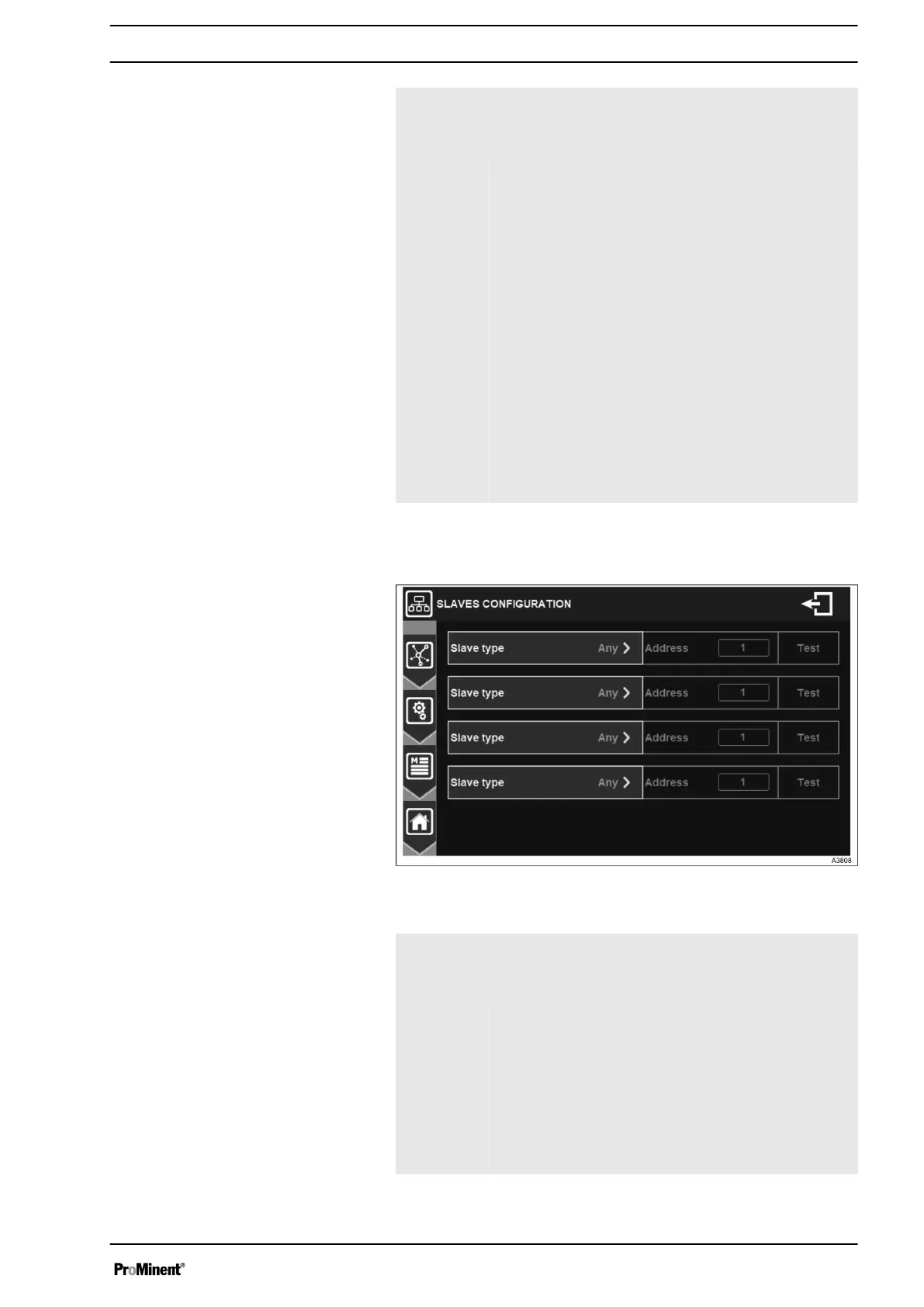
7.1.7.6 Modbus Slave settings
Fig. 60: Menu slaves configuration
Slave type Selection of the type of slave connected on the
RS485 bus. On this selection button you will find the
information of the selected type.
Address Entering the slave’s Modbus address. It must be dif‐
ferent from the Modbus address of your controller.
Press to open the numeric keyboard and enter the
desired value. Possible adjustment from 1 to 247.
Test Pressing the Test button verifies that the slave is
correctly connected. You must first make the RS485
wired connection between the 2 devices and check
that the Modbus configuration is identical on the 2
devices.
General Menu
55














 To Next Page