Customize NTP
server # 1
Your controller already has an SNTP
server address. You can however cus‐
tomize the servers used for the setting and
enter the first address here.
Customize NTP
server # 2
When setting if server #1 cannot be
reached, your controller will make an
attempt to this second server if the box is
checked and the address is entered.
In the search bar of your browser, enter the IP address of your
controller, which you will find in the communication information, fol‐
lowed by the port number you entered above (ex: 10.10.1.2:8080)
to display the web page.
The web page will include the main information of
your controller (Date, time, operating status, win‐
dows of the different parameters filled in, etc.).
Inactive locking, changes possible.
Active locking, no changes possible.
Click on the symbol to enter the password that was
defined in the “Web Settings”. Once you have
entered and validated the password new information
will appear on the web page.
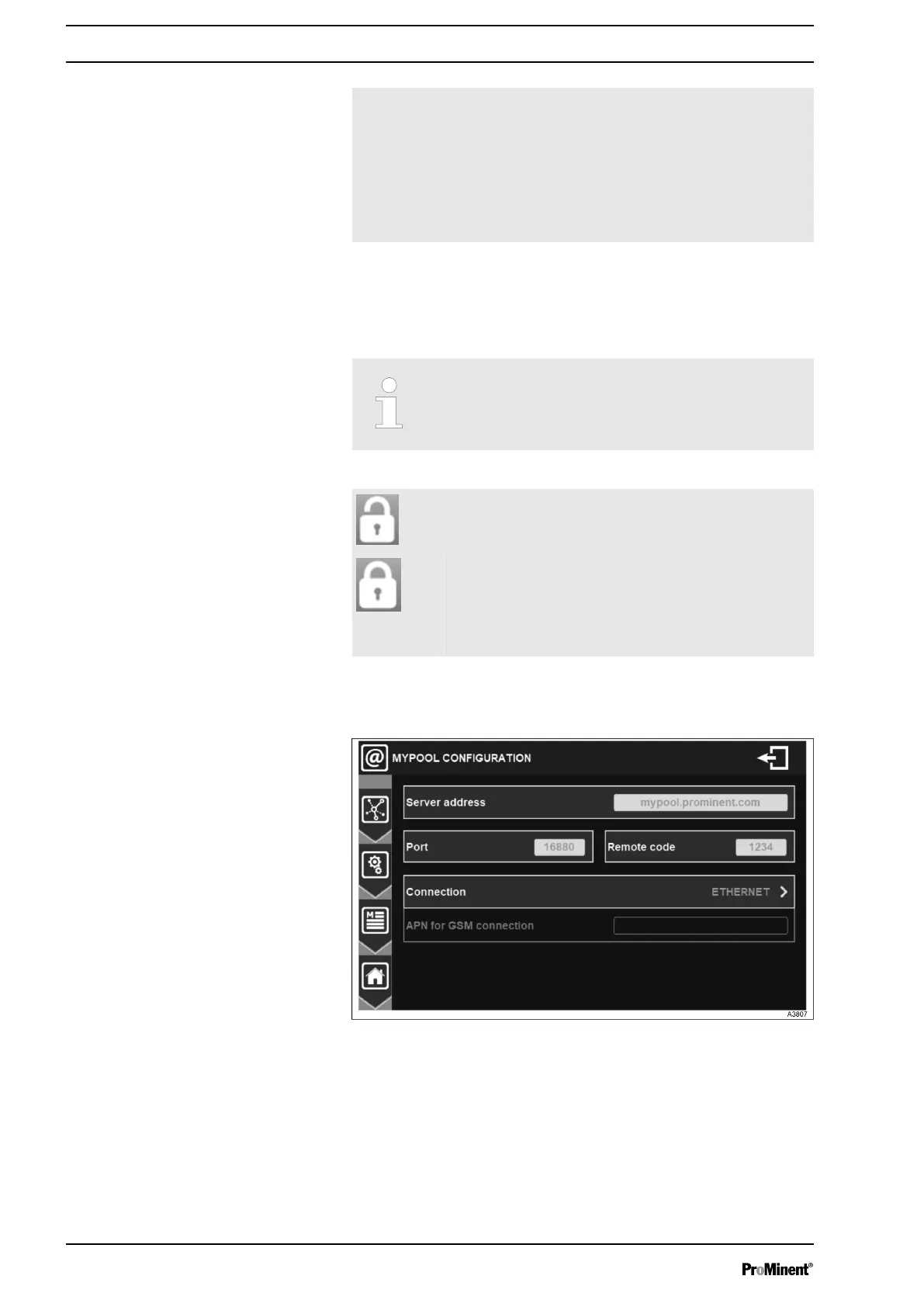
7.1.7.5 MYPOOL settings
Fig. 59: Menu mypool settings
Web page
General Menu
54














 To Next Page