DNS Automatic Choice of DNS configuration.
Press it to ACTIVATE / DEACTIVATE
DNS.
Preferred DNS If the DNS management is not automatic,
you must enter the IP address of the Pri‐
mary DNS.
Press it to open the numeric keyboard and
enter the desired value.
Auxilliary DNS If the DNS management isn’t automatic,
you must enter the IP address of the Auxil‐
iary DNS.
Press it to open the numeric keyboard and
enter the desired value.
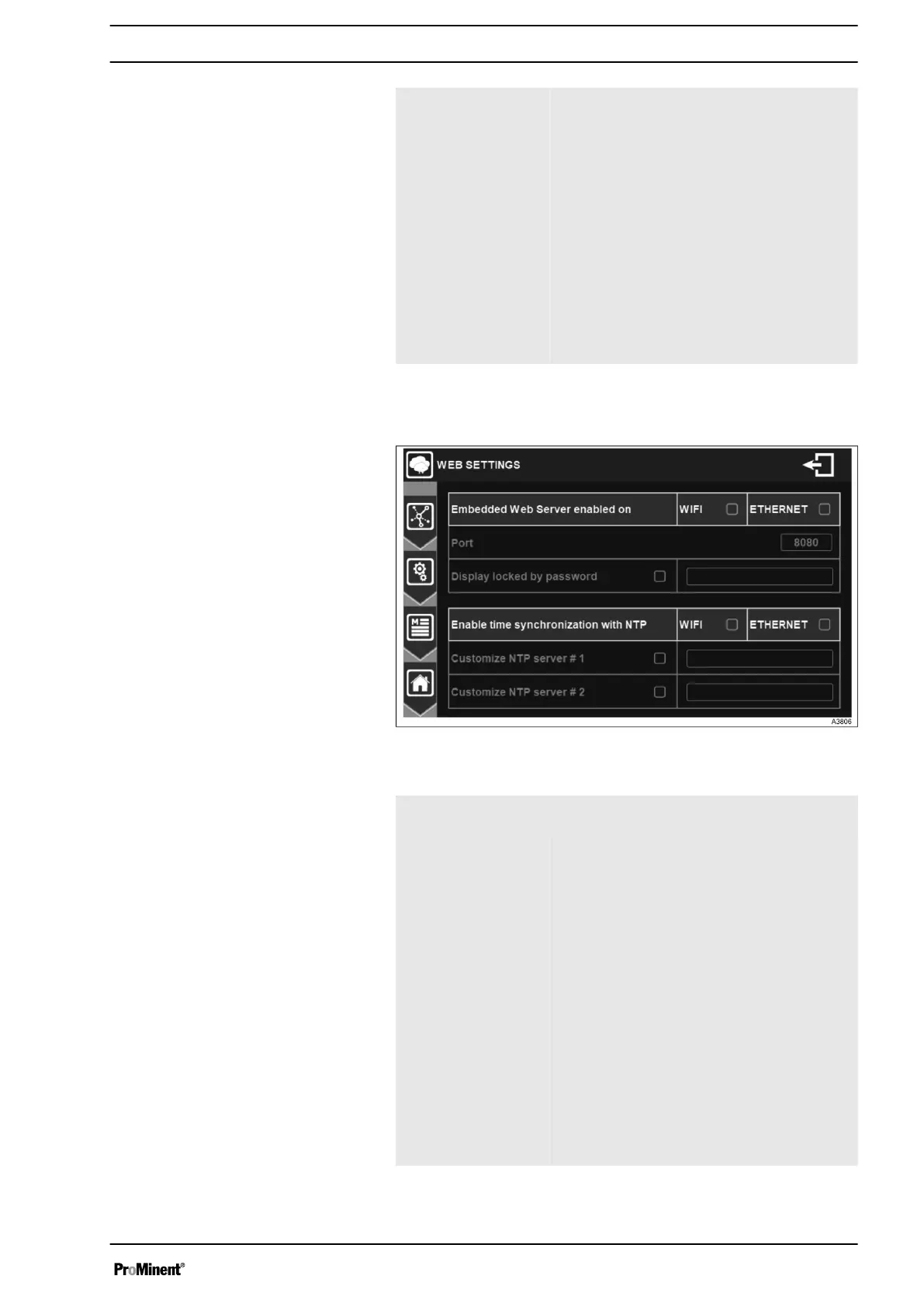
7.1.7.4 Internet & Web Server settings
Fig. 58: Menu web setting configuration
Embedded Web
Server enabled on
Check the WIFI or ETHERNET box to acti‐
vate the Embedded Web Server.
Port If you activate the Embedded Web Server
you must enter the port number of your
controller.
Press in the rectangle to open the numeric
keyboard and enter the desired value.
Display locked by
password
You can enable this option to lock the web
server display with a password.
Press in the rectangle to open the numeric
keyboard and enter the desired value.
Note: The values that can be changed on
the web page are the high and low alarms
and the instructions if they are not OFF.
Enable time syn‐
chronization with
NTP
If activated, your Controller will regularly
check the time on the internet using the
SNTP protocol. So, your controller must be
connected and have internet access.
Configuration
General Menu
53














 To Next Page