Gatew
ay
If you disable DHCP you must enter the gateway of your
network.
Press it to open the numeric keyboard and enter the
desired value.
DNS
Auto‐
matic
Choice of DNS configuration.
Press it to ACTIVATE / DEACTIVATE DNS.
Pre‐
ferred
DNS
If the DNS management is not automatic, you must enter
the IP address of the Primary DNS.
Press it to open the numeric keyboard and enter the
desired value.
Auxil‐
iary
DNS
If the DNS management isn’t automatic, you must enter
the IP address of the Auxiliary DNS.
Press it to open the numeric keyboard and enter the
desired value.
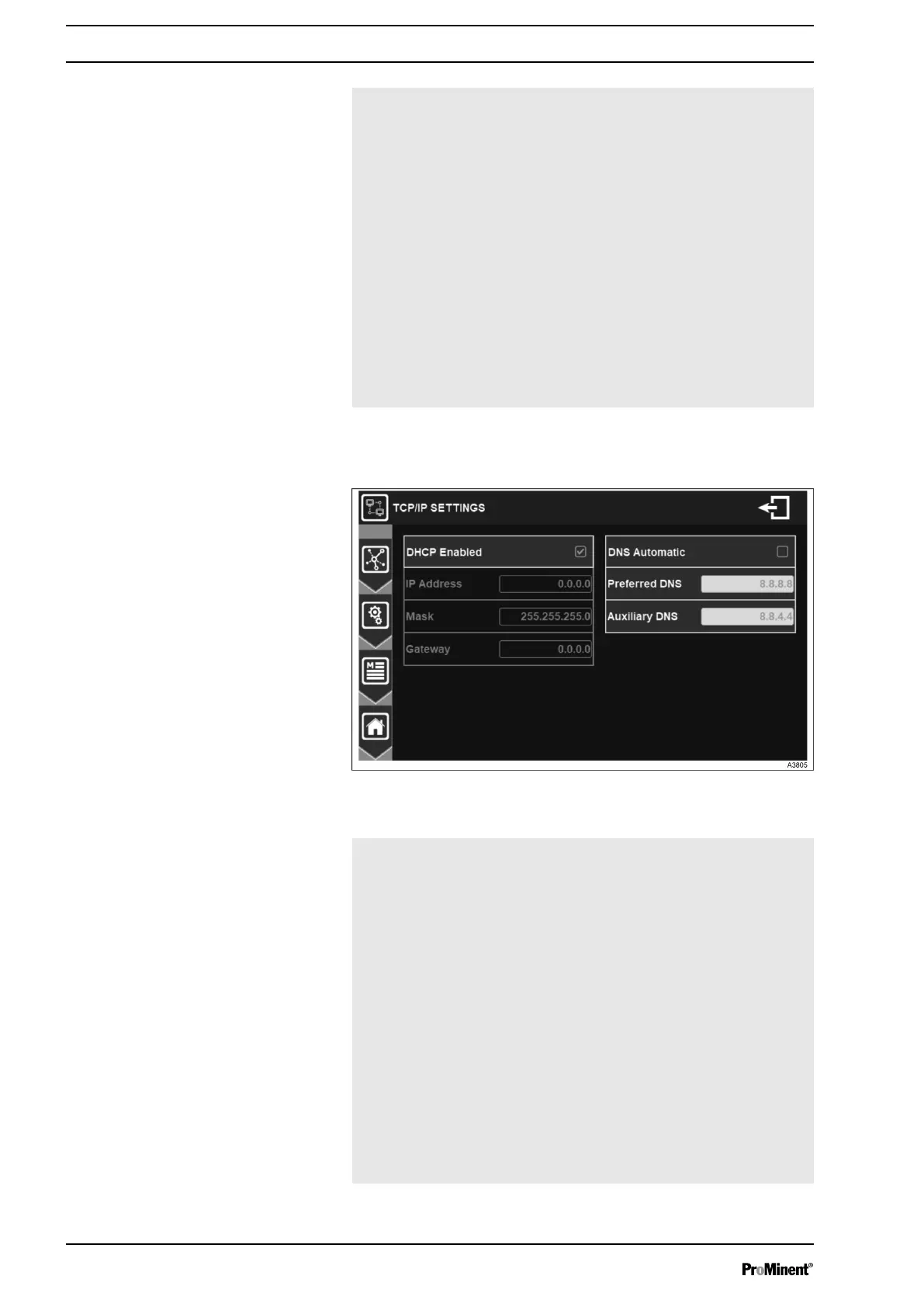
7.1.7.3 Ethernet settings
Fig. 57: Menu Ethernet settings
DHCP Enabled Choice of the DHCP configuration of your
network.
Press it to ACTIVATE / DEACTIVATE
DNS.
IP Address If you disable DHCP you must enter the
fixed IP address of your controller.
Press it to open the numeric keyboard and
enter the desired value.
Mask If you disable DHCP you must enter the
subnet mask of your network.
Press it to open the numeric keyboard and
enter the desired value.
Gateway If you disable DHCP you must enter the
gateway of your network.
Press it to open the numeric keyboard and
enter the desired value.
General Menu
52














 To Next Page