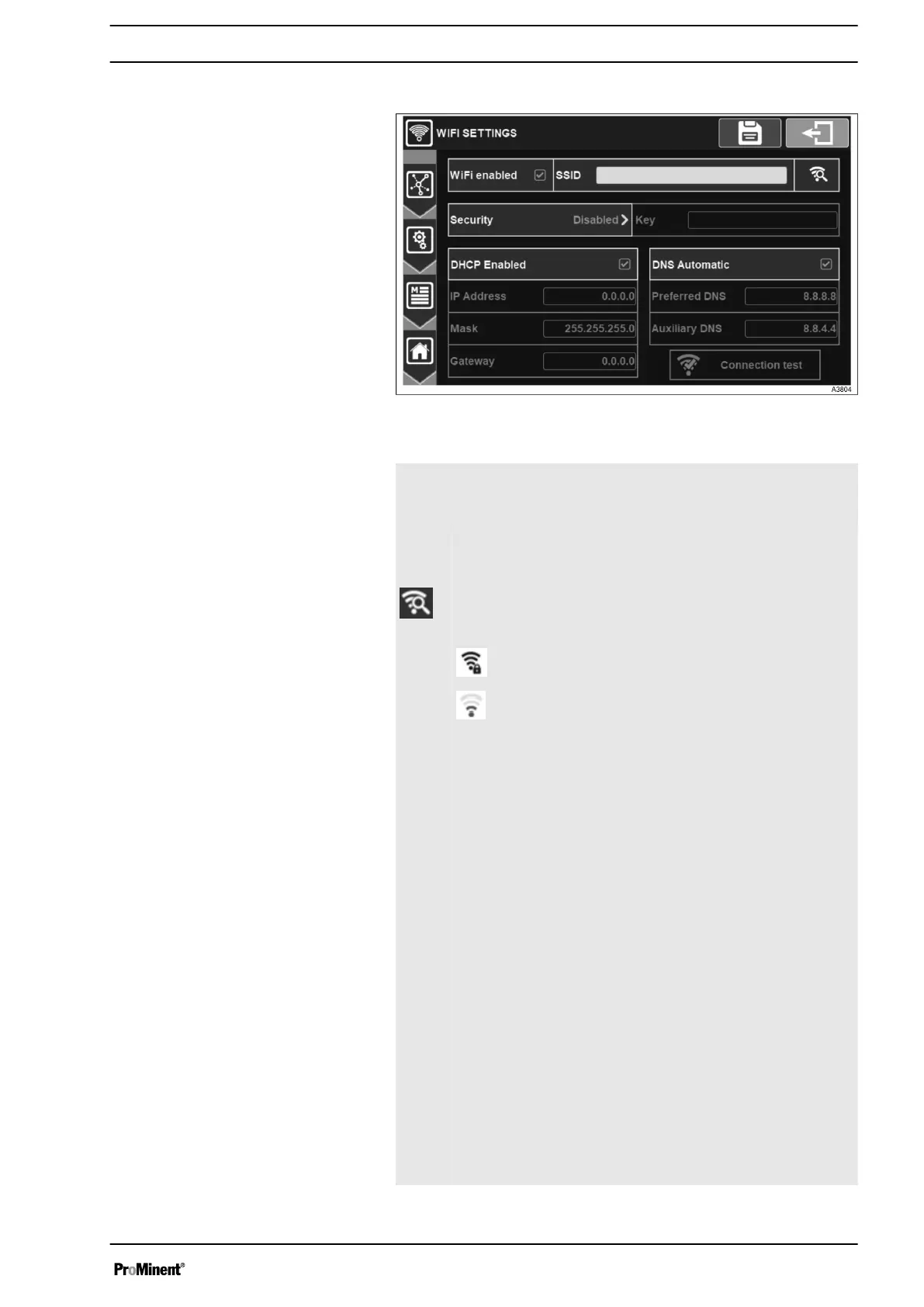
7.1.7.2 WIFI settings
Fig. 56: Menu wifi settings
WIFI
ena‐
bled
Activation of the WIFI integrated in your controller.
SSID Enter the name of the WIFI network on which you want to
connect. Press to open the alphanumeric keyboard and
enter the desired value.
By pressing this key, the search for networks is launched
and a list with the networks found nearby is displayed.
Press to open the list of networks.
Password-secure network with excellent signal
level.
Open network with low signal level.
Securi
ty
Selection of type of security key by your WIFI network.
On this selection button you will find the information of the
selected type (e. g. Disabled).
When selecting a network using the search window for
available networks, the network security mode is auto‐
matically selected.
Key If you have selected a security mode this option is acti‐
vated and you must enter the security key of the WIFI
network on which you want to connect.
Press it to open the alphanumeric keyboard and enter the
desired value.
DHCP
Ena‐
bled
Enables/disables the DHCP configuration of your net‐
work.
IP
Adres
s
If you disable DHCP you must enter the fixed IP address
of your controller.
Press it to open the numeric keyboard and enter the
desired value.
Mask If you disable DHCP you must enter the subnet mask of
your network.
Press it to open the numeric keyboard and enter the
desired value.
General Menu
51














 To Next Page