Chapter 5: Configuration
Unicode Mapping
104
Psion Teklogix 7535/7530 Hand-Held Computer User Manual
Adding And Changing Unicode Values
Important: Changes to Unicode mappings are not saved until you exit the
Keyboard Properties dialog box.
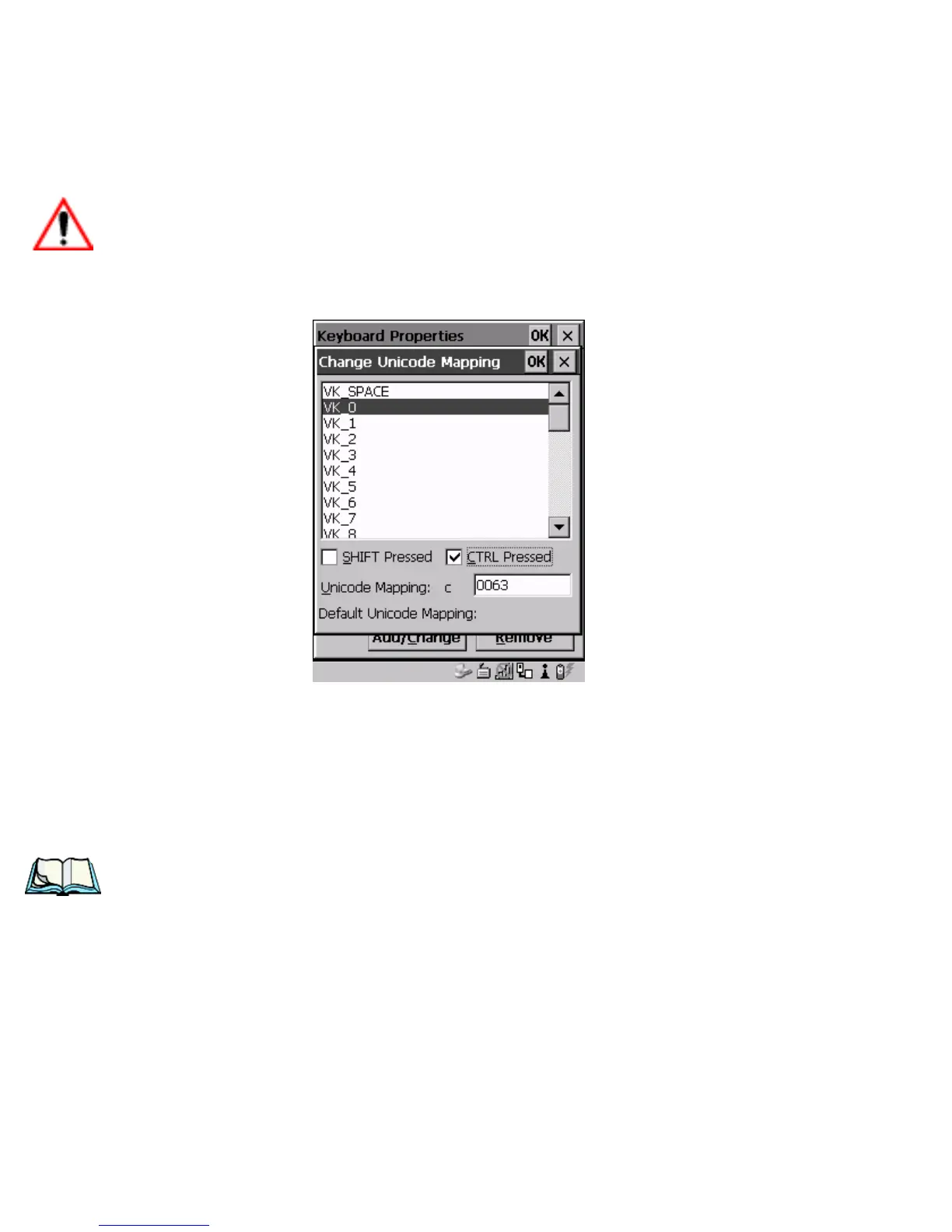
• Choose the Add/Change button.
Figure 5.13 Adding And Change Unicode Values
• Highlight a value in the Unicode mapping list – in the sample screen above,
a value will be assigned to virtual key 0 (VK 0).
• Position the cursor in the Unicode Mapping field, and type a Unicode
value for the highlighted key.
Note: To add a shifted state – <SHIFT> and/or <CTRL>, press <TAB> to posi-
tion the cursor in the checkbox next to ‘SHIFT Pressed’ and/or ‘CTRL
Pressed’. Press <SPACE> to select the shift state you want to assign.
Removing Unicode Values
•In the Unicode Mapping tab, highlight the item you want to delete, and
choose the Remove button.



 To Next Page