Appendix C: Port Pinouts
Battery Contacts
C-2
Psion Teklogix 7535/7530 Hand-Held Computer User Manual
8. Docking Station Id. Identifies device attached to the docking station.
Resistor between this pin and ground.
9. Ground.
10. USB Device Minus. When terminal operated as a USB device.
11. USB Device Plus. When terminal operated as a USB device.
12. Ground
C.3 Battery Contacts
These contacts represent right to left numbering with the docking port pointing
toward you, and the battery contacts facing upward.
1. Battery Plus
2. SMBUS CLK
3. Battery ID. Identifies battery type (2 cell-100K resistor to Battery
Negative, 3-cell 10K resistor to battery Negative).
4. SMBUS Data.
5. Battery Negative.
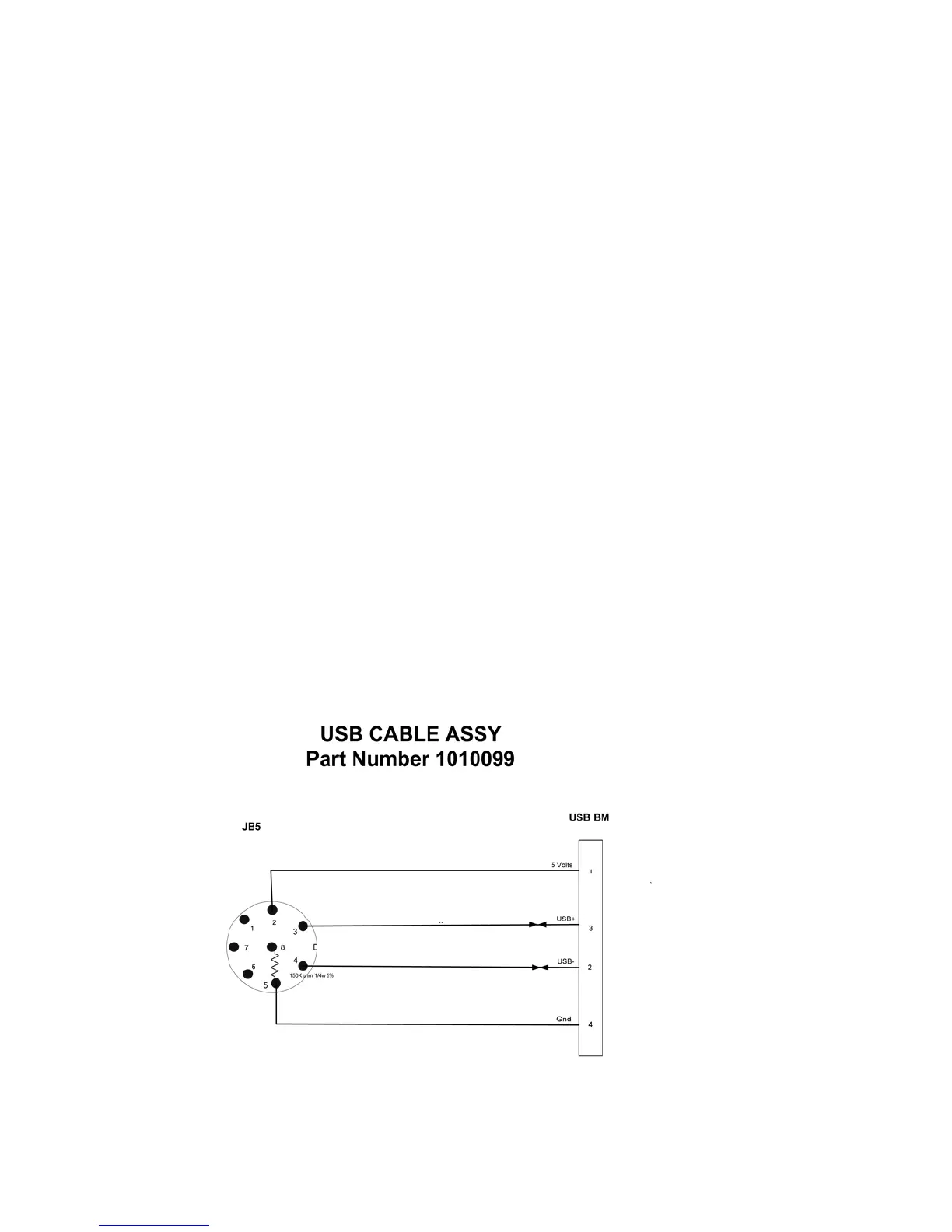
C.4 7535 USB Cable – PN 1010099



 To Next Page