Chapter 5: Configuration
Non-Decoded Scanners
152
Psion Teklogix 7535/7530 Hand-Held Computer User Manual
5.10.2 Non-Decoded Scanners
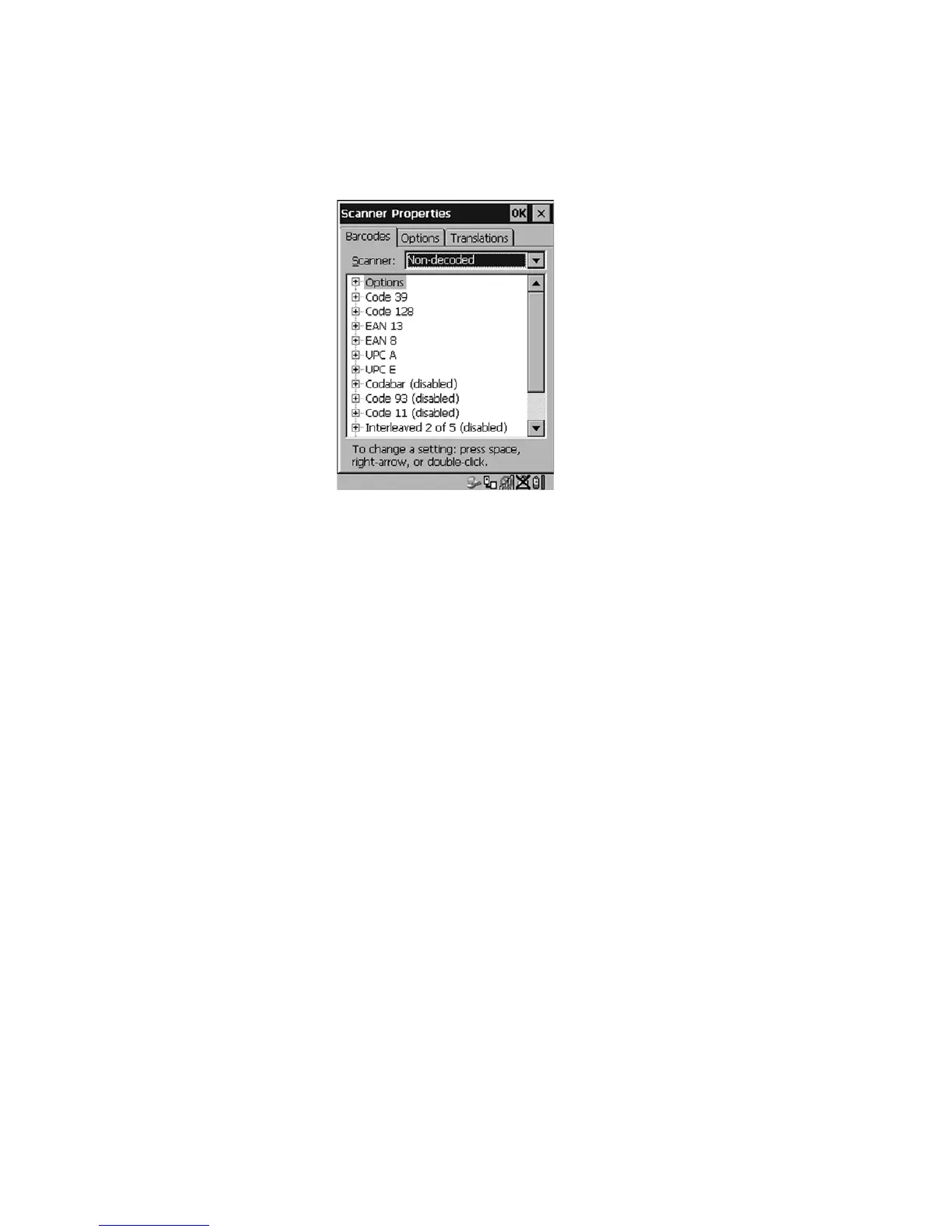
Figure 5.74 Non-Decoded Scanner Options
• Tap on the Scanner dropdown menu, and choose Non-decoded.
All the available bar code symbologies for this type of scanner can be selected in
this tab.
A ‘plus’ sign (+) to the left of the menu item indicates that a sub-menu of parameters
is attached.
• Tap the stylus on the + sign to display the sub-menu.
• To change a parameter value, double-tap on the parameter. If you need to
type a value, a dialog box is displayed in which you can type a new value.
If you need to change a yes or no value, double-tapping on the parameter
toggles between yes and no.
If you’re using the keyboard:
• Highlight the bar code you want to work with, and press the <RIGHT>
arrow key to display the sub-menu.
• Use the <UP> and <DOWN> arrow keys to highlight a parameter.
• To change a parameter value, press <SPACE> or the <RIGHT> arrow key.
If a field requires text entry, a text box is displayed in which you can enter
the appropriate value.



 To Next Page