Chapter 5: Configuration
IATA 2 of 5
162
Psion Teklogix 7535/7530 Hand-Held Computer User Manual
Field Size/Chars
Refer to the description beginning on page 154 for details.
5.10.2.14 IATA 2 of 5
Enabled
Set this parameter to on to enable “IATA 2 of 5”.
Mod 10 Check
If this parameter is enabled, the Mod 10 check digit is calculated.
ITF Check
If this parameter is enabled, the ITF-14/16 Mod10 check digit is calculated.
Include Check
If this parameter is enabled, the check digit is included with the decoded bar
code data.
Field Size/Chars
Refer to the description beginning on page 154 for details.
5.10.3 Decoded (Internal) Scanners
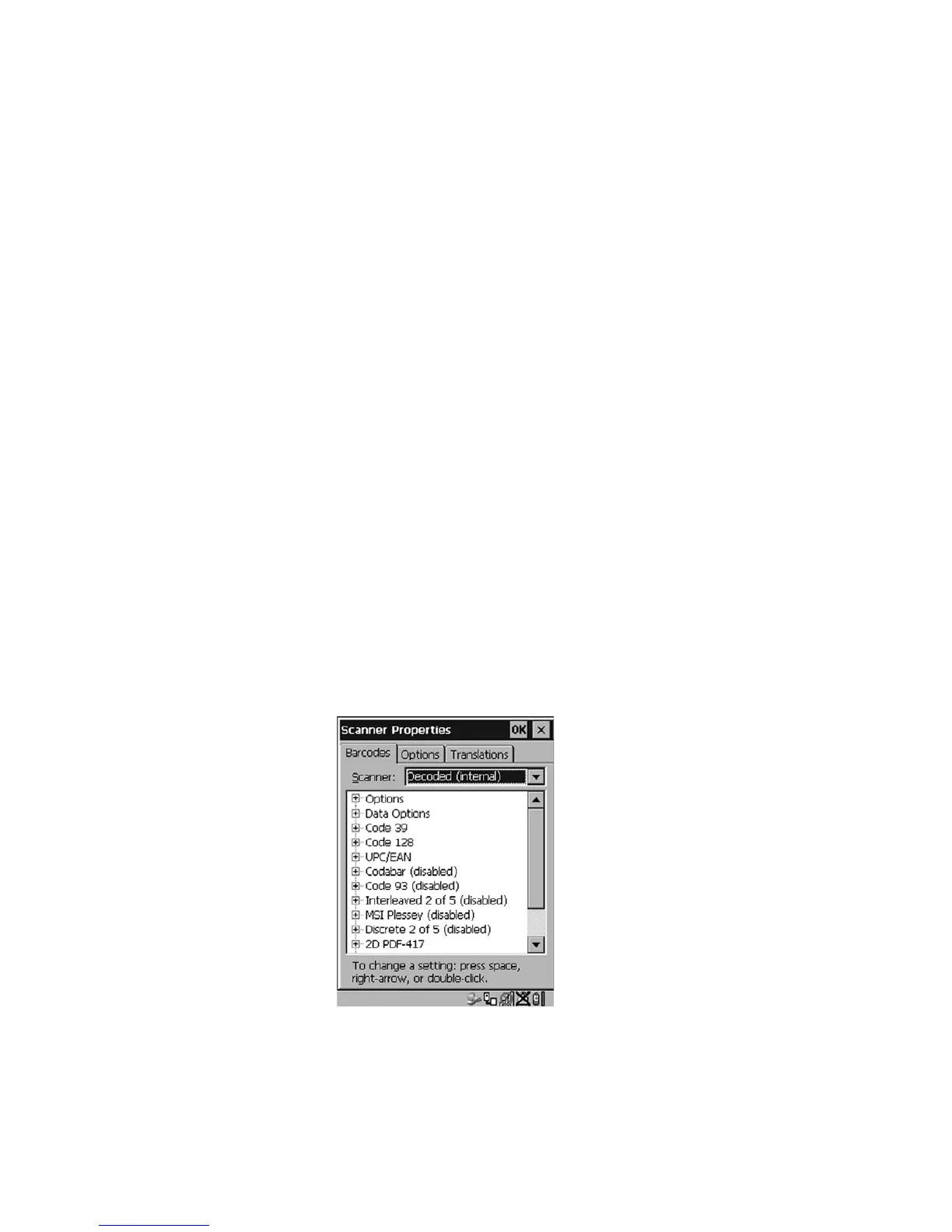
Figure 5.75 Decoded (Internal) Scanner
• Tap on the Scanner dropdown menu, and choose Decoded (internal).


 To Next Page