Chapter 2: Basic Checkout
Powering Up The 7535/7530
20
Psion Teklogix 7535/7530 Hand-Held Computer User Manual
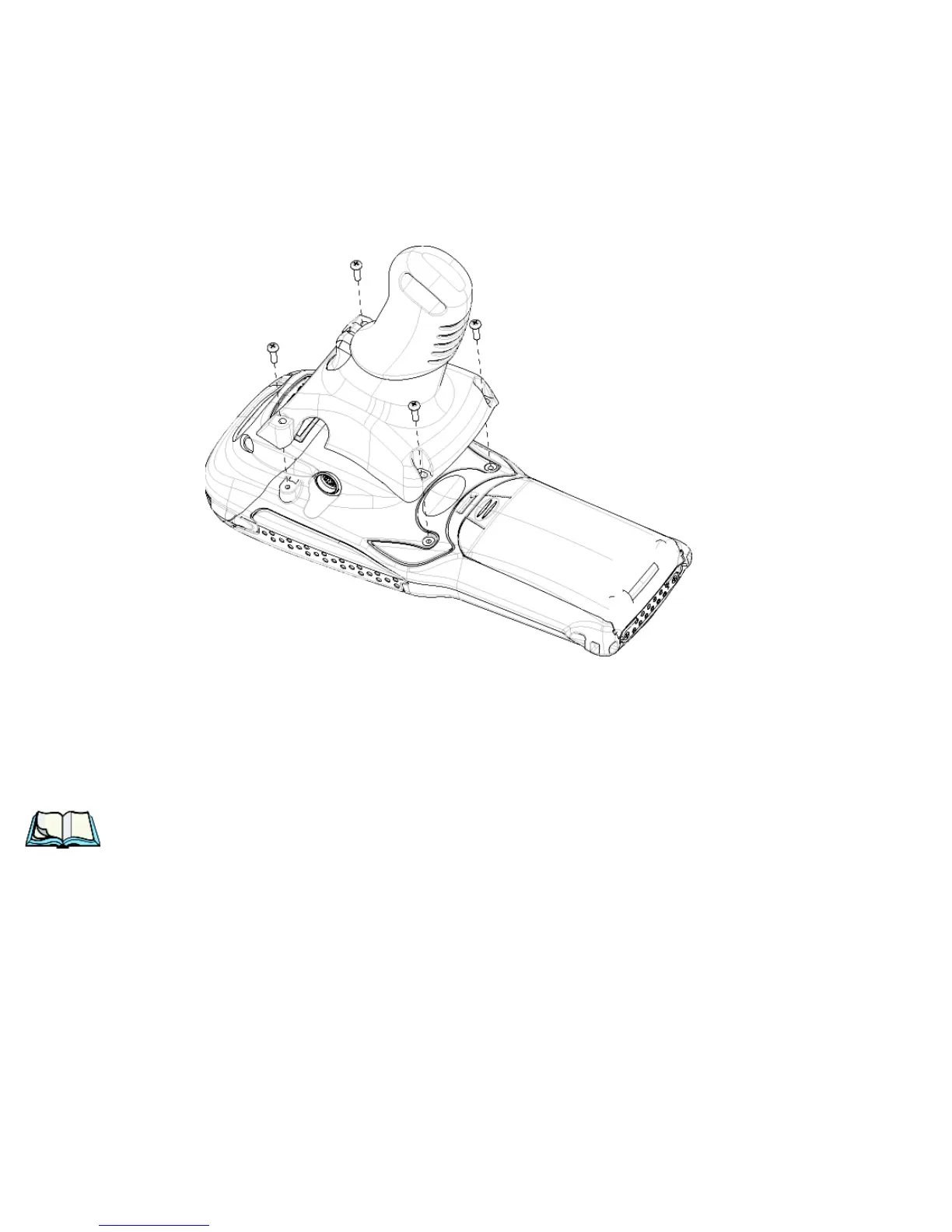
• Position the pistol grip so that it fits snugly over the back of the unit and
the inserts on the back of the hand-held are aligned with the holes in the
pistol grip.
Figure 2.3 Attaching The Pistol Grip
• Using a Phillips screwdriver, securely fasten the pistol grip to the back of
the 7535/7530.
2.2 Powering Up The 7535/7530
Note: Psion Teklogix offers a Portable Docking Module (PDM) along with its
power supply to help speed the checkout and confirmation process for
your 7535/7530. The PDM can power your hand-held with or without a
battery installed in the unit. Refer to Chapter 7: Peripheral Devices &
Accessories beginning on page 321 for more information about this
accessory.



 To Next Page