Chapter 5: Configuration
Establishing A Connection
204
Psion Teklogix 7535/7530 Hand-Held Computer User Manual
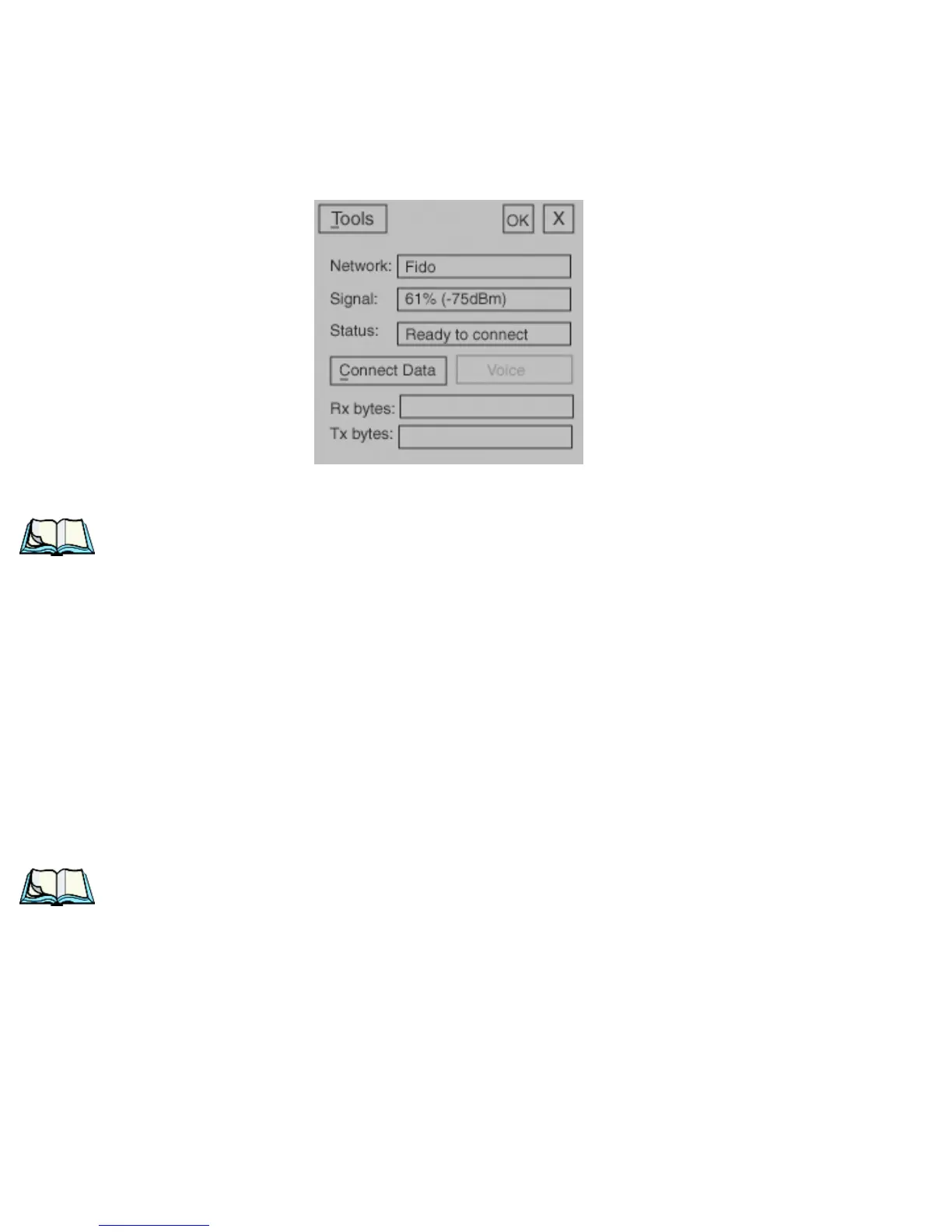
The main Wireless WAN dialog box is displayed.
Figure 5.98 Establishing A Connection
Note: If you are prompted to enter a PIN, refer to “Entering A PIN Number” on
page 206 for details.
When Ready to connect is displayed in the Status field, the Connect Data button is
enabled.
• Tap on the Connect Data button.
The progress of the connection is tracked in the Status field.
• PPP link to modem active
• Authenticating user
• User authenticated
• Connected
Note: Keep in mind that these states may be displayed fairly quickly if the
progress of the connection is rapid.


 To Next Page