SECTION 2
INSTALLING PRINTER
10
Assemble Printer
Tools required: Standard #2 Phillips head screwdriver.
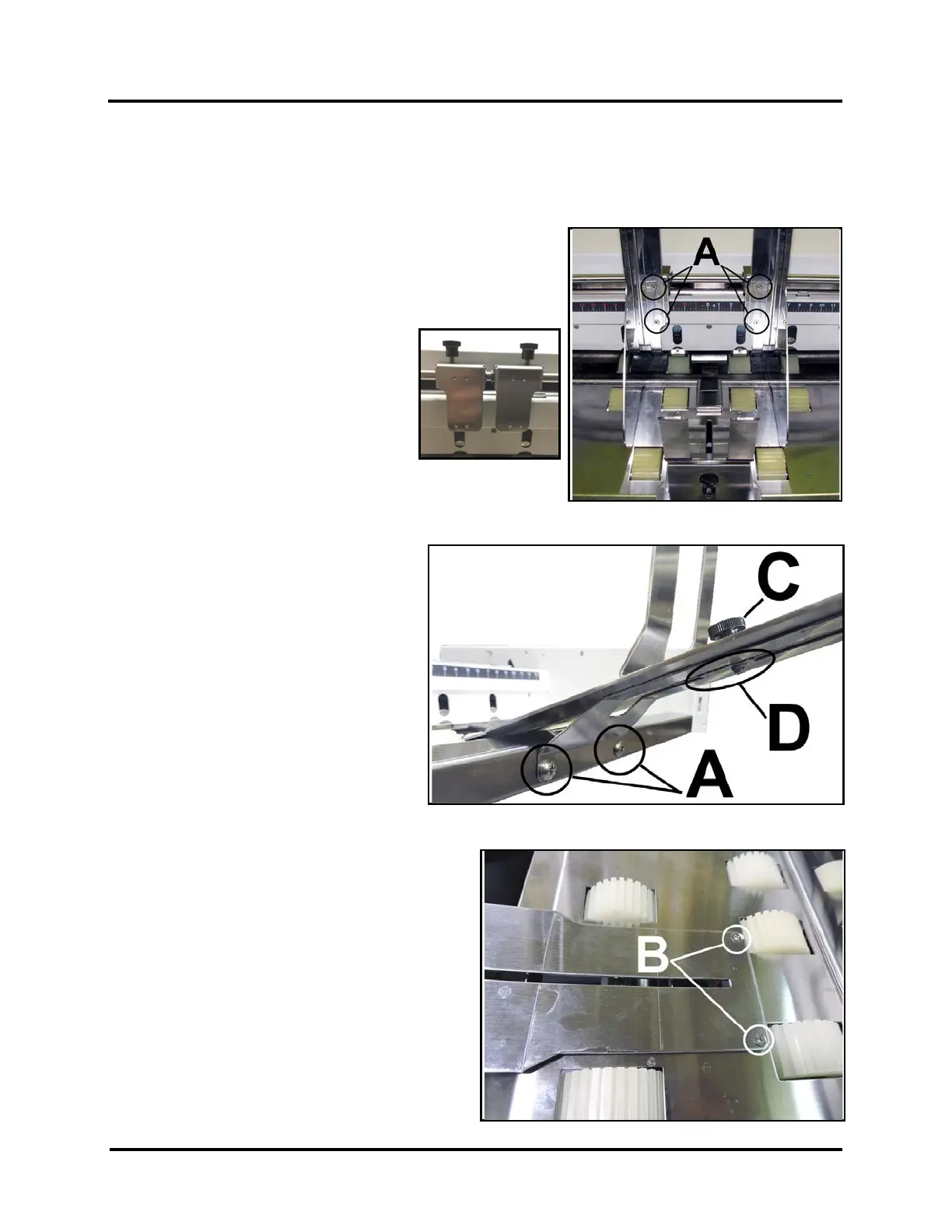
Install Side Guide
1. Remove two screws [A] from each
Side Guide Block. s
2. Align Side Guide screw holes with holes in
Side Guide Blocks.
NOTE: Two sets of holes are provided
in each Side Guide Block.
Use Outer Holes to accommodate
maximum media width (13.5”).
Use Inner Holes to accommodate
minimum media width (3”).
3. Insert screws [A] removed in Step 1.
Tighten so Guides are firmly attached to Side Guide Blocks.
Install Rear Media Support and Wedge
1. Install Rear Media Support. Use two
screws [A] (included) onto the Rear
Center Plate.
2. Install two screws [B] into top of Rear
Center Plate.
3. Install Media Support Wedge. Insert
Locking Knob [C] through Media
Support Wedge and Rear Media
Support. Screw into rectangular washer
[D].



 To Next Page