SECTION 3
OPERATING PRINTER
46
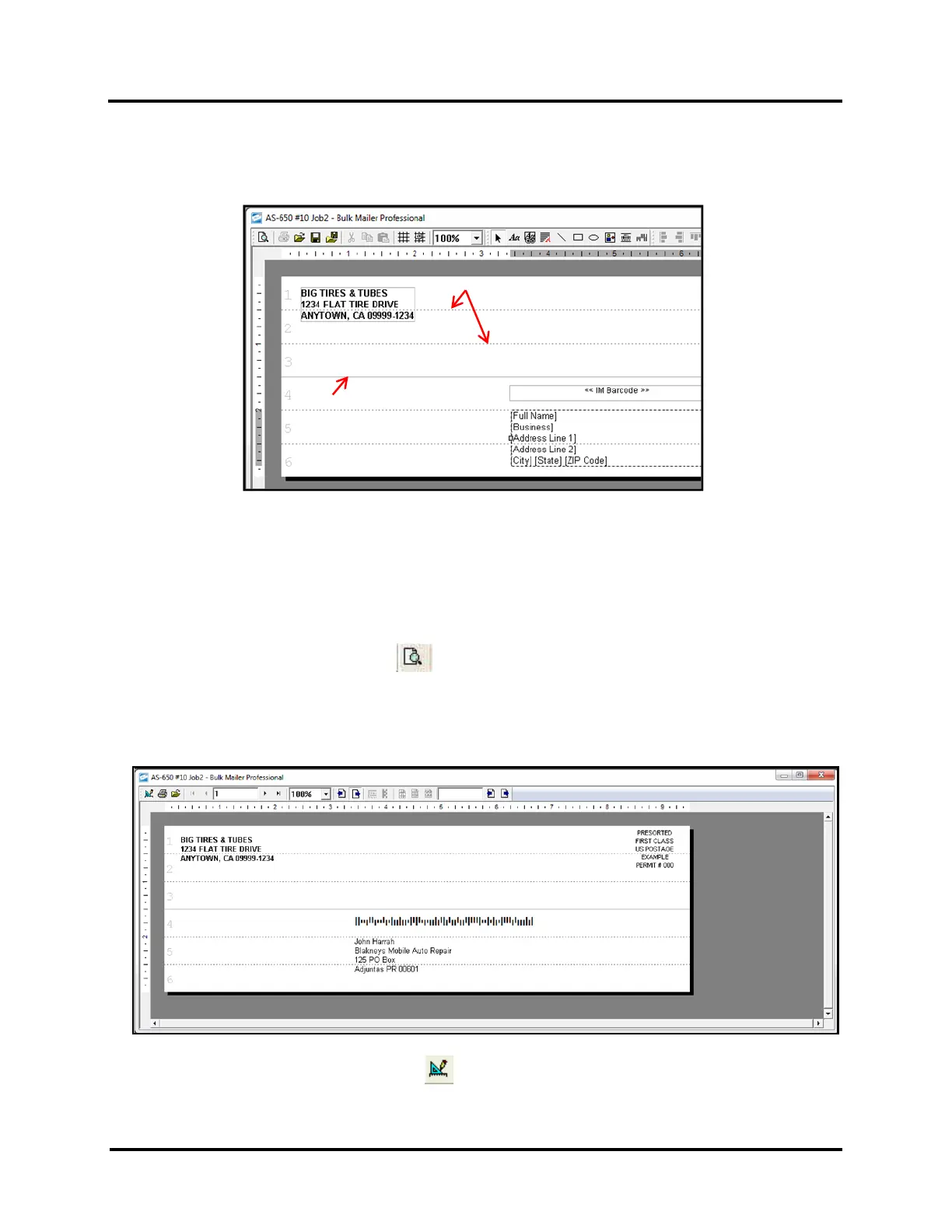
Dashed Lines = Head (cartridge) separation
Solid Line = Print Unit separation
d. The “Solid Line”, in the layout, represents the separation point between Print Units.
e. The “Dashed Lines”, in the Layout, represent the approximate separation points between Heads
(cartridges).
TIP: For best print results, try to position elements so text and graphics are not split between Heads or
Print Units. If you split text/graphics between Heads or Print Units some misalignment, between the
upper and lower sections of the text/graphic, is likely to occur.
5. Click on the "Go to Preview Mode" icon , located in the upper left-hand corner of the Bulk Mailer
"designer" screen. The “print preview” screen will open.
You can use the arrow buttons, located at the top of the “print preview” screen, to toggle through the records
in the mailing list and see how they are displayed.
TIP: Click on the "Go to Designer Mode" icon , to return to the "designer" screen.



 To Next Page