SECTION 4
MAINTENANCE
64
Purging Nozzles – Solvent Inks
If the Printheads (ink cartridges) sit inactive, in the printer, ink may dry in the nozzles, causing white streaks (voids)
in printout. Normal printing may not remove these “ink plugs” from the nozzles.
CAUTION: Solvent Ink Cartridges should NOT be Purged more than once a day. More frequent Purging can cause
reduced cartridge life and or damage to the ink cartridge.
First, try cleaning cartridge nozzles using a dry, lint-free cloth.
If issue remains, you can try cleaning cartridge nozzles using Isopropyl Alcohol (70% or higher).
If issue remains, you can attempt to clear nozzles by performing a single “Purge Print”, as described below.
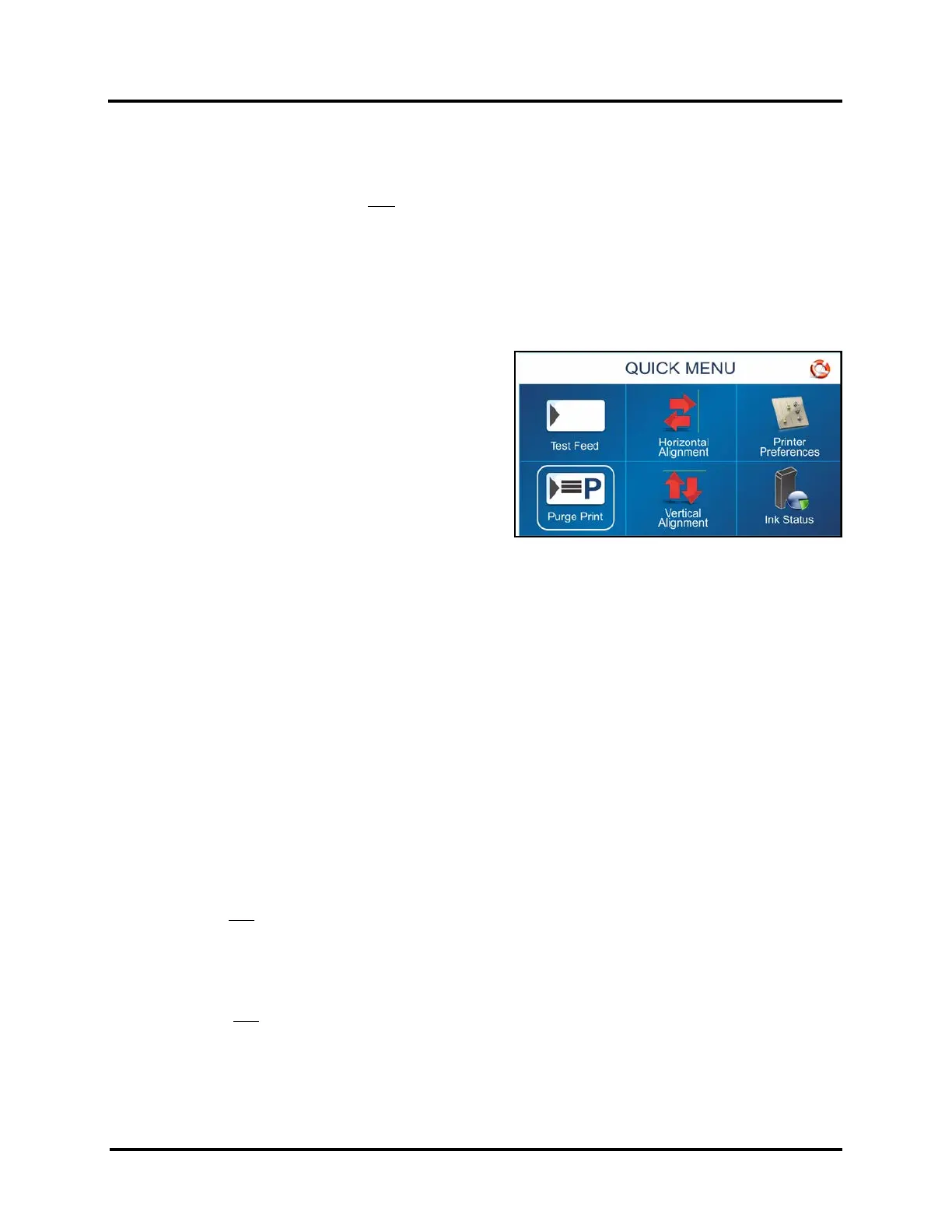
A Purge Print routine is built into Printer.
Access this feature by using the Quick Menu key on the
Control Panel.
1. Load media.
2. Press the Quick Menu key.
3. Locate and press “Purge Print” button.
4. Make sure “COPIES” is set to 1.
5. Press “Print” button to activate the purge.
A single piece of media will feed and a 600 dpi
“purge” pattern will print on the media.
NOTE: If print quality is still unacceptable, after you have cleaned and purged nozzles, you may need to
replace Ink Cartridge(s). For more information, see Troubleshooting Printheads in Section 5 –
Troubleshooting.
Ink Cartridge Storage - Solvent Inks
Short-term Cartridge Storage (Less than 1 hour)
• Solvent ink cartridges should only be left in the Printer, for short periods of time.
• The next time that the Printer is used, the cartridge nozzles may need to be cleaned and purged.
Note: Decap Time (time it takes for unsealed cartridge nozzles to become clogged) will vary greatly. Ink
type, environment, prior cartridge maintenance, and cartridge condition can affect decap time.
Long-term Cartridge Storage (More than 1 hour)
• Use a DRY, lint-free cloth to clean the solvent ink cartridge nozzles.
• Clean pad, in Storage Clip, using a lint-free cloth dampened with Isopropyl Alcohol (70% or higher).
• Snap the cartridge into a Cartridge Storage Clip.
• Place sealed Cartridge, with contacts facing down, into a tightly sealed storage container.
• When solvent ink cartridges are ready to be used again, the cartridge nozzles will need to be cleaned
with a DRY
, lint-free cloth.
CAUTION! Be sure the contact area of the cartridge is dry, before installing it into the printer or damage to
printer’s electronics will result.



 To Next Page