SECTION 3
OPERATING PRINTER
20
MAIN MENU
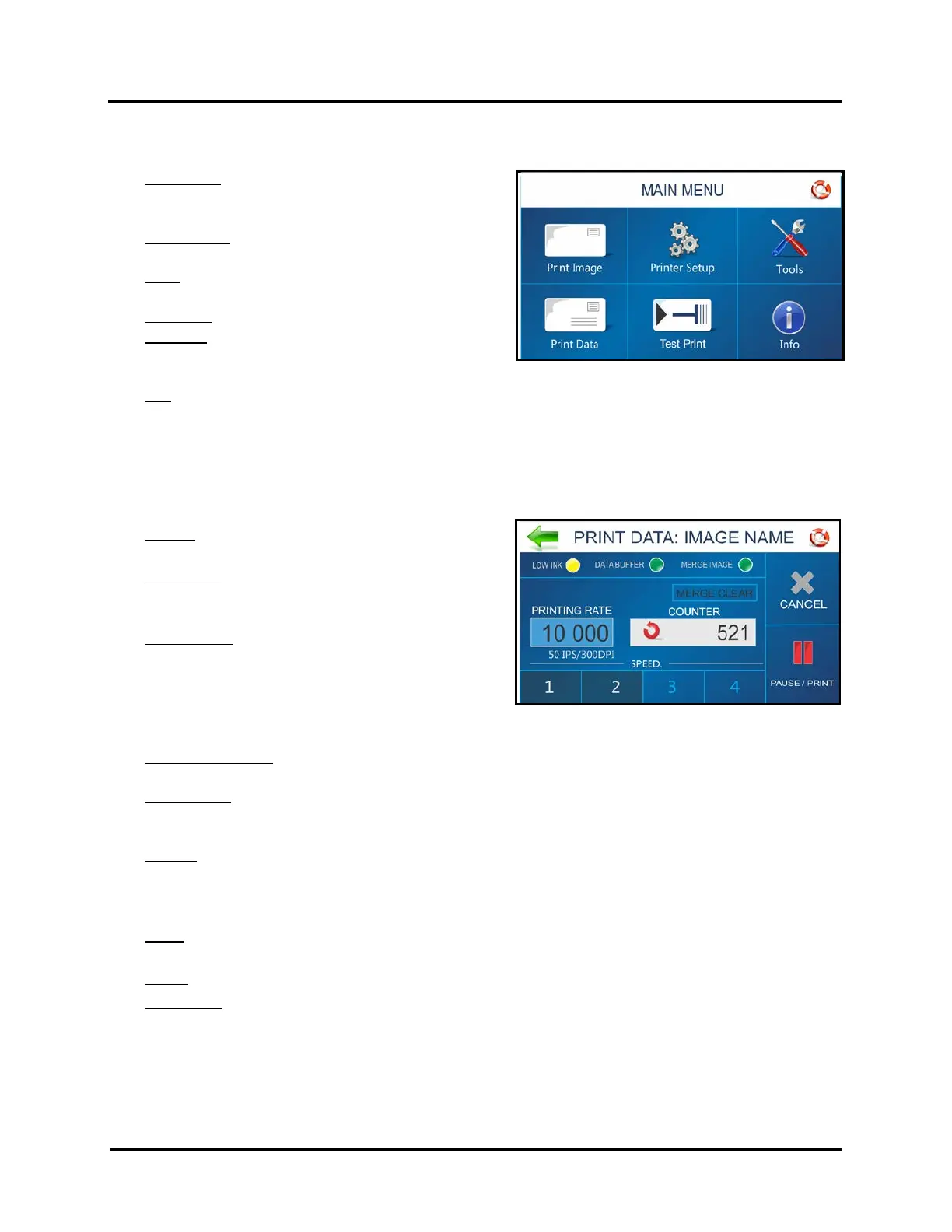
Tap the icons to access features built into the Printer and to customize Printer operation.
Print Image: Select, Import or Delete an image.
Imported images are stored within printer. You can
Print stored image or Merge stored image with next job.
Printer Setup: Set Printer parameters to adjust the
Printer to suit your needs.
Tools: Run Ink Cost Estimator, Ink Status, Diagnostics,
Network, and Screen Calibration.
Print Data: Displays information about the job printing.
Test Print: Prints a test page using current adjustments
and print parameters to check printing quality and
Printhead alignment.
Info: Displays information about the Printer. Model Name, BIOS version, Piece Counts, Port(s) in use, etc…
NOTICE: The Main Menu is not accessible when there is job data present in the printer.
PRINT DATA Screen
Shows information about the job currently printing.
Low Ink: Indicator appears when ink is running low (5%
or less).
Data Buffer: Indicator shows data buffer condition.
Red -No job data loaded. Green -Job data loaded.
Flashing -Job data loading.
Merge Image: Indicates Merge Image status.
OFF -No Merge Image selected/loaded.
Green -Merge Image selected/loaded. When Job is sent,
each record in the Job will be printed along with the
selected Merge Image. See “Print Image” for details on
loading and selecting a Merge Image.
Merge Clear Button: Press to clear the Merge Image (stop image merge process) and continue printing
without having to cancel the job.
Printing Rate: Shows how many pieces are printing per hour. Also displays the Speed (ips) and Print Quality
(dpi) set for the print job.
NOTE: A technician can select “units of measurement” (English/Metric, Inches/Feet) within Service Mode.
Counter: Shows the number of pieces run for a particular job or accumulated jobs (continuous batch
counter).
NOTE: “Continuous Batch Counter” can be enabled or disabled from Printer Preferences Menu.
Use Reset Button, inside Counter box, to reset the counter to zero (0).
Speed: Shows print speeds (1-4) available for a print job. Available speed selections will vary with Print
Quality. 150 DPI = Speed 1,2,3,4. 200 DPI = Speed 1,2,3. 300 DPI = Speed 1,2. 600 DPI = Speed 1
Cancel: Cancels a paused print job.
Pause/Print: Press to print a job, pause a running job, or to restart a paused job.
NOTE: You can also perform these functions using the PAUSE/RESUME KEY on the Control Panel.



 To Next Page