SECTION 3
OPERATING PRINTER
23
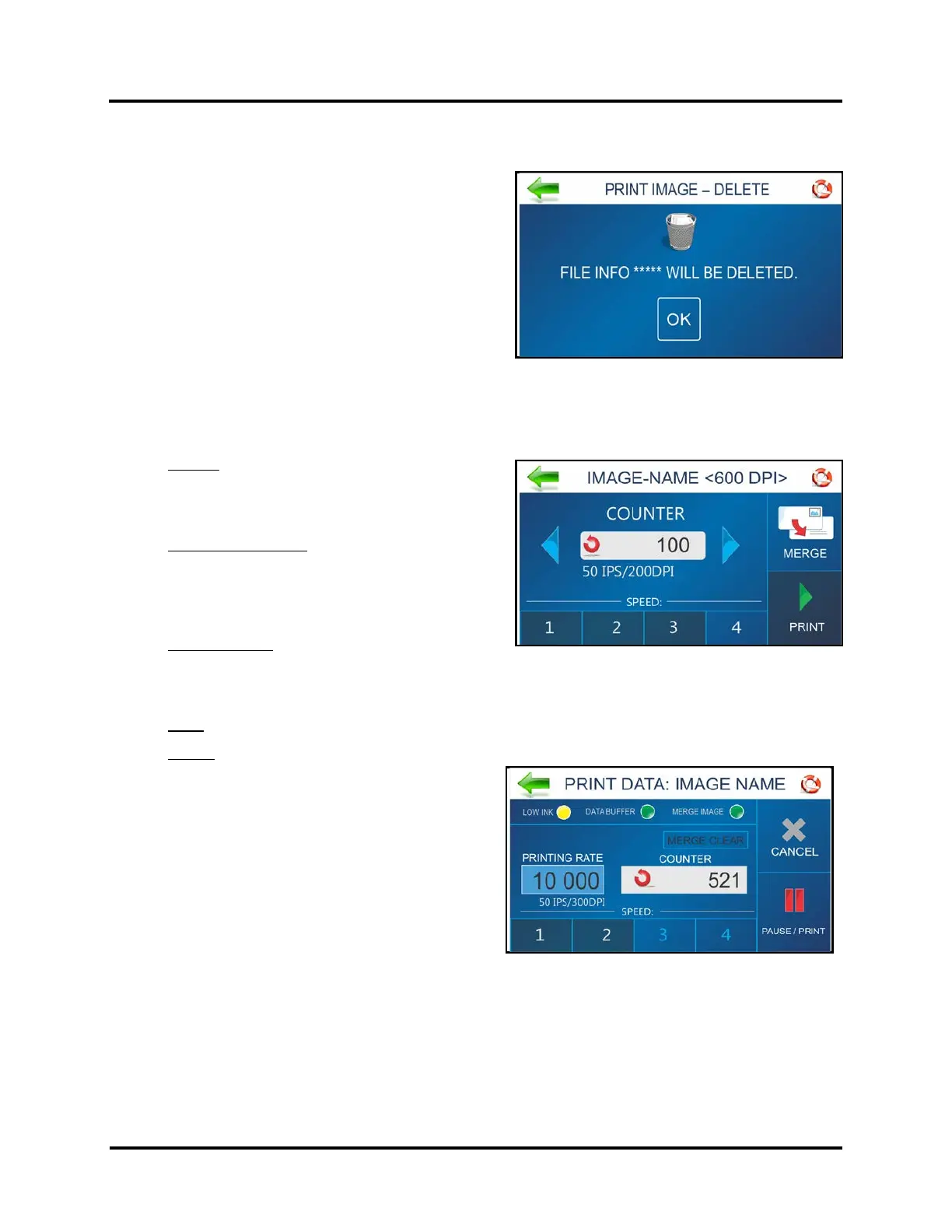
PRINT IMAGE – DELETE
Use this feature to permanently delete Stored Image(s) from
the printer and Print Image Library.
Press BACK to cancel this process and return to previous
screen.
PRINT IMAGE – SET-UP
Pressing the Print icon on the Print Image screen opens the Print Image Set-up screen.
Once an Image is loaded, the image name and dpi it was sent at are displayed at the top of the screen.
Counter: Enter the number of copies to be printed.
Printer counts down from the number set on the
screen. Reset button (inside Counter box) resets
Counter to 1.
Speed / Print Quality: Shows Speed in inches per
second (ips) and Print Quality (dpi) for the current
print job.
NOTE: Print Quality is determined by the Print
Resolution set in the image or print job.
Speed Selection: Shows the speed selections
available for a particular job. (1=Slowest; 4=Fastest)
NOTE: Available SPEED selections are determined by the Print Resolution (print quality) of the stored
Image that was selected (150D = Speed 1,2,3,4. 200D = Speed 1,2,3. 300D = Speed 1,2. 600D = Speed 1).
Print: Press to print the selected stored Image.
Merge: Press to Merge selected stored Image with the next Job that is sent to the printer.
TIP: If the Merge button is grayed out, the stored
image you selected was not sent/saved at 600 DPI.
The printer will only Merge stored images that
were sent/saved at 600 DPI.
The Print Data screen will open and the Merge
Image indicator will turn green.
The Print Data screen allows you to
Pause/Print/Cancel and monitor the status of the
Job. See “Print Data” for details on how to use this
screen.
Send the Job to the printer.
The Image you selected will be Merged and printed along with each record from the Job being printed.
NOTE: Available SPEED selections are determined by the Print Resolution (print quality) of the stored
Image that was selected (150D = Speed 1,2,3,4. 200D = Speed 1,2,3. 300D = Speed 1,2. 600D = Speed 1).
IMPORTANT: To merge stored Image with a Job, the stored Image must have been sent/saved at 600 dpi.
Job must match Page Size and Layout of Merge Image. After job is complete, the Merge Image feature is
automatically deactivated.



 To Next Page