SECTION 5
TROUBLESHOOTING
70
Touchscreen Messages
The Touchscreen will display messages to alert you to problems or to indicate a process is finished.
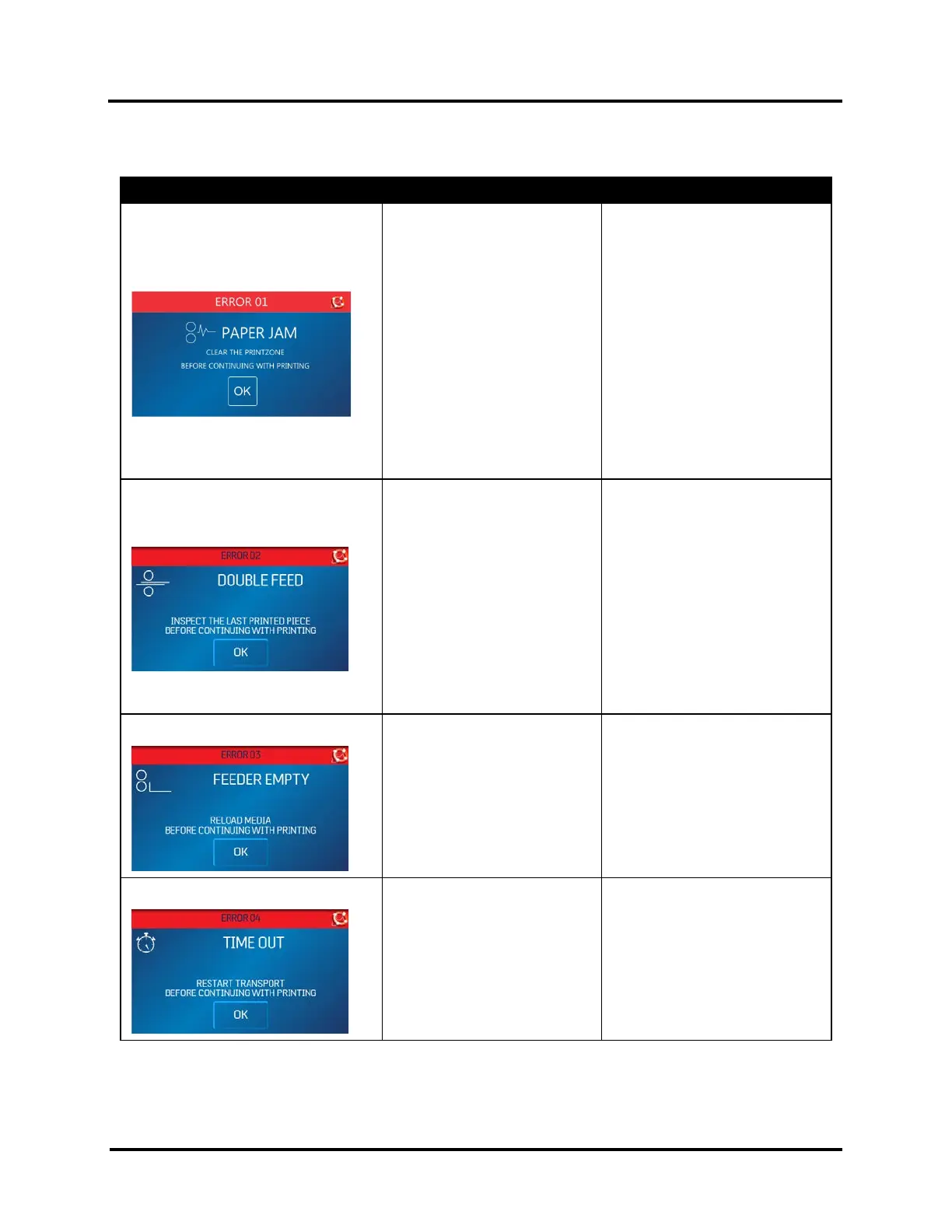
SCREEN MESSAGE PROBLEM SOLUTION
PAPER JAM (ERROR 01)
Paper jam.
Media is curled or bent.
Media is too thin or too thick.
Media sticking together or
overlapping.
Clear media from feeder and/or
print transport area.
Minimum: 0.008" (0.2 mm)
Maximum: 0.375" (9.5 mm)
Adjust Sheet Separators.
Check/adjust Media Thickness.
Clear media from printer
transport area.
Press OK to continue.
Use Reprint (on Quick Menu
screen) to retrieve/restore any
missing or misprinted pages in
the print job.
DOUBLE FEED (ERROR 02)
Wrong Paper Size selected in
driver.
Media sticking together or
overlapping.
Check/set correct Paper Size in
driver
Adjust Sheet Separators.
Check/adjust Media Thickness.
Clear media from printer
transport area.
Press OK to continue.
Use Reprint (on Quick Menu
screen) to retrieve/restore any
missing or misprinted pages in
the print job.
FEEDER EMPTY (ERROR 03)
No media in Feeder/Hopper or
hesitation in media feed.
Check adjust Sheet Separators,
Side Guides and Rear Wedge.
Reload media.
Press OK to continue.
TIME OUT (ERROR 04)
Printer operation has timed out
or Printer was paused too long.
Check Printer.
Press OK to continue.



 To Next Page