SECTION 1
GETTING ACQUAINTED
8
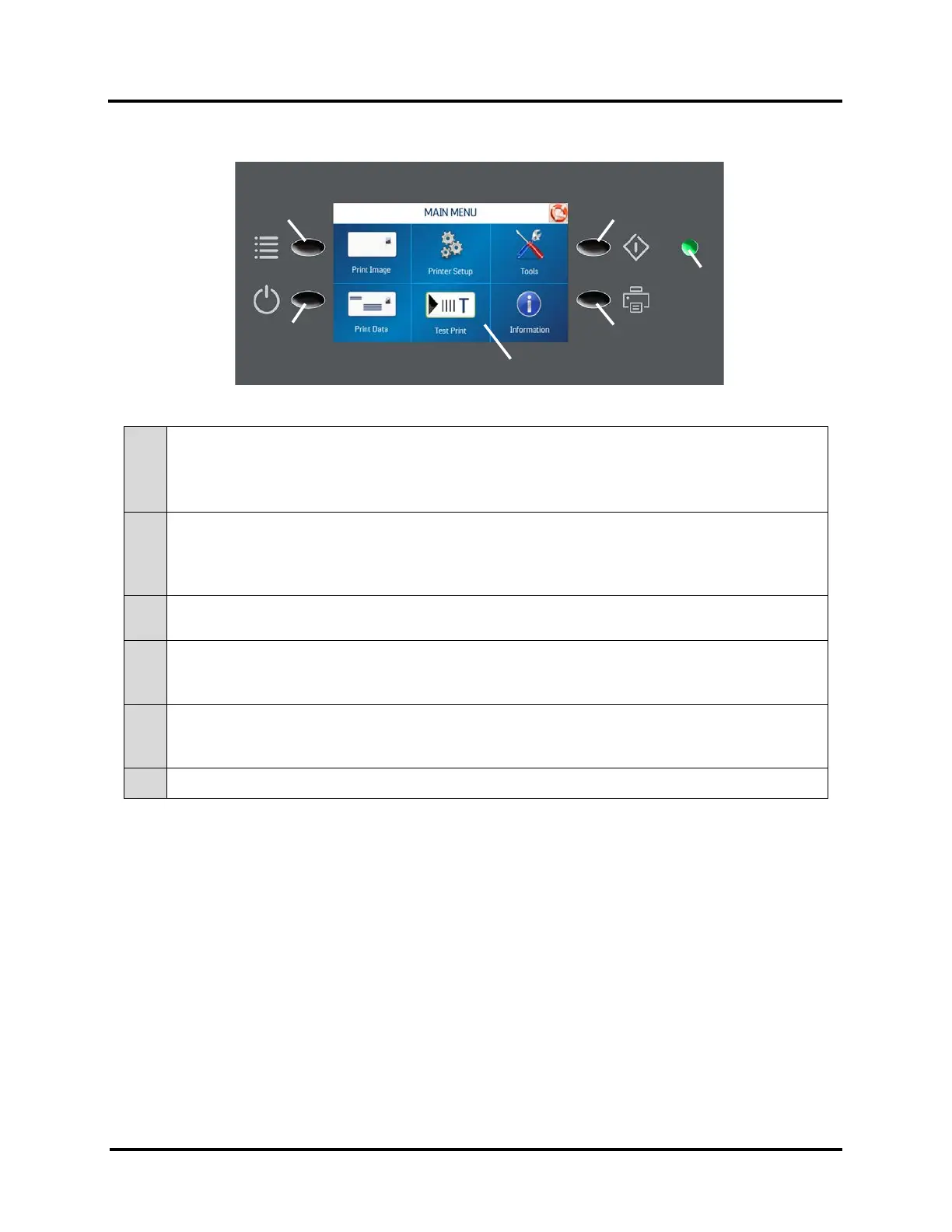
Control Panel
1.
QUICK MENU KEY – Allows quick access to often-used Printer functions without having to scroll
through a number of screens. Test Feed/Reprint, Horizontal and Vertical Alignment, Printer
Preferences, Purge Print, and Ink Status.
Press Quick Menu key again to return to previous screen.
2.
SHUTDOWN/RESTART KEY – The Shutdown Printer screen opens with the following button options:
Restart, Shutdown, USB Disconnect, Port Reset and Cartridge Initialize.
Shutdown button safely powers-down printer electronics.
IMPORTANT: Wait for cursor to stop blinking, or to disappear, before turning OFF Main Power Switch.
3.
PASS-THROUGH KEY – Press to access Transport Control screen. Use to run the Transport to clear
media from under the Printheads.
4.
PAUSE/RESUME KEY – Provides a quick way to pause and resume a job at the Printer without using
the Touchscreen or computer. Press to start printing. Press to pause a running job. Press key again to
resume printing.
5.
CONTROL PANEL TOUCHSCREEN – Use the Control Panel Keys to open certain screens and/or use the
Touchscreen arrow and screen icons to operate the Printer and set and adjust Printer settings and
functions. You can also check Printer status and error messages.
6.
POWER INDICATOR LIGHT – ON (illuminated) when Main Power Switch is ON.
NOTE: A complete description of the functions and operation of the Touchscreen can be found
in Section 3 – Operating the Printer.



 To Next Page