SECTION 2
INSTALLING PRINTER
12
Connect to Computer or Network
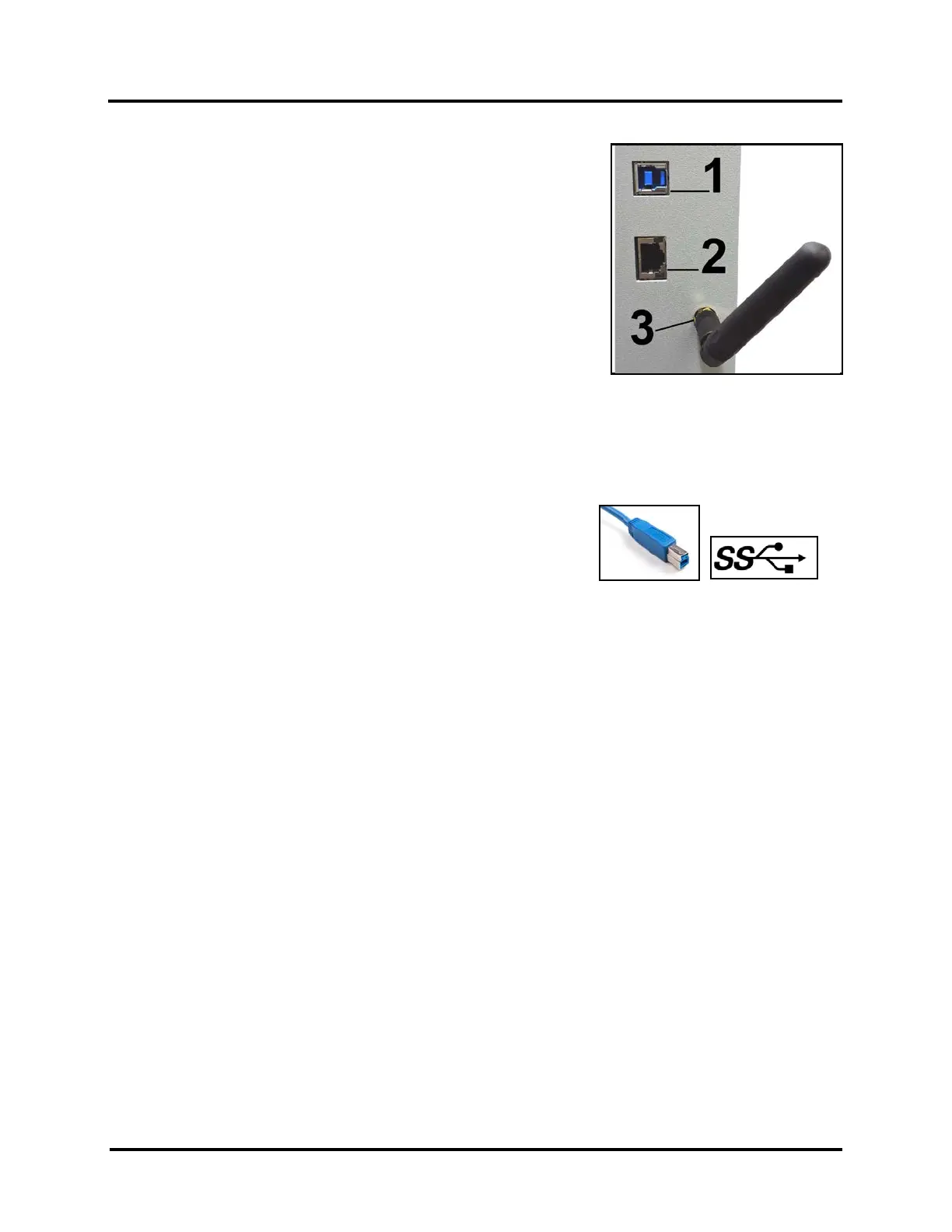
USB 3.0 (USB 3.1 Gen 1) Port: Plug USB cable into connector [1]. Printer
can be connected to a USB 2.0 or USB 3.0 port.
Printer can accommodate a USB 2.0 or a USB 3.0 Cable.
Cable used to connect Printer to computer must not exceed 6 feet long.
Using a USB 3.0 Cable/Connection is preferred, because it is faster.
See “How to Identify USB 3.0 Cables and Connections”, below.
Ethernet (Network) Port: Plug network Ethernet cable into
Ethernet connector [2].
WiFi Port: Connect WiFi antenna (included) to this port [3] for wireless
Printer monitoring or operation through your network.
How to Identify USB 3.0 Cables and Connections:
To take advantage of the higher communication speeds, that a USB 3.0 connection provides, you must:
• Use a USB 3.0 Cable (one was included with printer).
• USB 3.0 Cable must be connected to a USB 3.0 Port on the computer.
USB 3.0 Cables have a different shape, at the printer end, then USB 2.0 Cables.
USB 3.0 Ports, on the computer, will be marked with “SS”.
USB 3.0 Connectors are normally BLUE in color.
Items identified as “USB 3.1 Gen 1” are the same as “USB 3.0”.



 To Next Page