SECTION 3
OPERATING PRINTER
53
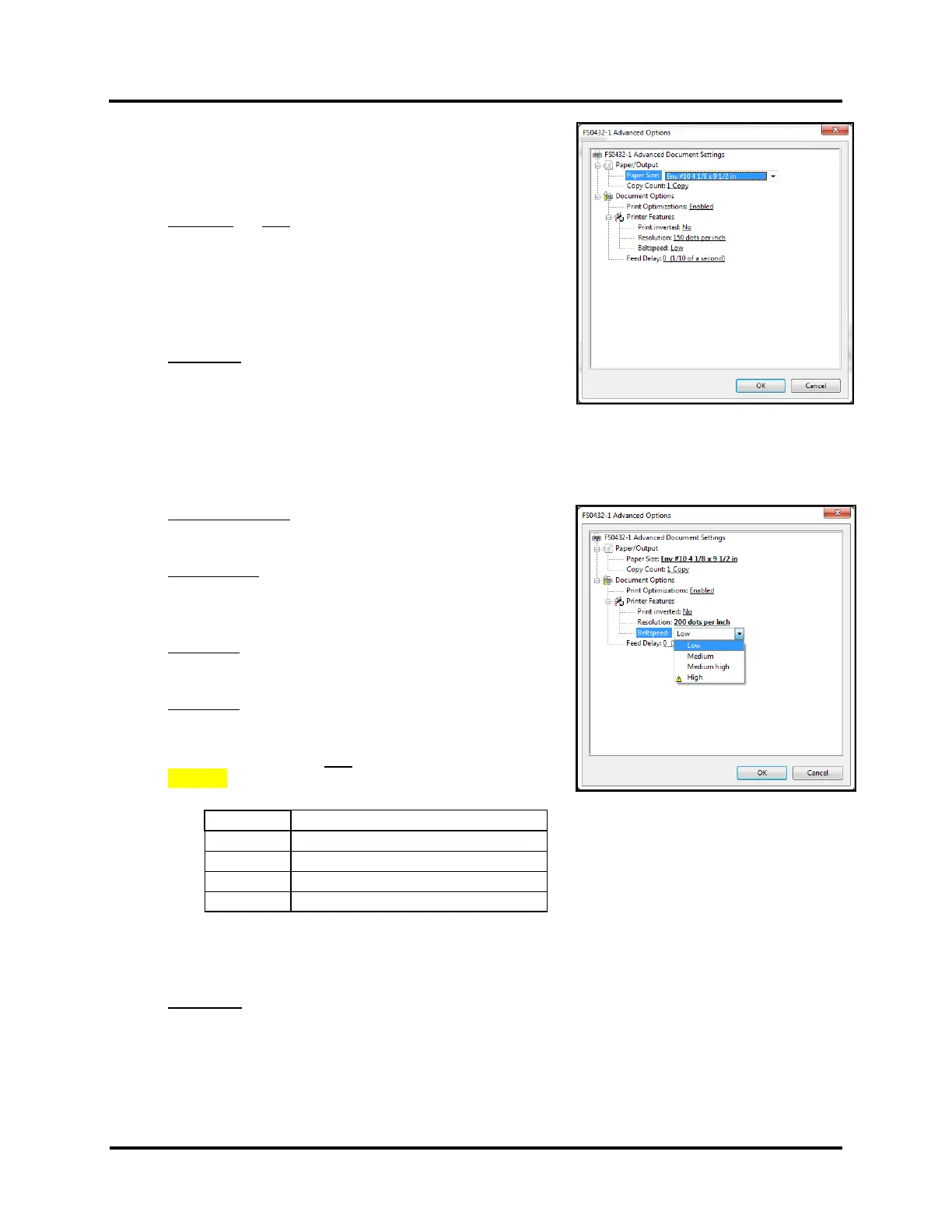
14. From the “Advanced Options” window you can access and adjust
the following Printer Preferences.
a. Select your desired Paper/Output settings.
Paper Size: Do NOT change. FlexMail will automatically select
a matching Paper Size, to what was selected for the Project
(Layout).
“Max Print Area” may be shown when a “User defined size”
was created for the Project (Layout). This is normal.
Copy Count: How many copies of each record you would like
printed.
TIP: Copies can be set in the “Settings” Tab as well.
b. Select your desired Document Options and Printer Features.
Print Optimizations: Enabled, Disabled
Make sure Enabled is selected.
Print inverted: No, Yes
No = normal – right-side-up to operator
Yes = inverted (rotate 180°)
Resolution: 150, 200, 300, 600 DPI (print quality)
Belt Speed: Low, Medium, Medium High, High
NOTE: Belt Speed selections are limited by the current
Resolution selection. Do NOT select choices marked with
CAUTION symbol.
Compatible Belt Sped Selections
Low, Medium and Medium High, High
Low, Medium and Medium High
TIP: Compatible Belt Speeds can also be selected at the printer, after sending the job. Pause printer
before selecting a new Belt Speed.
Feed Delay:
Feeder pause time (1/10 of a second). 10 = 1 second.
Printer will pause feeder, for set value, between each piece of media that is fed/printed. Use to provide
more dry-time between pieces.
15. Click on “OK” to Close the “Advanced Options” window.



 To Next Page