SECTION 2
INSTALLING PRINTER
14
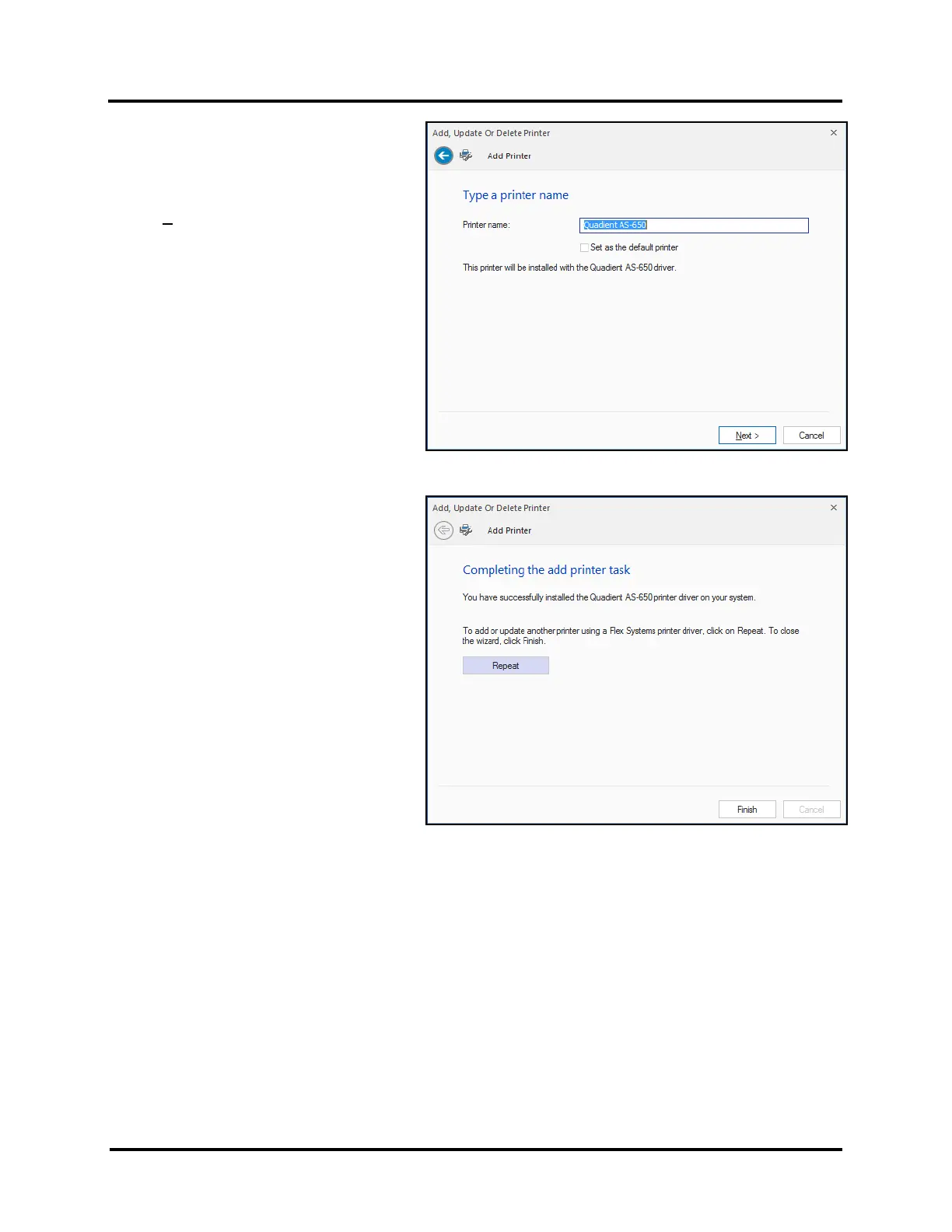
5. The Driver will load and the next
screen allows you to “Name Your
Printer”. Unless another printer has
the same name on your system or
network, ignore this step and click
Next>.
6. Click Finish to complete
the installation.
7. In “Devices and Printers” check that
Printer is available and active.
TIP: If you plan to Print Test Page from the
driver, please be sure to select the appropriate
paper size. If the paper size (length in direction
of feed) does not match the physical length of
the media you are using, the printer may feed
one or two pieces, then stop and display
“Double Feed”.



 To Next Page