SECTION 3
OPERATING PRINTER
17
Finding the Sweet Spot
The amount of Media that can be stacked into the Feeder Section (Feeder/Hopper) is determined by the
weight and size of the material.
• The feeder section may not feed larger and heavier media when the stack is high.
• The feeder section may not feed lighter media when the stack is low.
• To keep the printer feeding consistently (without miss-feeds or hesitations), you may need to reduce
or increase the amount of media in the stack for a given media size/weight.
Media Thickness Adjustment
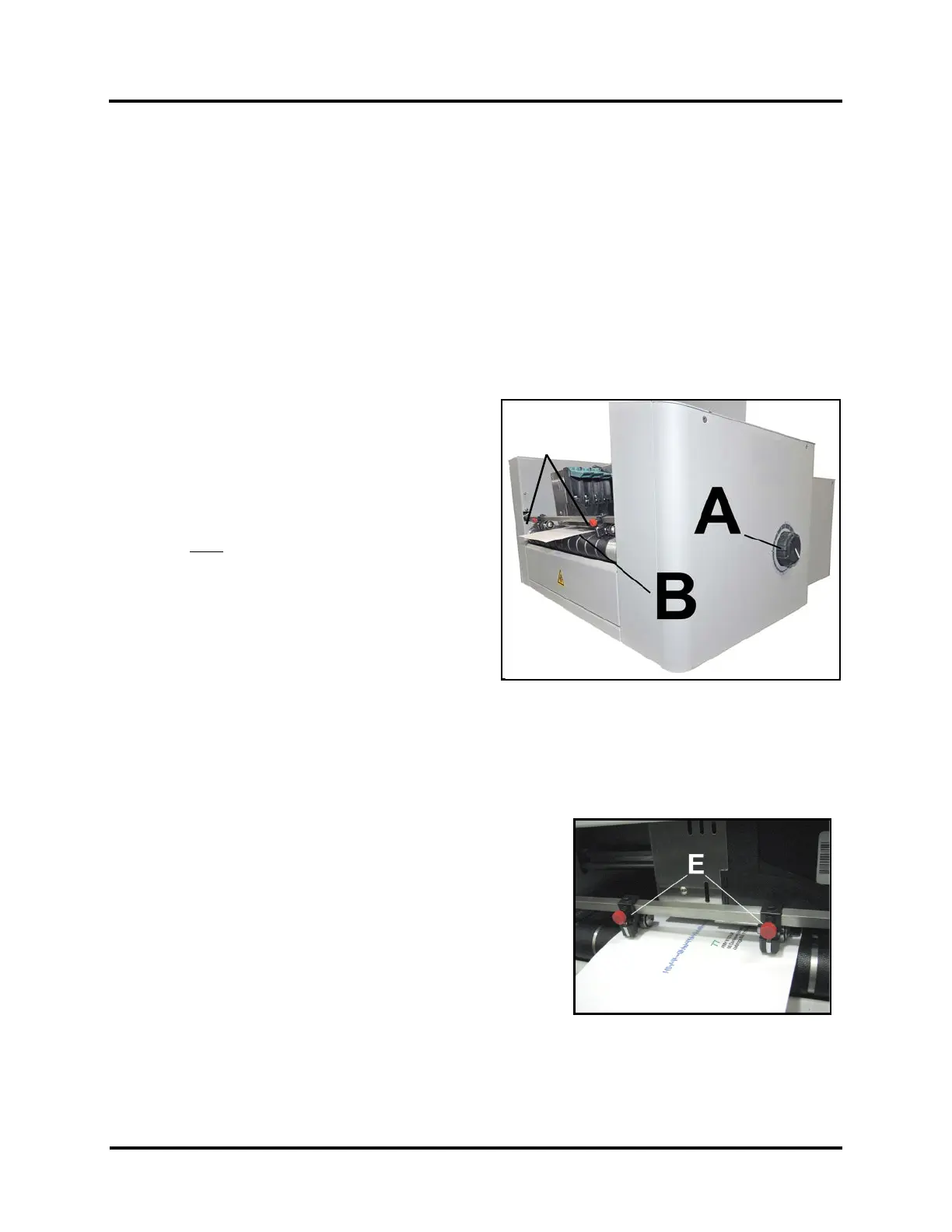
1. Adjust two Exit Rollers [E] towards each side of the
printer; so they are out of the way.
2. Turn Media Thickness Knob [A] fully clockwise to
raise the Printhead Carriage to its highest position.
3. Slide a piece of media [B] under Printheads 4,5,6.
TIP: Be careful not to slide media in too far.
You don’t
want media to be positioned under the
Pressure Rollers that area located at the exit of
Printheads 1,2,3.
4. Adjust the Media Thickness Knob [A] counter-
clockwise until the bottom of the Print Unit just
touches the media. Then remove the media.
TIP: If the media can not be pulled out easily, from
under the Print Unit, turn Media Thickness Knob [A] clockwise until Media [B] can be pulled from under
Print Unit with only a slight drag.
NOTE: These are initial settings. It may be necessary to adjust the Media Thickness Control to optimize
print quality. Make a note of the knob position for future reference for that media.
Exit Roller Adjustment
1. Adjust two Exit Rollers [E] so that they ride on media.
To prevent smearing, make sure that Exit Rollers
do not track over any printed information.
2. Turn Printer ON.
3. Test feed media by pressing “Test Feed” on the
Quick Menu Touchscreen.



 To Next Page