68©2006 Sunrise Medical
QUICKIE ELECTRONICS SECTION
Actuator Test (QMAC controlled actuators)
Complete the following steps to test the seating system
actuators.
Connect the Quickie iQ or HHP to the wheel-1.
chair.
Turn on the wheelchair. Prior to completing any 2.
test, re-home the wheelchair using either the HHP
or the PCSS.
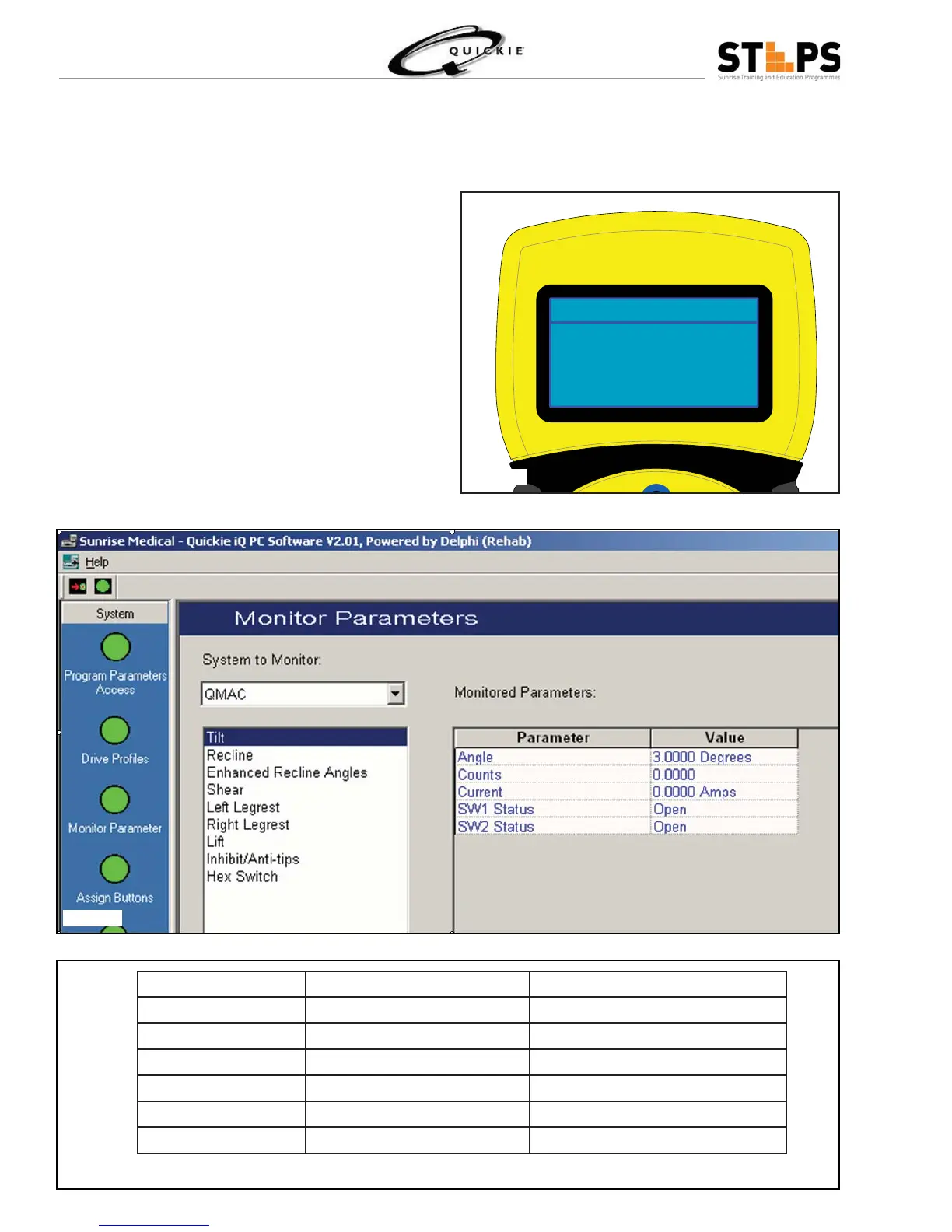
If using the HHP, select Monitor, then QMAC Ac-3.
tuators. Under QMAC Actuators, select the actua-
tor to be tested (i.e., Tilt). (fi g2.23.26)
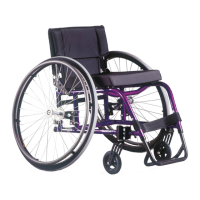
If using the Quickie iQ, select Monitor Parameter, 4.
followed by selecting QMAC, then actuator to test
(i.e., Tilt). (fi g 2.23.27)
Note the position of the actuator (counts and 5.
degrees). Operate the actuator and observe the
counts, degrees and current. Refer to Table 1 for
a listing of typical currents for each actuator.
Tilt
+ + -
Angle 3.0 deg
Counts 0
Current 0.000 A
SW2 Status open
Actuator Average Current – No Load Maximum Current –Under Load
Recline 1 to 2 amps 8 amps
Tilt 1 to 2 amps 8 amps
Lift 1 to 2 amps 8 amps
Left Leg 1 to 2 amps 4 amps
Right Leg 1 to 2 amps 4 amps
Power Shear 1 to 2 amps 4 amps
Fig 2.23.26
Fig 2.23.27
Table 1



 To Next Page