Beijing RichAuto S&T Co., Ltd.
Forging ahead and determined to win 19
and reduce the operating speed of the entire graph. System default:linear acceleration is 800 mm/s
2
,
curve acceleration is 1000 mm/s
2
, the proposed curve acceleration is 1-1.5 times the linear
acceleration value.
6. Start Speed Unit:mm/minute
The speed of axis started directly from standstill. Not starting from zero speed, but starting
directly from a certain speed,so it can shorten the overall processing time,but do not set this speed
too high. Set too high, it will cause the motor losing steps, jitter and even whistle;Set too small, it
will reduce the operating speed of the entire graph. If the inertia of motion axes (axis heavier),
users can set a smaller start speed, if the inertia of motion axes smaller (lighter shaft), users can set
it bigger.
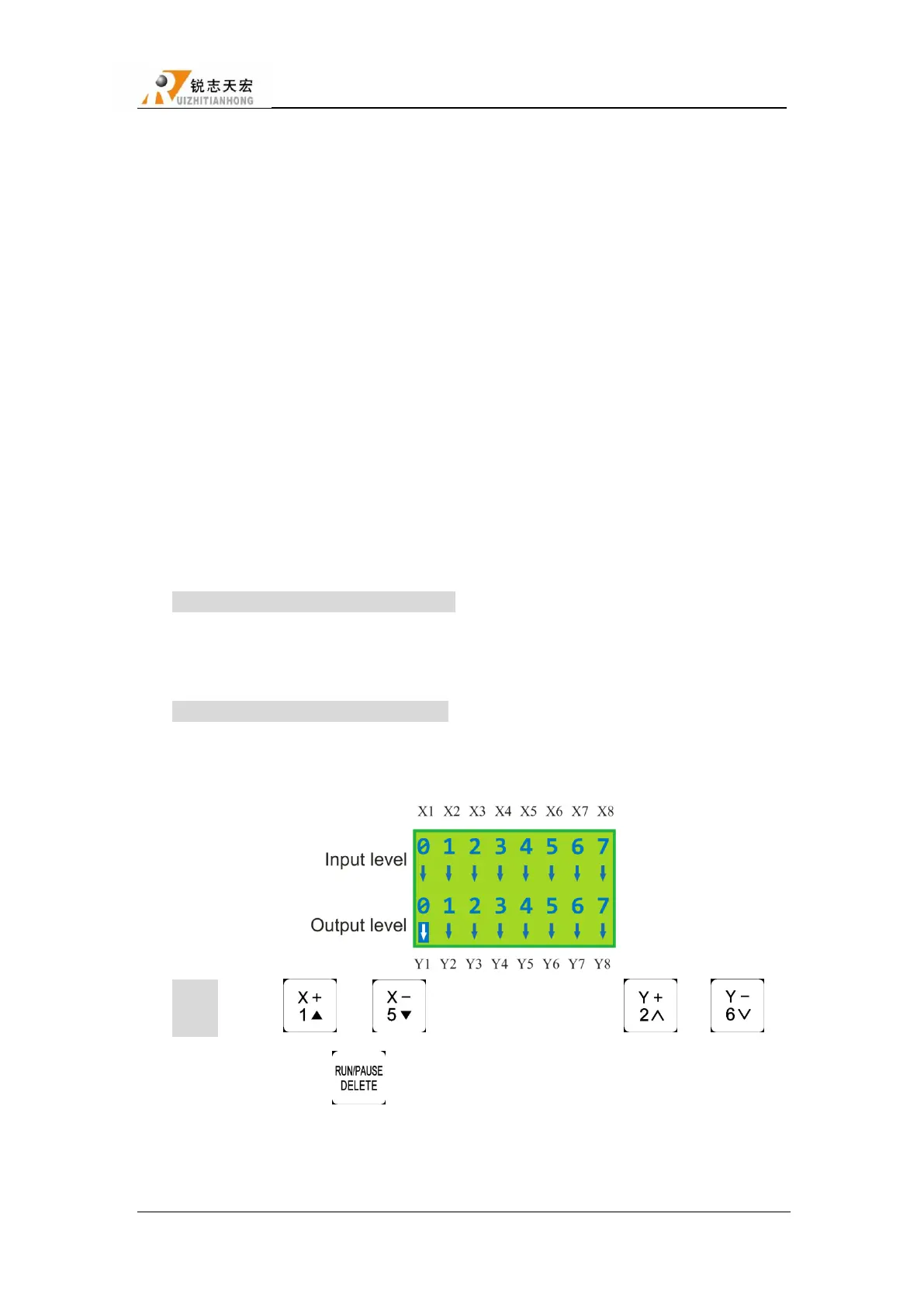
7. Voltage Setup
Set input and output signal terminal status,―↓‖ means normal open,―↑‖ means normal
closed.Including two rows of arrow:
The upper arrow indicates the input level:Set input signal level.The top four: 0 ,1 ,2 ,3
positions correspond X ,Y ,Z axis back home ,toolsetting signal;4-7: driver alarm ,hard
limit ,E-stop signal,pedal switch.
The under arrow indicates the output level:Set output signal level. The top four: 0、1、2、3
positions correspond spindleOn/Off、multi-speed 1、multi-speed 2、multi-speed 3 signal,5、
6:4、5 positions correspond alarm indicator、work indicator signal.
Setting:Press“ ”/“ ” to move around,Press “ ”、“ ‖to
move up and down,press“ ” to change the direction of the arrow.
8. C.A.D.(Tool sensor) Thickness Unit:mm
This thickness should input by actual,if it is bigger than the actual thickness ,Z axis may cut



 To Next Page