‐31‐
INSERTION
PRIOR TO THE INSERTION OF A BU ENSURE THAT THE SYSTEM IS NOT OPERATING ON BATTERY
MODE!
ONLY INSERT THE BUs WITH CHARGED BATTERIES
NOTE: the BU must be inserted in the place of a previously removed one or, in case of first installation, in
the first free dedicated slot within the Battery Cabinet starting from the bottom slot.
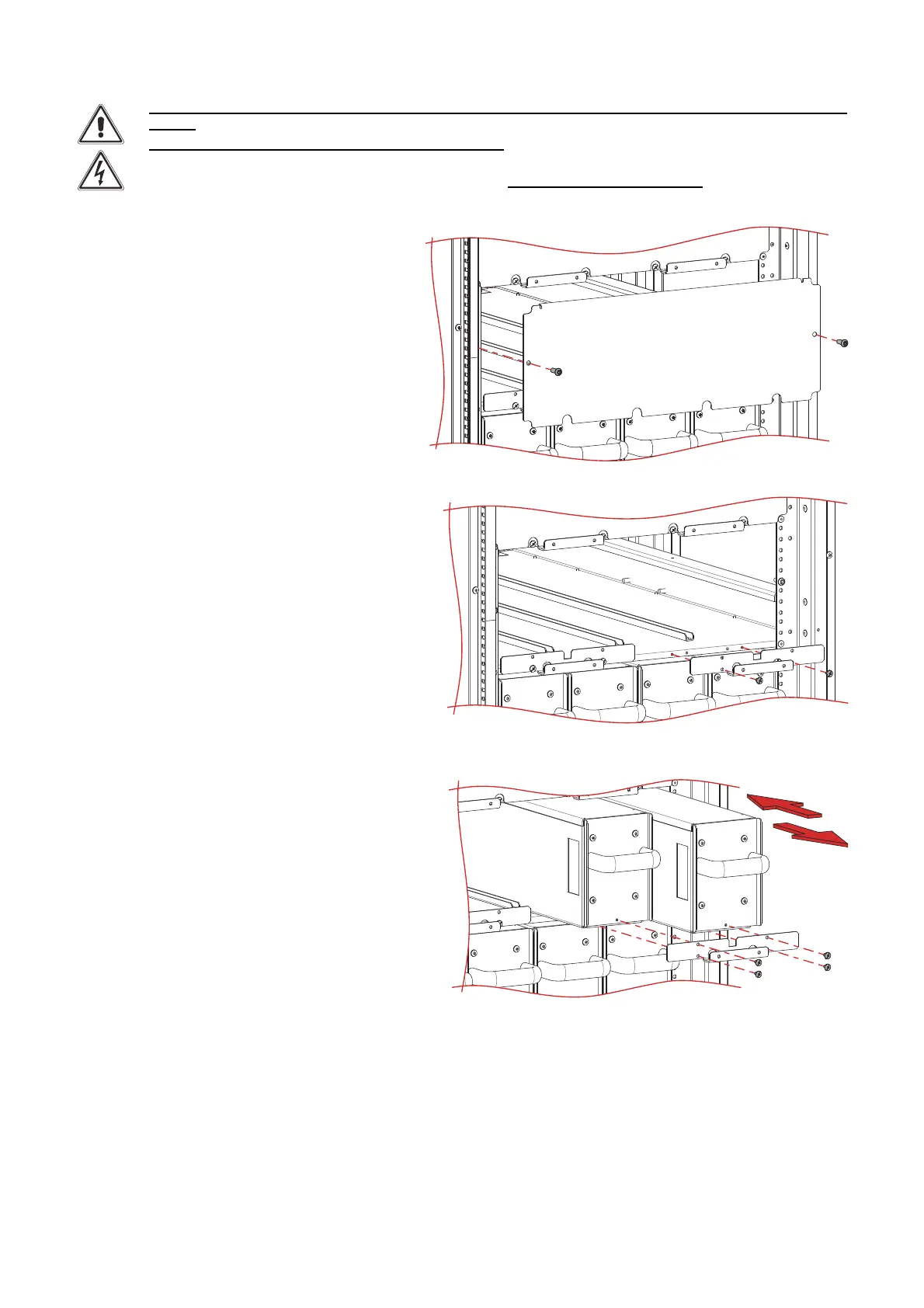
1. If present, remove the protection cover and
store it together with the fastening screws.
2. If present, remove the locking bracket and
store it together with the fastening screws.
3. Insert the BU into the cabinet.
Remove the screw located in the front part of
the BU in the low/front part.
Fasten the BU to the cabinet using the
dedicated bracket and all the screws
removed previously.





 To Next Page