‐56‐
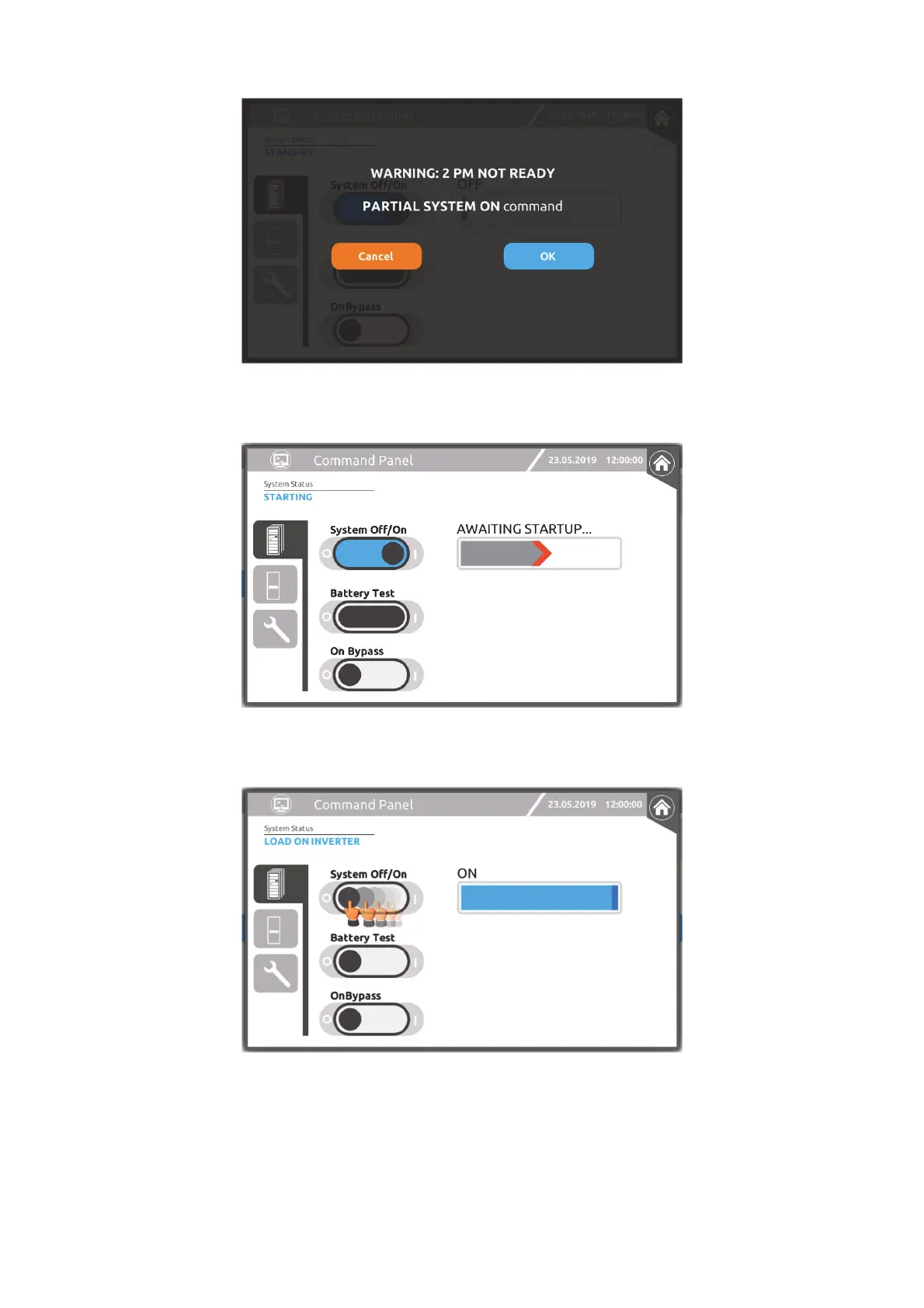
If one or more modules are not ready, a warning message will be shown.
Progress bar during a system start-up sequence.
Operate the sliding switch from I to O to switch the system off.
“COLD START” COMMAND
To switch on the system from the battery, press the “COLD START” button of the Cabinet for around 5 seconds (see the “User
Interface” paragraph). The UPS modules will activate with their LEDs on.
Repeat this operation for all the Cabinets within the system.
Finally, switch on the system from the display using the ON/OFF COMMAND described in the previous paragraph.




 To Next Page