‐44‐
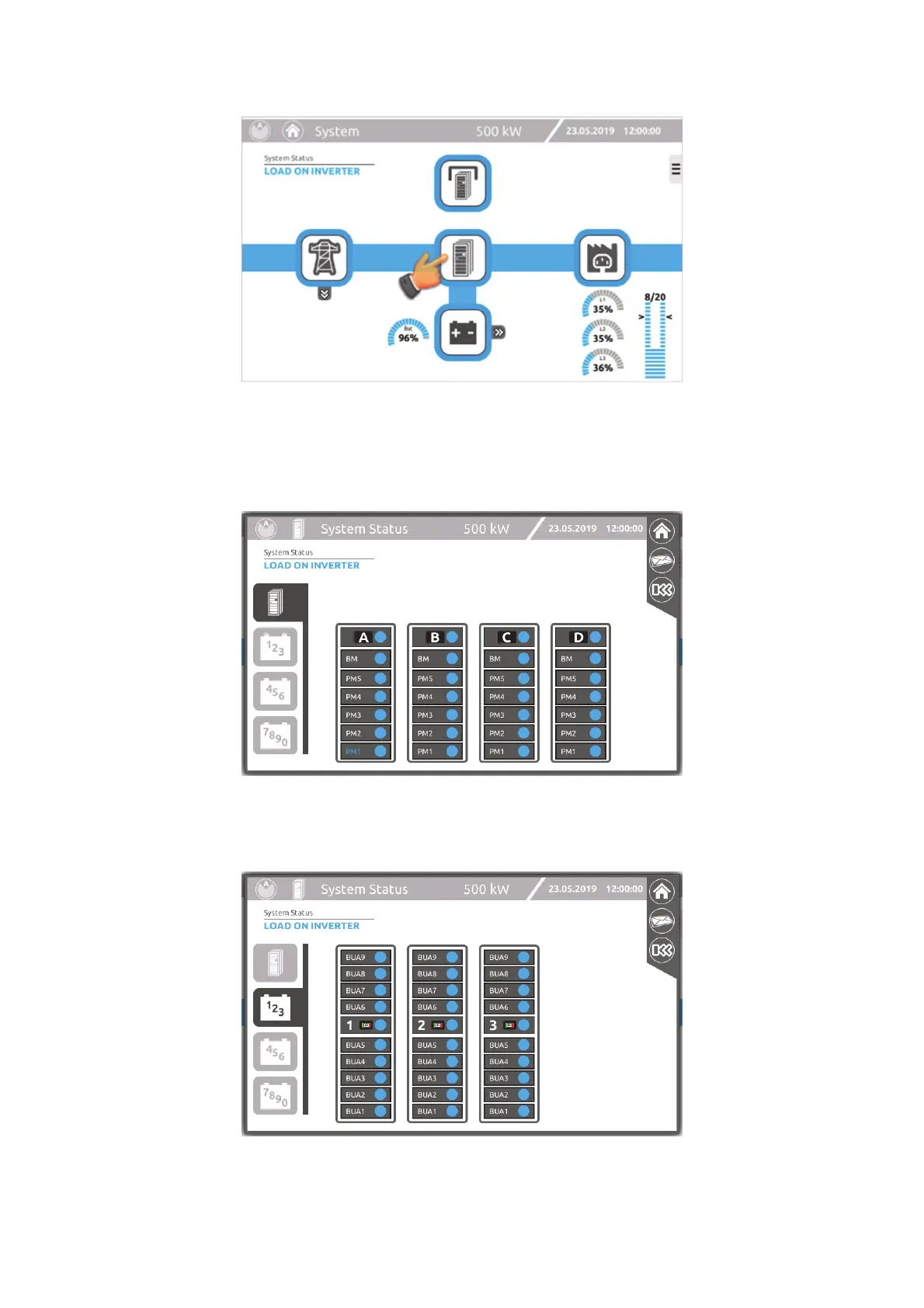
“SYSTEM STATUS” PAGE
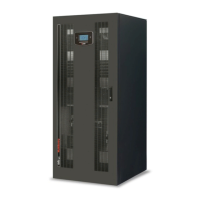
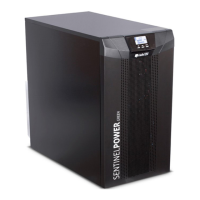
The page shown below may contain up to four TABs depending on the configuration of the system.
The first TAB refers to the cabinets containing the PMs (Power or Combo): the status of each configured element in the individual
cabinets is represented. By pressing each of the related icons (A, B, C, D) all details in relation to each of the cabinets can be
monitored (“Cabinet” page)
The following TABs represent the total number of connected Battery Cabinets (these are shown in groups of 3 or 4).
By pressing each of the related icons (1, 2, 3, …, 0) all details in relation to each of the cabinets can be monitored (“Battery
Cabinet” page)





 To Next Page