‐63‐
E-MAIL CONFIGURATION
The Tab menu on the left enables the user to move through the pages dedicated to the configuration of the e-mail service.
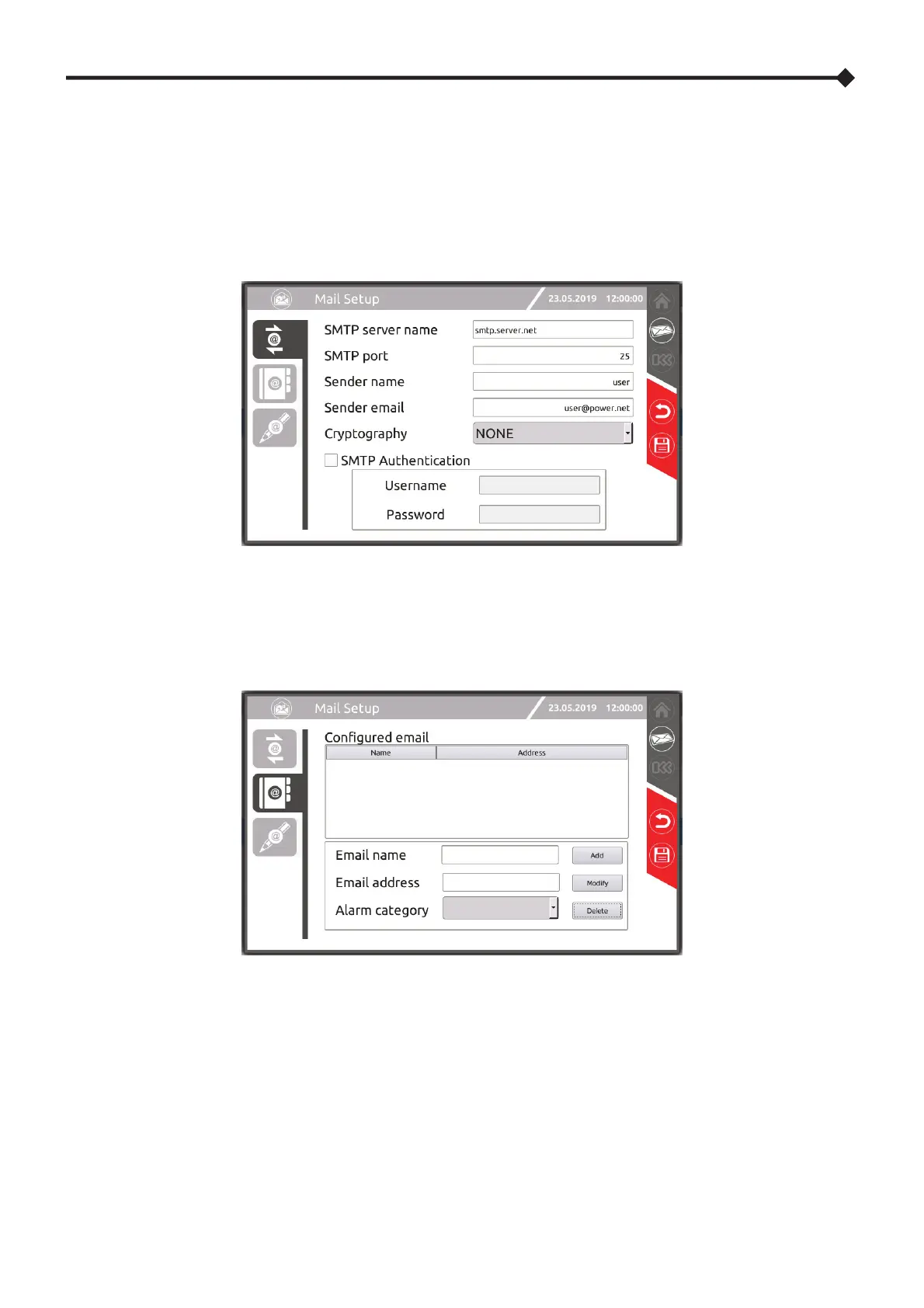
SMTP CLIENT CONFIGURATION
These pages enable the configuration of the SMTP client: server name, port, name and e-mail address of the sender,
encryption type and authentication data.
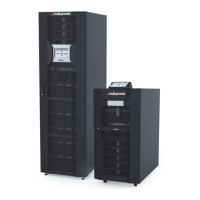
E-MAIL ADDRESS CONFIGURATION
This page allows you to set a list of addresses to be sent a message in the event of a system event. Using the alarm category,
messages can be filtered by importance.
Alarm type: Informative, Minor, Major, Critical.
NOTES: The selected alarm category includes all the other more serious categories (ref. to “Status messages / Alarm codes”
chapter).




 To Next Page