‐58‐
COMMANDS FOR DISPLAYING AND EXPORTING DATA
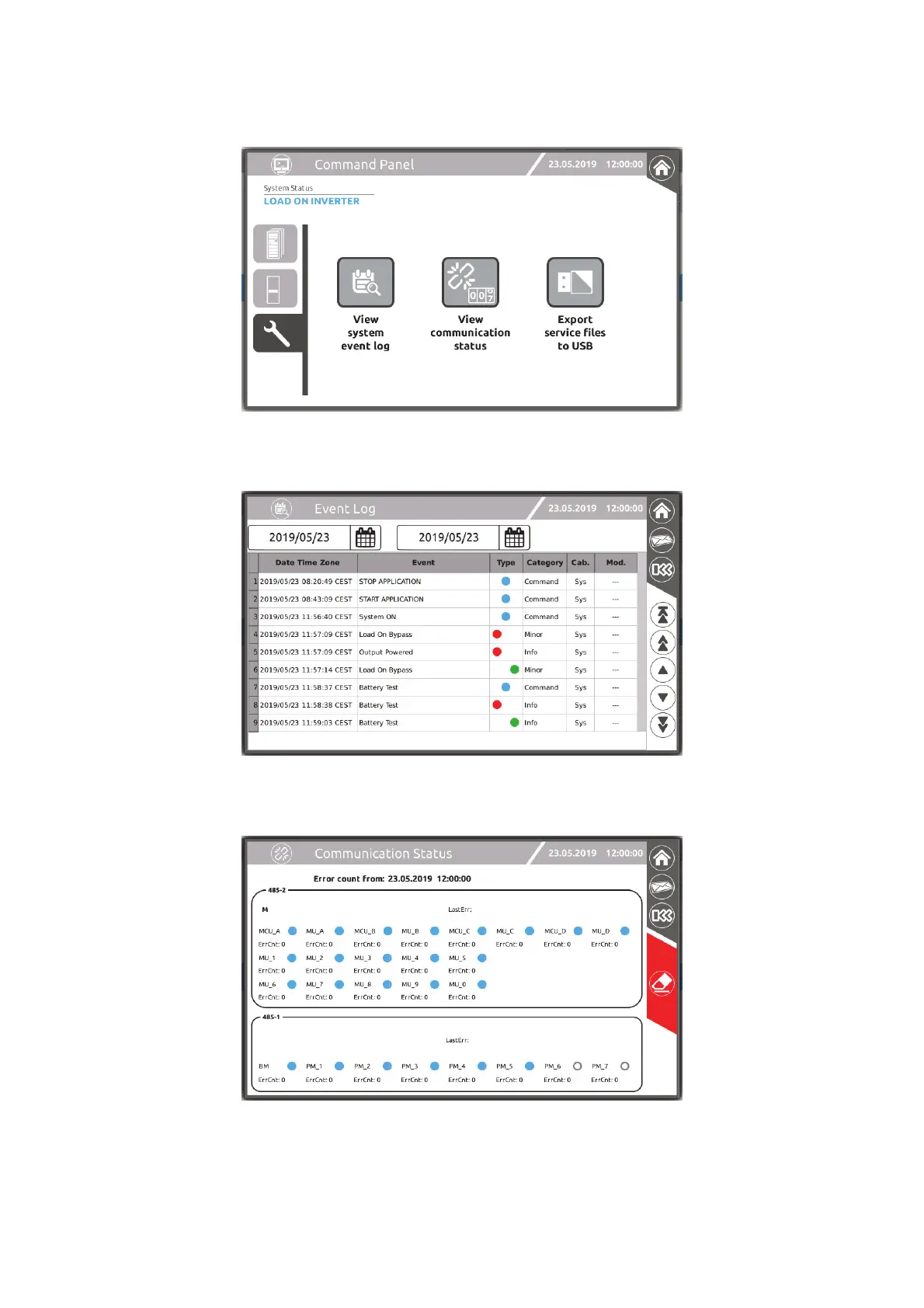
From this page, you can view the system event log file, view the communications status and export the complete log file onto a
USB key for analysis by the authorised Service Personnel.
To view the event log file:
tap the “View system event log” icon. By setting the start and end dates you can view the events stored during a certain period.
To view the communication status, tap the “View communication status” icon:
ErrCnt represents the number of errors accumulated by the MCU of CP you are operating from, as of the date given at the top of
the page. Using the “eraser” icon, you can reset the counters and start the count again from the present date.
For further details refer to the “MPW-MPX Advanced Configuration Manual”.




 To Next Page