‐54‐
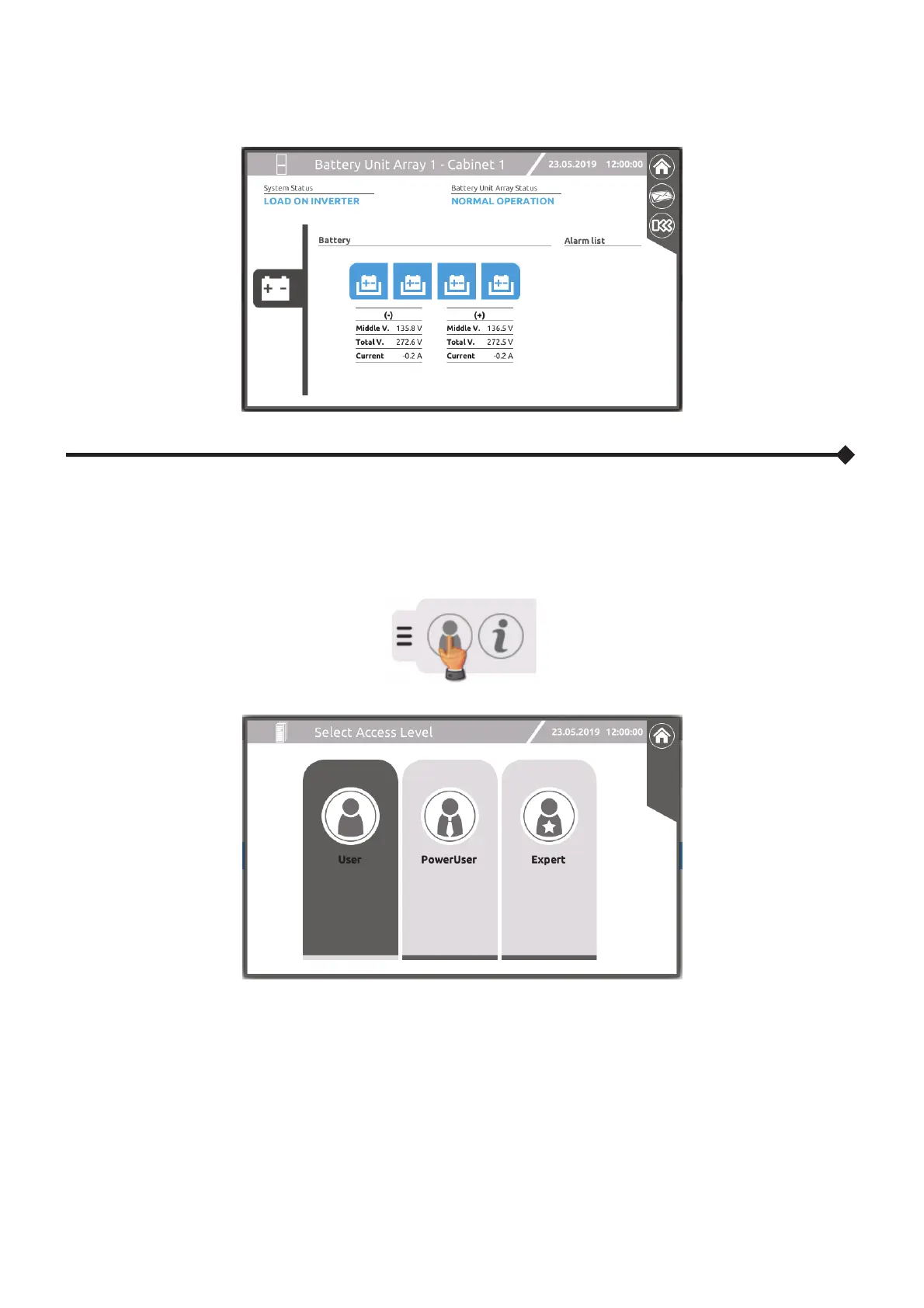
“BATTERY UNIT ARRAY” PAGE
This page displays the electrical values and any anomalous situations within the selected Battery Unit Array (BUA).
A
CCESS LEVEL SELECTION
This page allows for the selection of the access level for the user operating the MCU or CP.
A safety password may be requested, based on the selected level.
Expand the drop-down menu in the Home page and touch the access level selection icon.
The “User” level allows only basic display actions.
The “Power User” level allows commands (on/off, bypass switch or battery test) and part of the settings. The preset
access password: power
The “Expert” level is reserved for the authorised service personnel only.
NOTES:
1) Access as "Expert" user to configure the system.
2) The drop-down menu in the Home page may change based on the current access level.




 To Next Page