Troubleshooting
Check & Error Display
104
J-02
A paper jam has occurred on the
Paper Receiving Tray section.
Remove the paper jammed on the Paper
Receiving Tray section.
If the error indications do not disappear, press
the key.
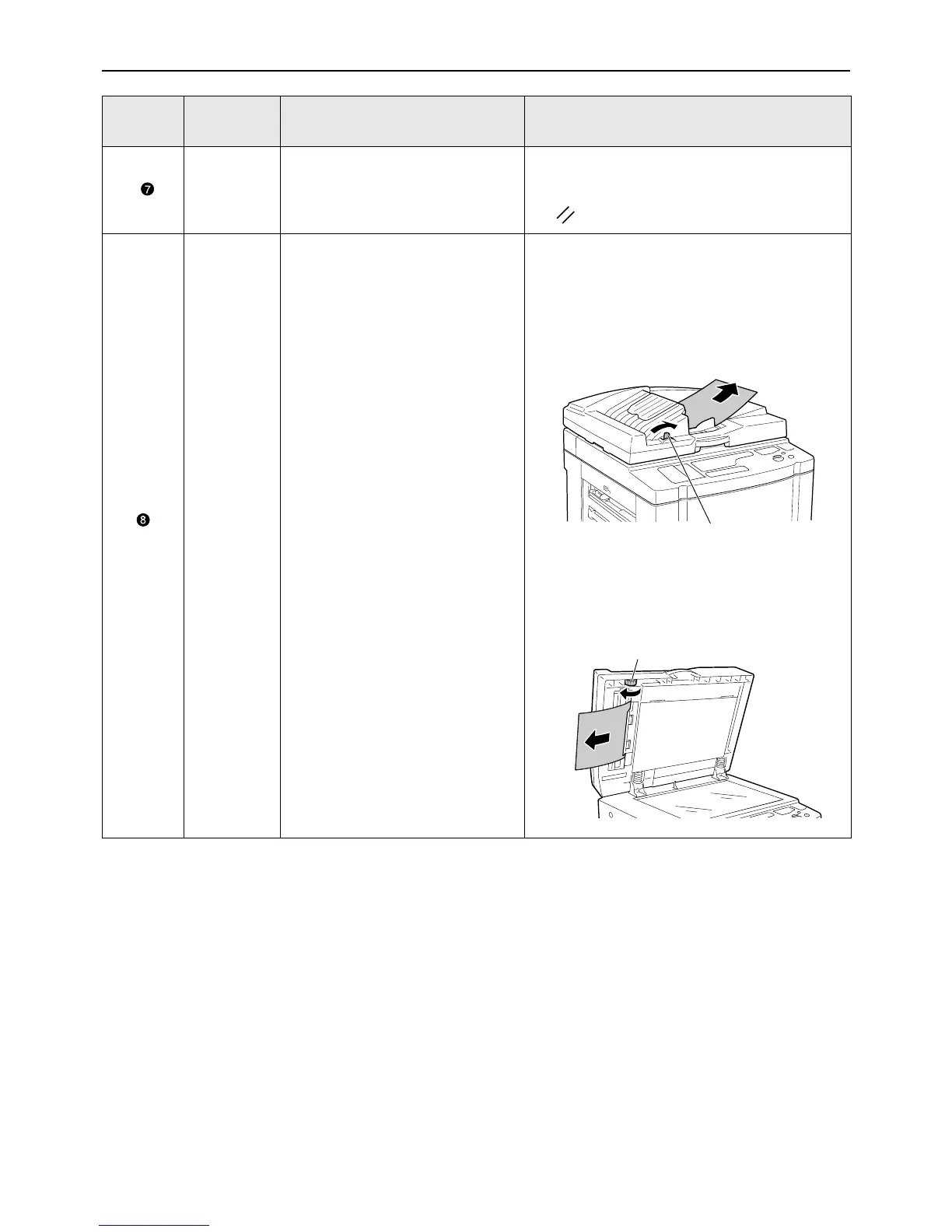
J-01
A paper jam has occurred in the
ADF unit (option).
Remove the original jammed in the ADF unit.
• Removing in the document insertion direction
Pull the ADF Original Release Lever to the
right, and pull out the original.
• Removing in the document ejection direction
Raise the Platen Cover, turn the ADF Original
Release Dial and remove the original.
Location
No.
Error No. Cause Action
ADF Original Release Lever
Original Release Dial



 To Next Page