Advanced Features
Setting Up User Management
80
Clearing the TC or MC for each user
You can clear the current TC or MC for each user. You can also clear the counts of either TC or MC for all users in
a single procedure.
Important!:
• After the counter is cleared, it cannot be recovered.
1 Check that the machine is in the item
number entry mode on the Print
Quantity Display.
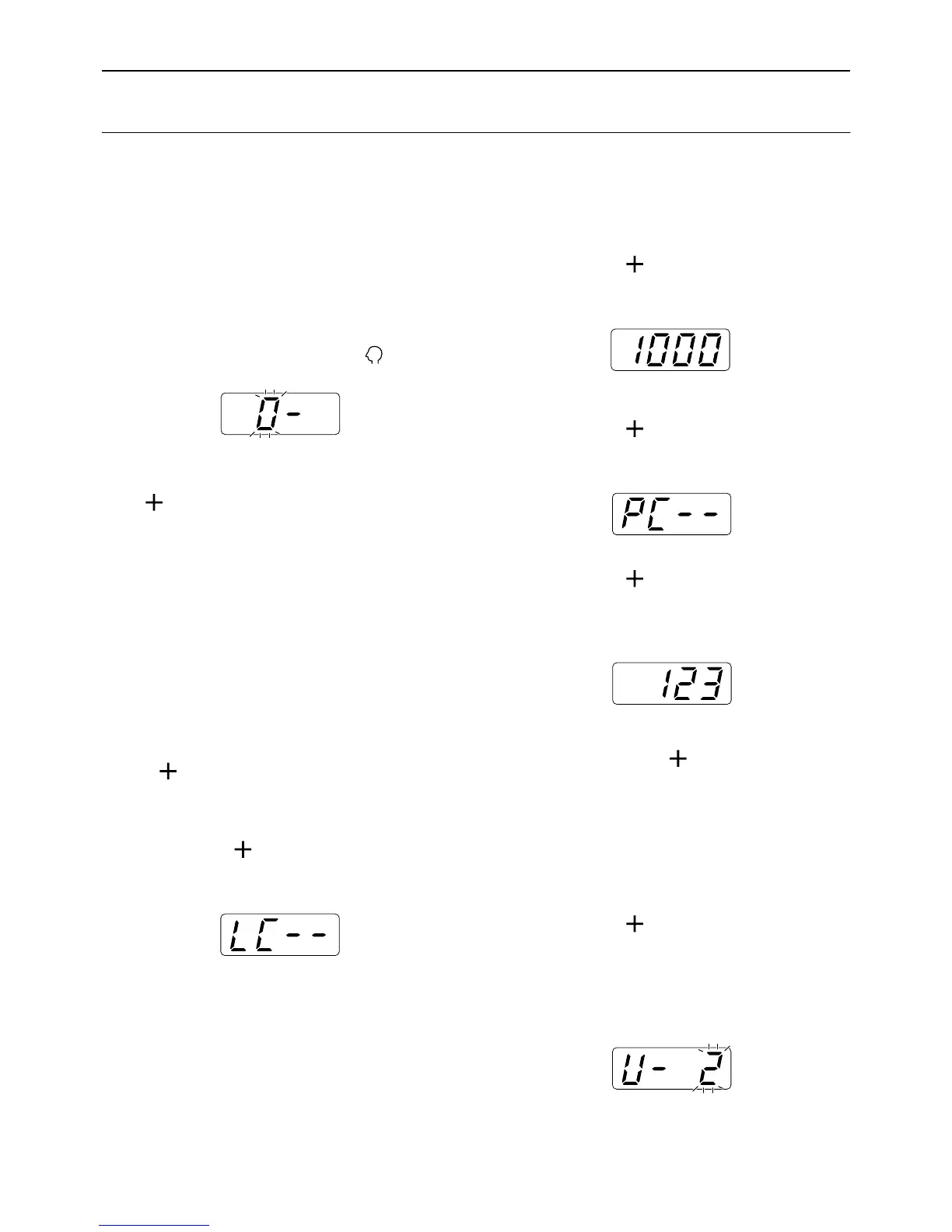
If “ 0- “ is displayed and “0” flashes, go to step 2.
For all other indications, press the key.
2 Enter the item number and press the
[ ] key.
The item numbers are as follows:
• Reset Total Counter: 85
• Reset Master Counter: 86
The user number entry mode is activated.
3 Enter a user number using the Print
Quantity keys.
Note:
• After inputting “00” in this step, pressing the
[] key clears the total count (master count)
for all users. The item number entry mode is
restored.
4 Press the [ ] key.
The “LC--” is displayed.
5 Press the [ ] key.
The upper-limit count set is displayed.
6 Press the [ ] key.
The “PC--” or “MC--” is displayed.
7 Press the [ ] key.
The current amount of copies or masters is dis-
played.
Note:
• After pressing the [] key again, the next reg-
istered user number is displayed without clear-
ing the counts.
8 Press the [C] key.
The TC or MC displayed on the Print Quantity Dis-
play is cleared.
9 Press the [ ] key.
The clearance of the count is applied, and the next
registered user number is displayed.
Repeat steps 3 through 9 to continue to clear the
copy/master count for other users.



 To Next Page