Cleaning
Cleaning
97
Cleaning
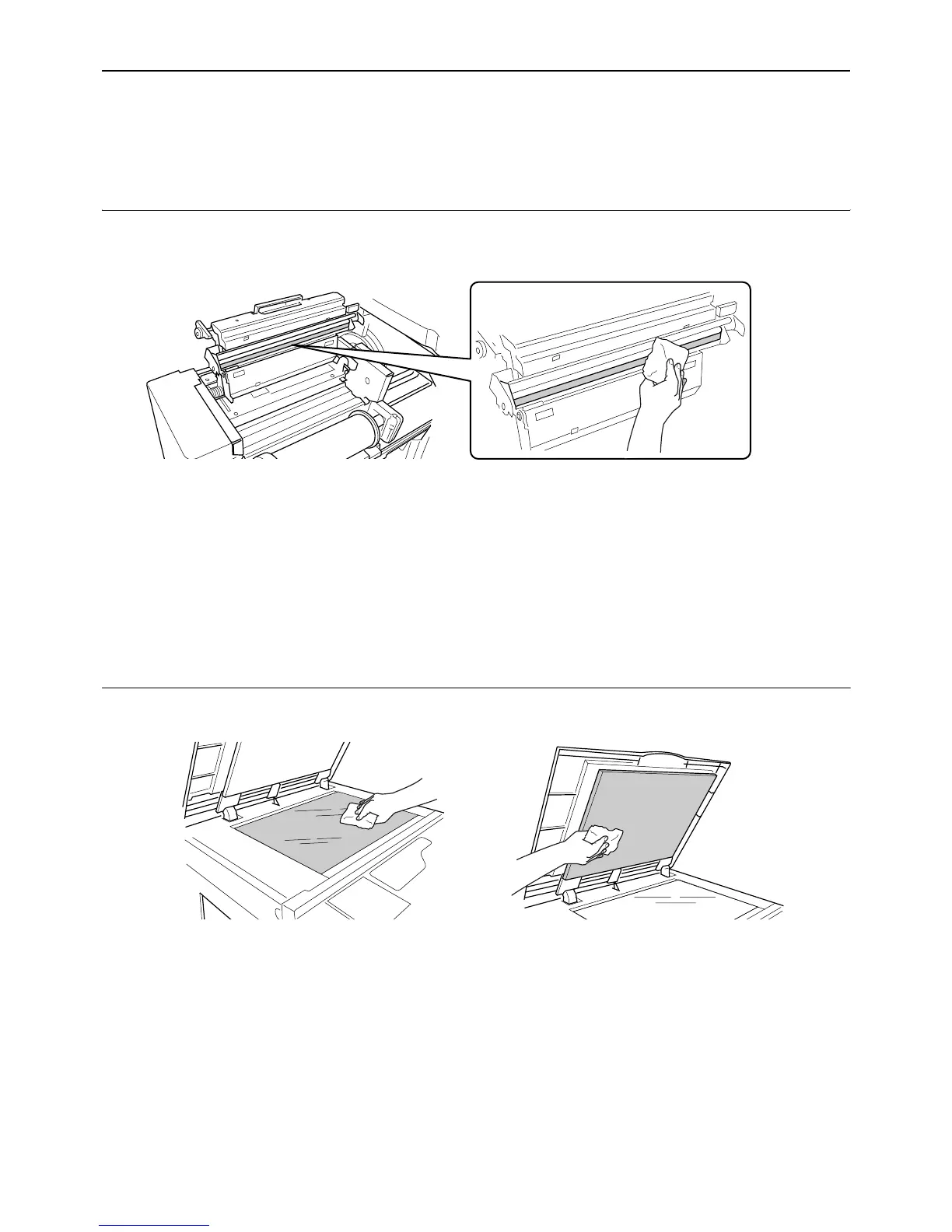
Thermal Print Head
Clean the Thermal Print Head each time you replace the Master Roll. Open the Master Making Unit Cover, and then
gently wipe the Thermal Print Head in the back of the unit several times with a soft cloth or tissue.
BCaution:
• Since the Thermal Print Head is very delicate, avoid shocks or scratches with a hard object.
• Since Thermal Print Head is susceptible to (damage by) static electricity, please be sure to remove the static elec-
tricity charged in the body before cleaning.
Note:
• For more effective cleaning, dampen a soft cloth or tissue with a small amount of alcohol before wiping the Thermal
Print Head.
Glass Platen and Platen Cover
If the Glass Platen and/or Platen Cover is stained, gently wipe them with a soft cloth or tissue.
BCaution:
• Since the Glass Platen is very delicate, avoid shocks or scratches with a hard object.



 To Next Page