Setting up for Scanning Originals
Printing Originals Side-by-Side [2-Up Printing]
42
Operational Procedure
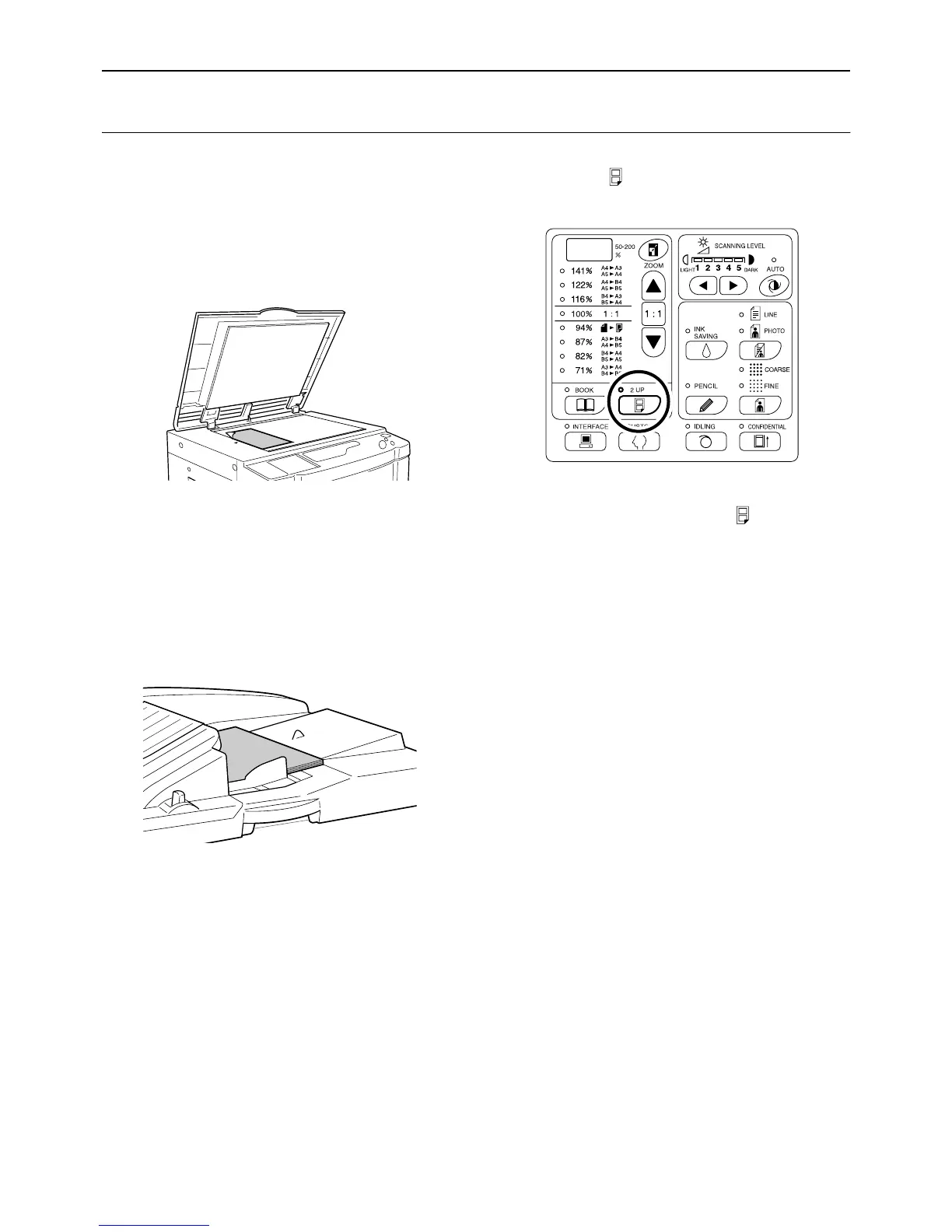
1 Place an original.
z When placing on the Glass Platen
Place the original face down in the vertical ori-
entation. Position it using the mark on the left-
hand side of the glass.
z When placing in the ADF unit (Option)
Place originals face down and then adjust the
ADF Original Guides to the width of the origi-
nals. Insert the originals as far into the ADF unit
as possible.
If you want to separately set the type and size
of originals for each original, place one original
at a time.
Important!:
• The sizes of originals to be placed in the
ADF unit (option) must be 100 mm × 148
mm(3
15
/
16
"×5
27
/
32
") at least. For smaller orig-
inals, use the Glass Platen.
2
Press the key to turn on its indicator.
Note:
• To clear the mode, press the key again to
turn off its indicator.
3 Make necessary settings.
As necessary, make various settings including
Image Processing mode selection.
)p.32~)p.37



 To Next Page